
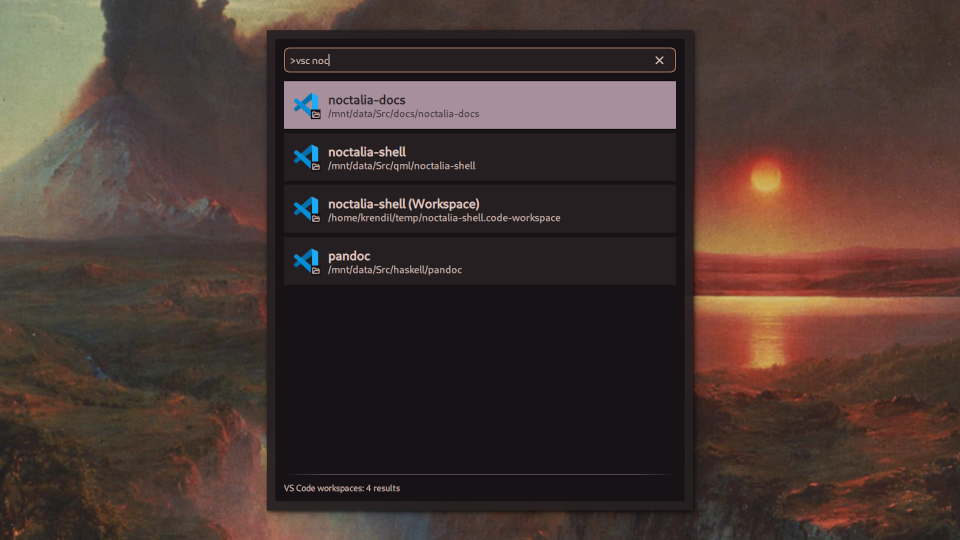
VS Code Provider
Open VS Code Folders and Workspaces
About
VS Code Provider
A launcher provider plugin that lets you search your recently opened folders and workspaces in VS Code and its derivatives.
Usage
- Open the Noctalia launcher
- Type
>vscto enter VSCode mode - Add a search term after the command (e.g.,
>vsc noct), or browse the most recently saved folders and workspaces - Select your workspaces and press Enter
Alternatively, you can trigger the provider by IPC with the command qs -c noctalia-shell ipc call plugin:vscode-provider toggle.
Supported forks
This plugin can be configured to support different forks of VS Code, although only one fork can be used at a time. The settings for this plugin includes preset configurations for Microsoft-distributed VS Code, as well as Code - OSS and Cursor. Other forks can be configured by selecting the Other option, and entering the relevant details. See below for more information.
Settings
Include in main search
Whether to include VS Code workspaces in the main search results.
VS Code fork
Which version or fork of VS Code to use. Select "Other" to enter your own details.
Command
The command to launch this fork of VS Code.
Config Name
The name of this fork's configuration directory in ~/.config.
Requirements
- Noctalia 4.5.0 or later
- VS Code, or one of its forks