
Back to plugins 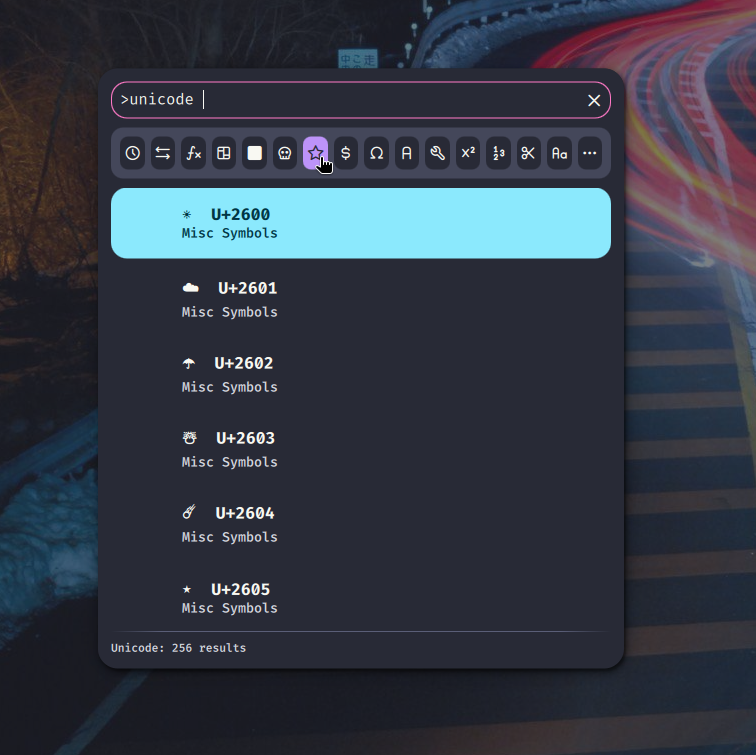
Unicode Picker
Browse and search Unicode characters from the launcher
v1.0.2 Daddeffe MIT Feb 10, 2026
About
Unicode Picker
Browse and search Unicode characters directly from the Noctalia launcher.
Features
- Browse characters by category (Arrows, Mathematical, Greek, Currency, etc.)
- Search by character name or hex codepoint (e.g.,
U+2192orarrow) - Recent characters tracking
- Auto-downloads Unicode character names database
- Copy characters to clipboard with a single click
Usage
- Open the launcher
- Type
>unicodeto enter Unicode mode - Browse categories or search for characters
- Click a character to copy it to clipboard
IPC Toggle
You can toggle the Unicode picker via IPC:
quickshell ipc call plugin:unicode toggle
Categories
- Recent (recently used characters)
- Arrows
- Mathematical
- Box Drawing
- Block Elements
- Geometric
- Misc Symbols
- Currency
- Greek
- Cyrillic
- Technical
- Superscripts
- Number Forms
- Dingbats
- Latin Extended
- Braille