
Back to plugins 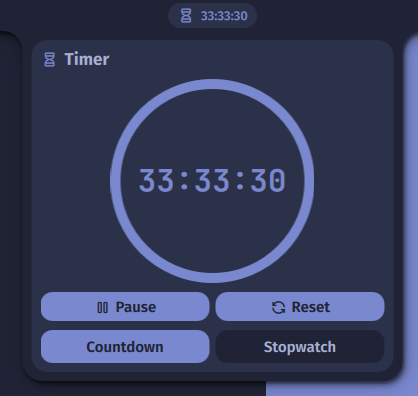
Timer
A timer and stopwatch plugin for the bar & control center.
v1.1.4 Noctalia Team MIT Apr 1, 2026
About
Timer Plugin
A simple and elegant timer and stopwatch plugin for Noctalia.
Features
- Countdown Timer: Set a duration and get notified when it finishes.
- Stopwatch: Measure elapsed time.
- Bar Widget: Shows status and remaining/elapsed time.
- Control Center Widget: Quick access from the control center.
- Notifications: Sound and toast notification when timer finishes.
- Multi-language: Support for 14 languages.
IPC Commands
You can control the timer plugin via the command line using the Noctalia IPC interface.
General Usage
qs -c noctalia-shell ipc call plugin:timer <command>
Available Commands
| Command | Arguments | Description | Example |
|---|---|---|---|
toggle |
Opens or closes the timer panel on the current screen | qs -c noctalia-shell ipc call plugin:timer toggle |
|
start |
[duration] or stopwatch (optional) |
Starts/resumes timer or switches to stopwatch mode. | qs -c noctalia-shell ipc call plugin:timer start 10m |
pause |
Pauses the running timer/stopwatch | qs -c noctalia-shell ipc call plugin:timer pause |
|
reset |
Resets the timer/stopwatch to initial state | qs -c noctalia-shell ipc call plugin:timer reset |
Duration Format
The start command accepts duration strings in the following formats:
30(defaults to minutes)10s(seconds)5m(minutes)2h(hours)1h30m(combined)stopwatch(keyword to start stopwatch)
Examples
Start a 25-minute timer (Pomodoro):
qs -c noctalia-shell ipc call plugin:timer start 25m
Start the stopwatch:
qs -c noctalia-shell ipc call plugin:timer start stopwatch