
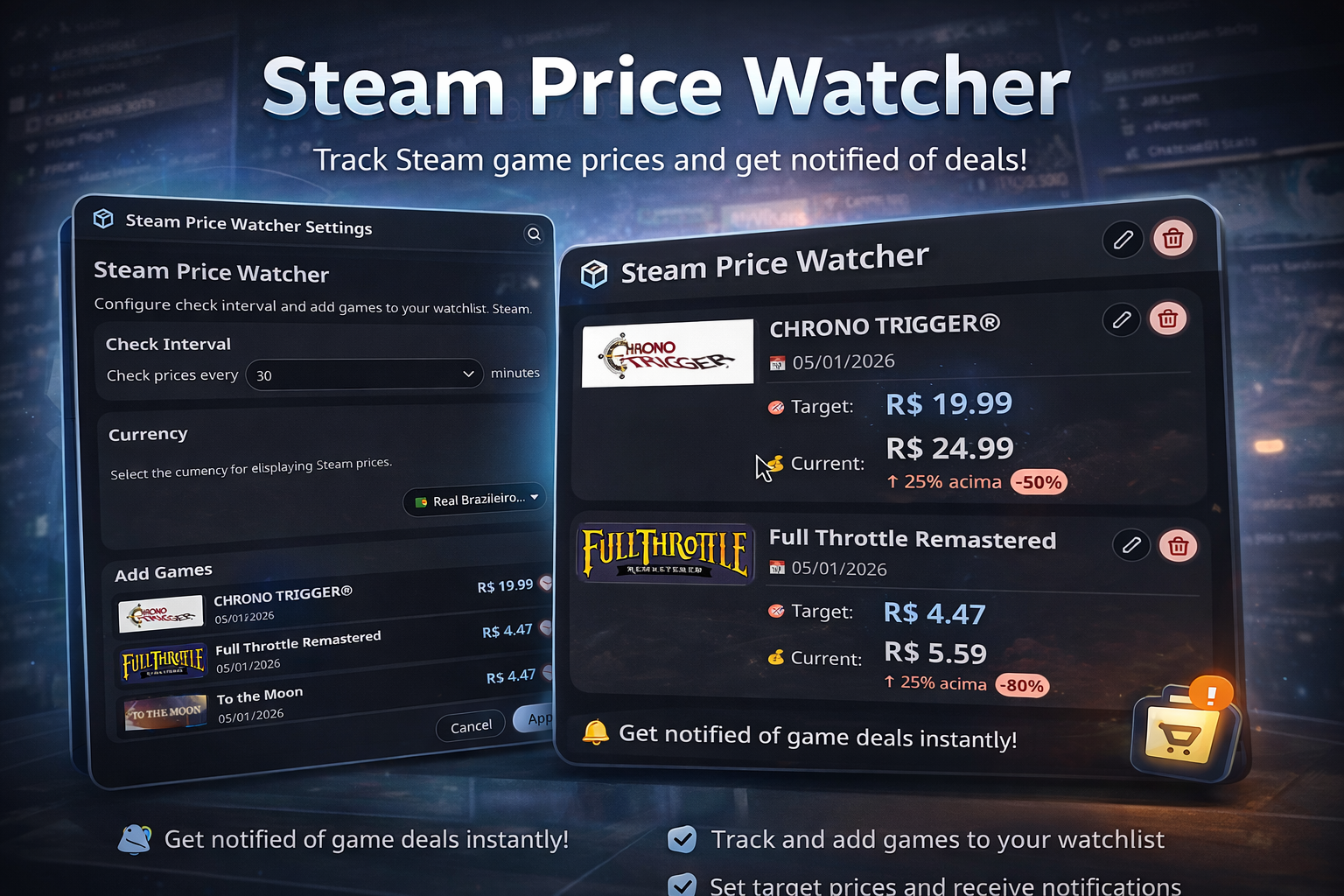
Steam Price Watcher
Monitor Steam game prices and get notified when they reach your target price
About
Steam Price Watcher
Monitor Steam game prices and get notified when they reach your target price.
Features
- 🎮 Price Monitoring: Automatically check Steam game prices at configurable intervals
- 🎯 Target Prices: Set your desired price for each game
- 🔔 Desktop Notifications: Get notified via notify-send when games reach your target price
- 📊 Visual Indicator: Bar widget shows a notification dot when games are at target price
- 💰 Price Comparison: See current price vs. target price with discount percentages
- ⚙️ Easy Configuration: Search games by Steam App ID and add them to your watchlist
- 🔄 Automatic Updates: Prices are checked automatically based on your interval setting
How to Use
Adding Games to Watchlist
- Open the plugin settings
- Enter the game name in the search field
- Example: "Counter Strike", "GTA", "Cyberpunk"
- Click "Search"
- The plugin will show up to 5 matching games
- Click "Add" on the game you want to monitor
- Set your target price (the plugin suggests 20% below current price)
- Click "Add to Watchlist"
Game Search
Simply type the game name and the plugin will search Steam's database:
Game Search
Simply type the game name and the plugin will search Steam's database:
- Counter Strike → Shows CS:GO, CS2, etc.
- GTA → Shows GTA V, GTA IV, etc.
- Cyberpunk → Shows Cyberpunk 2077
- Red Dead → Shows Red Dead Redemption 2
The search returns up to 5 results. Select the game you want and add it to your watchlist.
Monitoring Prices
Once games are added to your watchlist:
- The widget will check prices automatically at your configured interval (default: 30 minutes)
- When a game reaches or goes below your target price:
- A notification dot appears on the bar widget
- You receive a desktop notification
- The game is highlighted in the panel
- Click the widget to see all games and their current prices
Managing Your Watchlist
In the panel (click the widget):
- View all monitored games with current and target prices
- See which games have reached target price (🎯 indicator)
- Edit target prices by clicking the edit icon
- Remove games from watchlist
- Refresh prices manually with the refresh button
Settings
- Check Interval: How often to check prices (15-1440 minutes)
- Default: 30 minutes
- ⚠️ Very short intervals may result in many API requests
- Watchlist: Add or remove games from monitoring
Technical Details
- API: Uses Steam Store API (
store.steampowered.com/api/appdetails) - Currency: Prices are fetched in BRL (Brazilian Real)
- Data Storage: Settings are stored in Noctalia's plugin configuration
- Notifications: Uses notify-send for desktop notifications
Requirements
- Noctalia Shell v3.6.0 or higher
- Internet connection for API access
curlcommand-line tool (for API requests)notify-send(for desktop notifications)
Supported Languages
- Portuguese (pt)
- English (en)
- Spanish (es)
- French (fr)
- German (de)
- Italian (it)
- Japanese (ja)
- Dutch (nl)
- Russian (ru)
- Turkish (tr)
- Ukrainian (uk-UA)
- Chinese Simplified (zh-CN)
Changelog
Version 1.0.0
- Initial release
- Steam API integration
- Price monitoring with configurable intervals
- Target price alerts
- Desktop notifications
- Multi-language support
Author
Lokize
License
This plugin follows the same license as Noctalia Shell.
Tips
- Set realistic target prices (20-30% below current price is usually good)
- Don't set check intervals too short (<30 minutes) to avoid excessive API requests
- Games that are free or don't have pricing information cannot be added
- Notifications are sent only once per game until you update the target price
- The plugin remembers which games have been notified to avoid spam
Troubleshooting
Problem: No prices showing Solution: Check your internet connection and verify the App ID is correct
Problem: Notifications not appearing Solution: Make sure notify-send is installed and working on your system
Problem: "No games found" when searching Solution: Verify the App ID or Name is correct and the game exists on Steam
Problem: Prices not updating Solution: Click the refresh button in the panel or wait for the next automatic check
Future Enhancements
Potential features for future versions:
- Support for multiple currencies
- Price history tracking
- Historical low price information
- Steam sale event notifications
- Wishlist import from Steam