
Back to plugins 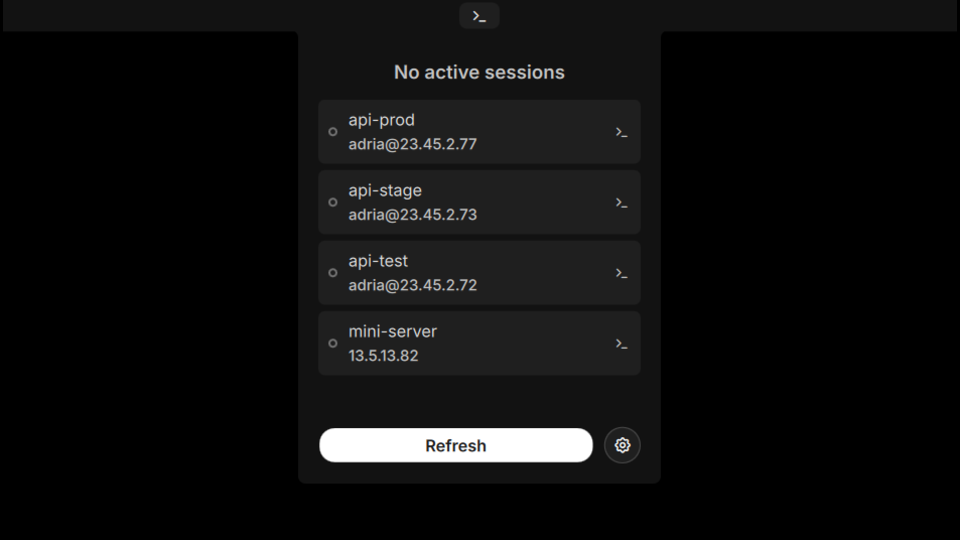
SSH Sessions
Manage SSH connections from ~/.ssh/config with active session detection and launcher integration.
v1.1.2 adriamartin91 MIT Apr 13, 2026
About
SSH Sessions
Manage SSH connections from ~/.ssh/config with active session detection and launcher integration.
Features
- Bar Widget: Shows active SSH session count with tooltip listing connected hosts
- Panel: Host list with active/inactive status indicators, connect buttons, and fuzzy search with keyboard navigation
- Launcher: Type
>sshto search and connect to hosts - Auto-detection: Parses
~/.ssh/configautomatically and watches for changes - Session Monitoring: Polls active SSH connections via
pgrep, filters ProxyJump sub-processes - Terminal Auto-detect: Detects installed terminal emulator (ghostty, alacritty, kitty, foot, etc.)
How It Works
The plugin reads your ~/.ssh/config file and extracts Host entries with their associated settings (Hostname, User, Port, ProxyJump, IdentityFile). It monitors the file for changes and reloads automatically.
Active sessions are detected by polling pgrep -af "ssh " at a configurable interval, with filtering for ProxyJump sub-processes and terminal launcher lines to avoid duplicates.
Usage
- Bar widget: Left click to open panel, right click for context menu, middle click to refresh
- Panel: Type to search hosts with fuzzy matching. Arrow keys to navigate, Enter to connect, Escape to clear search or close panel. Click the terminal icon to connect directly
- Launcher: Open launcher, type
>ssh, select a host to connect
Settings
| Setting | Default | Description |
|---|---|---|
| Terminal command | Auto-detected | Override the terminal emulator used for SSH connections |
| Poll interval | 10 seconds | How often to check for active SSH sessions |
| Show inactive hosts | true | Show hosts without active sessions in the panel |
IPC Commands
# Refresh session detection
qs -c noctalia-shell ipc call plugin:ssh-sessions refresh

# Toggle panel
qs -c noctalia-shell ipc call plugin:ssh-sessions toggle
Requirements
~/.ssh/configwith Host entries- A terminal emulator installed (ghostty, alacritty, kitty, foot, wezterm, konsole, etc.)