 Noctalia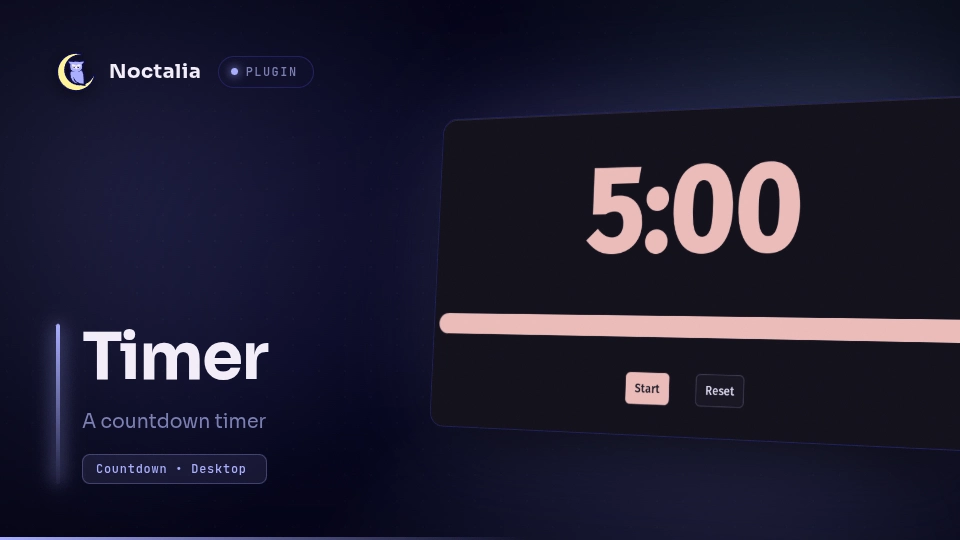
About
Timer
Timer is a countdown timer with three UI surfaces - a bar widget, a panel, and a desktop widget - that are all thin clients of one headless service. They share a single countdown through Noctalia's plugin state, so starting, pausing, or resetting from any surface updates them all live.
Plugin
| Field | Value |
|---|---|
| ID | noctalia/timer |
| Entries | Service: timer; bar widget: bar; panel: panel; desktop widget: desktop |
Usage
Bar Widget and Panel
The headless timer service owns countdown logic and state. The bar widget
and panel communicate with the service through shared plugin state.
Add the bar bar widget to your bar. It displays an hourglass icon when idle,
or the formatted countdown when running. Click the widget to open the timer
panel for duration input and controls. When the timer completes, clicking the
bar widget resets it.
At zero the alarm beeps for alarm_duration seconds (10 by default, 0 silences
it) and the timer returns to idle. alarm keeps it beeping until dismissed
(click the bar widget, or press Reset in the panel or the desktop widget).
On vertical bars, the widget shows an hourglass with the time as a tooltip. On horizontal bars, the widget shows the hourglass and countdown side by side, with an option to hide the countdown when idle.
You can also open the timer panel over IPC:
noctalia msg panel-toggle noctalia/timer:panel
Desktop Widget
Add the desktop desktop widget from Noctalia's desktop-widget editor. Because
desktop widgets cannot take keyboard focus, it sets the duration with
keyboard-free -1m/+1m/+5m buttons instead of typed input, then starts,
pauses, and resets the countdown.
The desktop widget owns no timer logic: it drives the same shared countdown as
the bar widget and panel through the timer service, so all three stay in sync,
and the service sends a notification when the countdown reaches zero.
IPC
The countdown can also be driven over Noctalia's IPC, which is useful for compositor keybinds (sway, Hyprland) and shell aliases:
noctalia msg plugin noctalia/timer:timer all start 40   # start a 40 minute countdown
noctalia msg plugin noctalia/timer:timer all pause      # pause, or resume when paused
noctalia msg plugin noctalia/timer:timer all cancel     # reset to idle (`reset` alias)
start <minutes> is ignored while a countdown is running, so repeated calls
cannot clobber it. Otherwise it starts a fresh countdown of the requested
duration — also while paused (refreshing the progress baseline) and through a
ringing completion alarm, which it silences.
Fractional minutes are rounded down to whole seconds. Invalid inputs, durations below one second, and durations that overflow to infinity are ignored without changing the current timer.
Settings
Plugin
| Setting | Type | Default | Description |
|---|---|---|---|
alarm |
bool |
false |
Ignores alarm_duration and beeps until the timer is dismissed. |
alarm_duration |
int |
10 |
Seconds the alarm beeps at zero; 0 silences it. Hidden while alarm is on. |
Bar Widget
| Setting | Type | Default | Description |
|---|---|---|---|
show_idle_on_horizontal |
bool |
true |
Shows or hides the countdown on horizontal bars when idle. |
Desktop Widget
| Setting | Type | Default | Description |
|---|---|---|---|
color |
color |
primary |
Accent color for the time and progress bar. |
show_progress |
bool |
true |
Shows or hides the progress bar. |
Notes
This plugin is a reference implementation for [[desktop_widget]] entries,
[[widget]] bar widget entries, and Noctalia's declarative ui.* widget tree.
Versions
| Version | Plugin API | Updated |
|---|---|---|
| v1.5.1 latest | 43 | Oct 25, 2026 |
| v1.5.0 | 20 | Oct 8, 2026 |
| v1.2.2 | 3 | Sep 29, 2026 |
Older versions stay installable on a Noctalia release whose plugin API is below the latest version's.