 Noctalia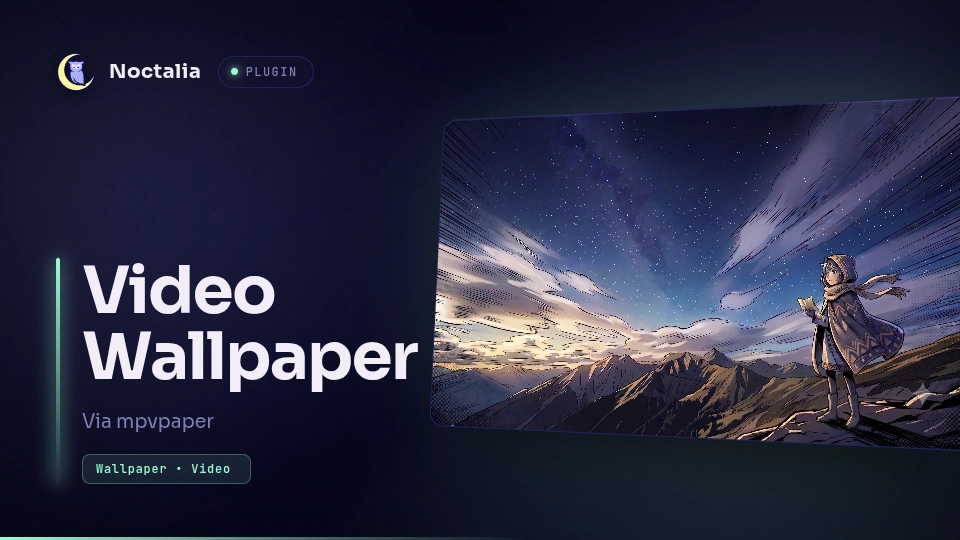
About
Video Wallpaper
Animated and video wallpapers for Noctalia, powered by mpvpaper.
Noctalia does not decode video itself. This plugin runs mpvpaper, which draws its own
wlr-layer-shell background surface, and asks Noctalia to drop its wallpaper on the
outputs you assign a video to - so the video shows through, with the bar and dock still
drawn above it.
In addition to single-file wallpapers, the plugin can run directory slideshows: when you set a slideshow interval from the picker, mpvpaper loops over all supported videos in the selected file’s directory, starting at the one you clicked.
Plugin
| Field | Value |
|---|---|
| ID | noctalia/mpvpaper |
| Entries | Service: service; Panel: picker; bar widget: mpvpaper; Shortcut: shortcut |
Requirements
Requires Noctalia plugin API 26 or newer.
Install mpvpaper and mpv on PATH. mpvpaper renders the wallpaper
surface, and mpv renders picker thumbnails.
For slideshow state tracking (so the picker highlights the correct tile and static
wallpaper frames follow the current slideshow file), the service talks to mpv over
JSON IPC using the socat command; if socat is missing, slideshows still play, but
tile highlighting and static-frame extraction may not reflect the current file.
The plugin works on wlr-layer-shell compositors (Niri, Hyprland, Sway, Mango).
Usage
Set Video directory in the plugin settings (defaults to
~/Videos).Add the Video Wallpaper bar widget, the control center shortcut, or open the picker with
noctalia msg panel-toggle noctalia/mpvpaper:pickerChoose a target output (or All outputs), then click a video to apply it. Use Stop to restore Noctalia's own wallpaper on that output.
To enable a slideshow, click the Slideshow button in the picker’s header to swap the controls for the interval slider. Drag the slider to choose an interval (in minutes) and release to commit; the service converts this to seconds and passes
--slideshow <seconds>to mpvpaper, building a playlist from all supported videos in that directory, starting at the file you selected. Click the button again to return to the output controls.
Assignments (including the last slideshow interval) persist across restarts. Supported
files: mp4, webm, mkv, mov, gif.
The picker’s close button respects the shell’s shell.show_close_buttons setting.
If the setting is missing, the button remains visible.
IPC Commands
You can control the video wallpaper externally via Noctalia's IPC mechanism. Replace [connector] with your display name (e.g. DP-1), or omit it to target all monitors:
noctalia msg plugin noctalia/mpvpaper:service all pause [connector]- Pauses playback via cgroups freezer (or SIGSTOP when systemd is disabled).noctalia msg plugin noctalia/mpvpaper:service all resume [connector]- Resumes playback.noctalia msg plugin noctalia/mpvpaper:service all toggle [connector]- Toggles playback between paused and resumed state.noctalia msg plugin noctalia/mpvpaper:service all clear <connector>- Stops the wallpaper on the specified monitor and extracts a frame as a static wallpaper (when enabled).noctalia msg plugin noctalia/mpvpaper:service all clear-all- Stops all active video wallpapers.noctalia msg plugin noctalia/mpvpaper:service all reapply- Re-applies the last applied wallpaper, relaunching mpvpaper; also force-restarts a running one or revives a dead one. Made for lock/unlock hooks: clear-all on lock, reapply on unlock.noctalia msg plugin noctalia/mpvpaper:service all slideshow <minutes>- Changes the slideshow interval to the value in minutes
Settings
| Setting | Type | Default | Description |
|---|---|---|---|
video_directory |
folder |
(empty) | Folder scanned for wallpaper videos; defaults to ~/Videos when empty. |
mute |
bool |
true |
Starts video wallpapers muted. |
hardware_decode |
bool |
true |
Uses mpv hardware decoding. |
auto_pause |
select |
"full" |
Automatically pauses playback while a window covers the wallpaper (off, maximized, or fullscreen). Experimental upstream; behavior varies by compositor — see the mpvpaper man page. |
mpv_options |
string |
(empty) | Additional space-separated mpv options (forwarded via -o), e.g. panscan=1.0 video-zoom=0.1. |
run_as_systemd |
bool |
false |
Runs instances inside systemd transient scopes (systemd-run) for resource control. |
extract_last_frame |
bool |
true |
Extracts a static frame to use as a wallpaper when video playback is stopped or paused. |
cpu_quota |
number |
0 |
Systemd CPUQuota= limit in percentage. Requires run_as_systemd. |
allowed_cpus |
string |
(empty) | Systemd AllowedCPUs= limits (e.g., 0-3). Requires run_as_systemd. |
memory_max |
string |
(empty) | Systemd MemoryMax= limits (e.g., 500M). Requires run_as_systemd. |
cpu_weight |
number |
0 |
Systemd CPUWeight= priority. Requires run_as_systemd. |
nice |
number |
0 |
Process nice priority level. Requires run_as_systemd. |
glyph |
glyph |
movie |
Bar widget icon. |
How it works
A headless service natively supervises mpvpaper instances (one per output), either launching them directly or wrapping them in systemd transient scopes (systemd-run) for strict CPU and memory resource limits. The picker panel and bar widget are thin clients that drive the service through the plugin's shared state.
On startup, the service queries mpvpaper --help to detect whether the binary supports the newer --auto-mode flag (mpvpaper 1.9+). When supported, the configured auto-pause mode is passed through as --auto-pause --auto-mode FULL|MAX. On older versions, only the plain --auto-pause flag exists, so the plugin degrades to fullscreen-only auto-pausing instead of failing to launch.
When you set a slideshow interval, the service builds an .m3u playlist from all supported videos in the selected file’s directory and starts mpvpaper with that playlist and --slideshow enabled. The service then polls mpv over JSON IPC (via socat) to track which file is currently shown. This syncs the UI assignments and static wallpaper frames, ensuring the picker highlights the right tile and stop operations extract the correct static frame.
When the plugin is disabled or Noctalia exits, the service's onExit hook terminates every running mpvpaper instance — including frozen or paused ones — so no orphan processes remain.
Versions
| Version | Plugin API | Updated |
|---|---|---|
| v1.2.2 latest | 43 | Oct 25, 2026 |
| v1.2.1 | 26 | Oct 10, 2026 |
| v1.2.0 | 9 | Sep 14, 2026 |
| v1.0.6 | 3 | Jul 17, 2026 |
Older versions stay installable on a Noctalia release whose plugin API is below the latest version's.