 Noctalia
About
Lyrics
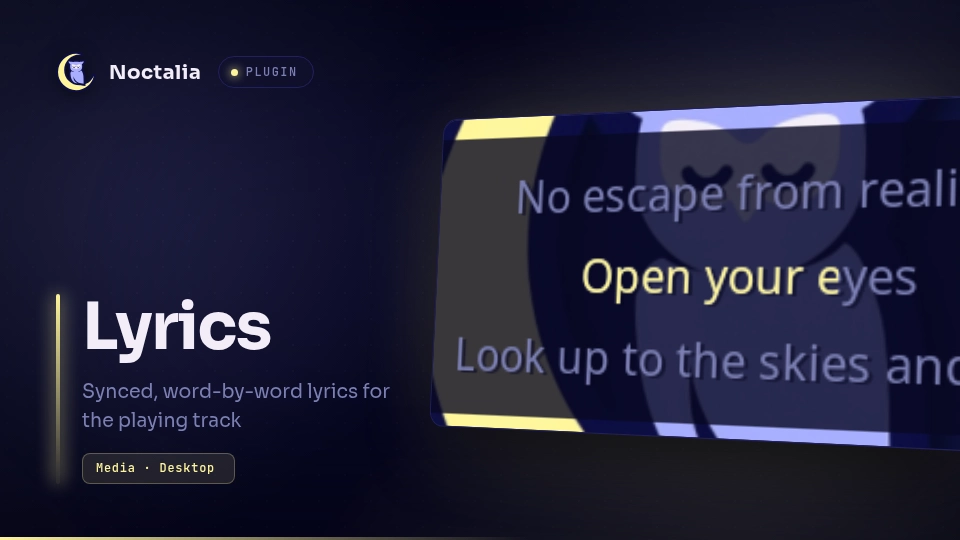
Lyrics shows synced lyrics for the track playing in your active media player as a desktop widget. The current line sits in the middle of the widget and fills word by word (or across the whole line) in time with playback, then scrolls up as the song moves on.
Plugin
| Field | Value |
|---|---|
| ID | noctalia/lyrics |
| Entries | Service: service; desktop widget: desktop |
The headless service entry follows the active MPRIS player (the same player
the bar media widget shows), looks the lyrics up and shares them with every
desktop widget through plugin state, so several widgets never repeat a
lookup.
Usage
Add Lyrics from Noctalia's desktop-widget editor, then adjust Visible Lines and the other options in its settings. No API key is required.
Display
- Timed lyrics follow playback, pause and seeking, including playback already in progress when Noctalia starts.
- The current line stays near the middle of the configured rows. Empty rows at the beginning and end of the song keep the widget's size stable.
- When the provider has word timestamps the highlight sweeps through each word. For lyrics with line timestamps only, it sweeps across the whole line over the line's time, finishing slightly early; this is an approximate visual guide, not word-accurate timing.
- A word-timed line stays on screen until its last word has been shown filled, then the rows scroll up to the next line.
- Plain (unsynced) lyrics show their first
line_countlines without a highlight. - Every lyric line stays on one line. The widget has a fixed
widthandfont_size; a line wider than the widget ends with an ellipsis, so raisewidthor lowerfont_sizefor songs with long lines. - Loading, missing lyrics, instrumental tracks, offline mode, request failures and an idle player each show their own status message.
Lookup
When a local audio file has a sibling .lrc file with the same name (for
example song.flac and song.lrc), those lyrics are used without any network
request.
Otherwise the service cleans up video-style metadata (such as
Artist x Guest - Song (Official Video) titles and uploader channel names),
identifies the recording through Deezer and
MusicBrainz, then asks these providers in order:
- lrcmux
- LyricsPlus
- LRCLIB
- KuGou and NetEase Cloud Music, only when none of the above has synced lyrics timed for a recording of the playing length
When LRCLIB, KuGou or NetEase finds nothing for the full metadata, it is
searched once more with just the song title and its artist, leaving out the
uploader's channel name (for example Crazy chomin for a
Crazy (feat. Yina) by chomin video from the DJMAX ARCHIVE channel).
Lyrics timed for a recording whose length matches the playing track are preferred. When none match, the synced lyrics from every source that has them are compared line by line, and the version whose line timings the other sources confirm wins (lyrics databases are partly crowd-sourced, and a single wrong timestamp is enough to throw a song off); ties go to the earlier source in the list. Plain text is used only when nothing is synced. Recordings up to 30 seconds longer or shorter than the playing track are still matched. Ambiguous or unrelated recordings are rejected rather than showing another song's lyrics.
Results are cached in memory and in a small cache under the plugin's data directory, so a restart does not repeat lookups. Small duration or album updates do not invalidate found lyrics, and a temporary failure keeps the last lyrics for the unchanged track visible. A provider that fails or rate-limits is skipped for a while, and a failed lookup is retried after 30 seconds, then with doubling delays up to 10 minutes.
Timing offset per track
Lyric timestamps follow the studio recording, so a music video with a longer intro shows them early. Shift the lyrics of the playing track and the plugin remembers the offset for that track (keyed on its media URL, or its title and artist when the player reports no URL):
noctalia msg plugin noctalia/lyrics:service all offset -250   # show lyrics 250 ms later
noctalia msg plugin noctalia/lyrics:service all offset +250   # show lyrics 250 ms earlier
noctalia msg plugin noctalia/lyrics:service all offset 1500   # set it to +1.5 s
noctalia msg plugin noctalia/lyrics:service all offset reset
Bind the first two to keys for quick adjustments; each change shows the new offset in the OSD.
Which source was used
noctalia msg plugin noctalia/lyrics:service all status
shows the playing track, the lyrics source, the length of the recording the lyrics were timed for and the track's offset. The same line is written to the Noctalia log whenever new lyrics are shown, which helps compare reports of the same song.
Privacy
Online lookups send track metadata (title, artist, and sometimes album and
length) to Deezer, MusicBrainz and the lyrics providers listed above. Set
[shell] offline_mode = true in your Noctalia configuration to prevent all
network requests; sidecar .lrc files and already cached lyrics keep working,
and other tracks show "Lyrics unavailable in offline mode".
Settings
Desktop Widget
| Setting | Type | Default | Description |
|---|---|---|---|
line_count |
int |
3 |
Number of lyric rows, from 1 to 15. |
font_size |
int |
22 |
Text size in pixels. The row height follows it. |
width |
int |
640 |
Width of the lyric rows in pixels. Longer lines end with an ellipsis. |
color |
color |
on_surface_variant |
Color of the surrounding lines and status messages. |
active_color |
color |
primary |
Color the current line fills with as it is sung. |
shadow |
bool |
true |
Draws a text shadow. |
hide_when_no_media |
bool |
false |
Hides the widget when no media player is active. |
hide_when_idle |
bool |
false |
Hides the widget while the active player is paused or stopped. |
Versions
| Version | Plugin API | Updated |
|---|---|---|
| v1.1.0 latest | 51 | Nov 5, 2026 |
Older versions stay installable on a Noctalia release whose plugin API is below the latest version's.