
About
Notes
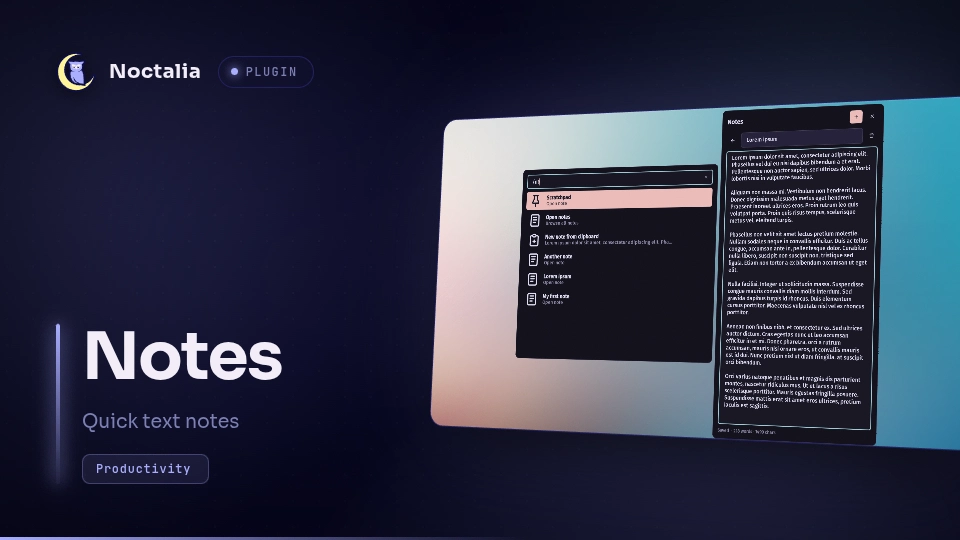
Quick notes in a full-height side panel, stored as plain text files in a directory you control — yours to sync, edit externally, and grep.
Plugin
| Field | Value |
|---|---|
| ID | noctalia/notes |
| Entries | Panel: panel; bar widget: notes; launcher provider: launcher |
| Launcher Prefix | /nt |
Usage
Enable the plugin in Settings → Plugins.
Add the
notesbar widget and click it, or run:noctalia msg panel-toggle noctalia/notes:panel+ creates a note named after the current time; rename it from the editor header (press Enter to apply). The editor autosaves a couple of seconds after you stop typing, when you navigate away, and when the panel closes; Ctrl+Enter saves immediately.
The pin button on a row keeps that note at the top of the list and ranks it higher in launcher results. Deleting asks for an inline confirmation.
A pinned Scratchpad note always sits at the top of the list — the place to dump text instantly without naming anything.
The /nt launcher command writes down a thought without opening the panel:
type it, press Enter, done.
/nt buy milk→ Add to scratchpad appends the line to the scratchpad file; New note creates a note from it and opens the panel on it.- The text also fuzzy-matches existing note names; activating a match opens it in the panel.
- Bare
/ntlists the scratchpad, your notes, and New note from clipboard. - Add to scratchpad is safe even if the scratchpad was left open in the editor: the appended line shows up there instead of being lost.
IPC
noctalia msg panel-toggle noctalia/notes:panel   # toggle the panel
noctalia msg panel-open noctalia/notes:panel     # open it
noctalia msg panel-close                         # close the open panel
Settings
| Setting | Type | Default | Description |
|---|---|---|---|
notes_dir |
string |
~/Documents/Notes |
Where the note files live. Created on first open if missing. |
extension |
string |
md |
Extension for note files (without the dot). Only files with this extension are listed. |
glyph |
glyph |
notes |
Bar widget icon. |
Notes
- Pins are stored in a hidden
.pinned.jsonsidecar inside the notes directory, so they sync with the notes. - The panel remembers which note was open across close/reopen.
- Files are only written by autosave and the
/ntactions; nothing else in the notes directory is touched.