
Back to plugins 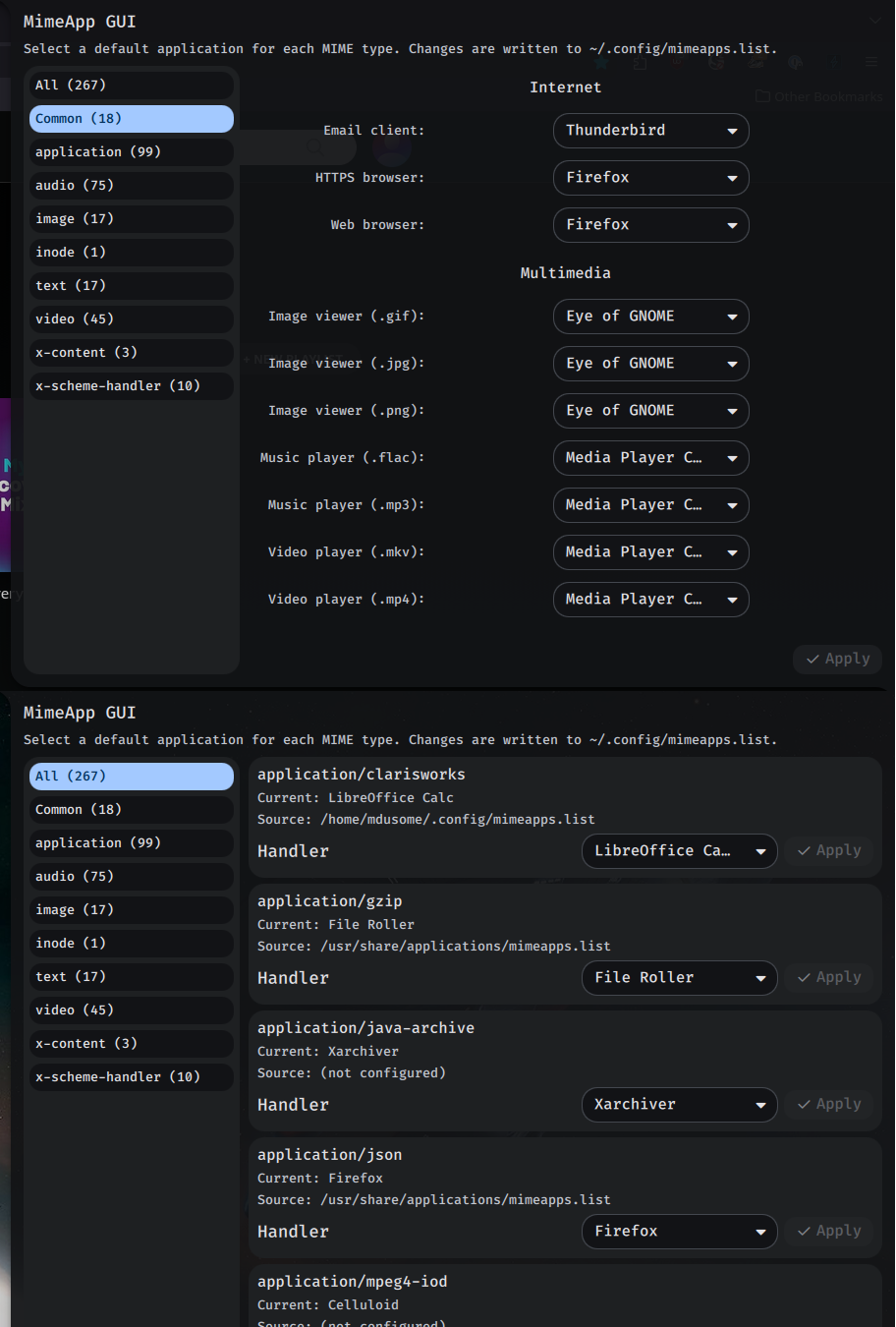
MimeApp GUI
GUI for inspecting MIME handlers and updating default applications in mimeapps.list (requires python3).
v1.0.4 Mathew-D MIT Apr 20, 2026
About
MimeApp GUI
A Noctalia plugin to manage MIME default applications from a panel UI.
Requirements
python3must be installed and available inPATH.
What it does
- Scans installed
.desktopfiles for theirMimeType=entries. - Lists MIME types and candidate handlers.
- Updates
~/.config/mimeapps.listin the[Default Applications]section.
Notes
- This plugin writes user overrides to
~/.config/mimeapps.list. - Effective defaults may still be influenced by desktop-specific
*-mimeapps.listfiles and system-level files. - For troubleshooting, run:
XDG_UTILS_DEBUG_LEVEL=2 xdg-mime query default <mime-type>
IPC
This plugin exposes an IPC target so the panel can be opened from keybinds, scripts, or a .desktop launcher.
target plugin:mimeapp-gui
  function openPanel(): void
Example commands:
qs -c noctalia-shell ipc call plugin:mimeapp-gui openPanel
Example .desktop Exec line:
Exec=qs -c noctalia-shell ipc call plugin:mimeapp-gui openPanel
Features
- The "Common" tab visually groups common types (browsers, images, music, video, archives, etc.) and displays typical file extensions beside each group.
- Changing a default updates only the selected MIME type in
~/.config/mimeapps.list. - Changing the BarWidget icon colors inside plugin's settings panel
ControlCenterWidgetfor Control Center shortcuts- Copy the IPC Command directly inside the plugin's settings panel