
Back to plugins 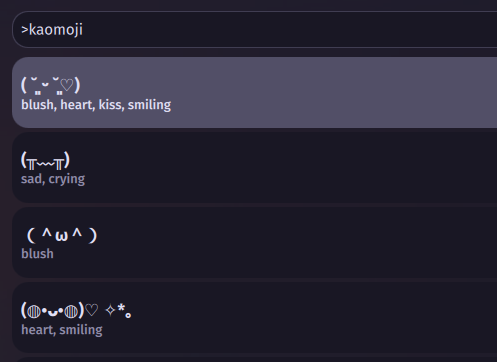
Kaomoji Provider
Browse and search kaomoji emoticons from the launcher
v1.0.3 Noctalia Team MIT Feb 10, 2026
About
Kaomoji Provider
A launcher provider plugin that adds kaomoji emoticon browsing and search to the Noctalia launcher.
Features
- Browse by Category: Filter kaomoji by emotion/type (Happy, Love, Sad, Cat, Bear, etc.)
- Search: Find kaomoji by tags and keywords
- Quick Copy: Selected kaomoji is automatically copied to clipboard
- Large Database: Includes a comprehensive collection of kaomoji emoticons
Usage
- Open the Noctalia launcher
- Type
>kaomojito enter kaomoji mode - Browse categories or add a search term after the command (e.g.,
>kaomoji cat) - Click on a kaomoji to copy it to your clipboard
IPC
qs -c noctalia-shell ipc call plugin:kaomoji toggle
Categories
- All, Happy, Love, Blush, Kiss, Bear, Cat, Sad, Crying, Angry, Music, Hug, Surprised
Requirements
- Noctalia 3.9.0 or later
wl-copy(for clipboard support)