
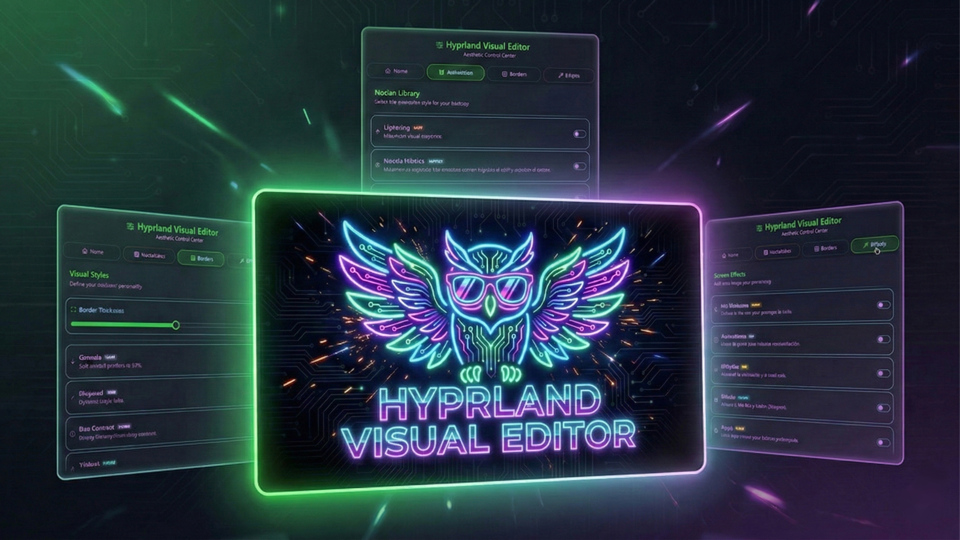
Hyprland Visual Editor
Elevate your Hyprland experience. A modular plugin to safely inject custom animations, borders, and visual effects on the fly.
About
🦉 Hyprland Visual Editor (HVE)
Dynamic Visual Control for Hyprland Customization
Hyprland Visual Editor is a professional-grade, non-destructive customization ecosystem for Hyprland, built as a native plugin for Noctalia Shell. It allows you to instantly change animations, borders, shaders, and geometry, without any risk of corrupting your main hyprland.conf.
✨ Key Features
| Feature | Description |
|---|---|
| 🛡️ Guardian Shield | Deploys a secure external path in ~/.cache/noctalia/HVE/. If the plugin is disabled, the system self-cleans on reboot. |
| ⚡ Native Integration | Uses the official Noctalia Plugin API (4.4.1+) for settings and state persistence. |
| 🎬 Motion Library | Swap between animation styles (Silk, Cyber Glitch, etc.) in milliseconds. |
| 🎨 Smart Borders | Dynamic gradients and reactive effects tied to window focus. |
| 🕶️ Real-Time Shaders | Post-processing filters (CRT, OLED, Night) applied on the fly via GLSL. |
| 🌍 Native i18n | Full multilingual support using Noctalia's native translation engine via i18n/. |
📂 Project Structure
To ensure maximum stability, HVE follows the official Noctalia plugin architecture:
~/.cache/noctalia/
└── HVE/                        # 🛡️ THE SAFE REFUGE (Generated on activation)
    └── overlay.conf            # MASTER CONFIG: Sourced directly by Hyprland

~/.config/noctalia/plugins/hyprland-visual-editor/
    ├── manifest.json           # Plugin metadata and Entry Points
    ├── BarWidget.qml           # Entry Point: Taskbar trigger icon
    ├── Panel.qml               # Main UI & Tab management
    ├── Settings.qml            # Native Configuration UI
    │
    ├── modules/                # UI Components (QML)
    │   ├── WelcomeModule.qml   # Activation logic & Native Persistence
    │   ├── AnimationModule.qml # Motion selector
    │   ├── BorderModule.qml    # Style & Geometry selector
    │   └── ShaderModule.qml    # GLSL Filter selector
    │
    ├── assets/                 # The "Engine" & Resources
    │   ├── borders/            # Style library (.conf)
    │   ├── animations/         # Movement library (.conf)
    │   ├── shaders/            # GLSL Post-processing filters (.frag)
    │   └── scripts/            # Bash Engine (Logic and assembly)
    │
    ├── i18n/                   # Official Translation Files (.json)
    └── settings.json           # Native Persistence (Managed by Noctalia)
🚀 Installation
- Open Noctalia Shell's Settings and navigate to the Plugins section.
- Search for Hyprland Visual Editor and click Install.
- Open the plugin panel from your topbar.
- Go to the Welcome tab and click Activate Persistence.
[!IMPORTANT] To enable the real-time effects, you must add
source = ~/.cache/noctalia/HVE/overlay.confto the end of yourhyprland.conf. HVE will handle the rest!
⌨️ IPC & Keybinds (Pro Features)
HVE supports native IPC calls. You can toggle the panel with a Hyprland keybind:
bind = $mainMod, V, exec, qs -c noctalia-shell ipc call plugin:hyprland-visual-editor toggle
🧠 Technical Architecture
HVE uses a dynamic construction flow combined with Noctalia's native API:
- Native State: All user preferences are handled via
pluginApi.pluginSettings. - Dynamic Scanning: The
scan.shscript extracts metadata from style headers in real-time. - Assembly: The engine unifies all active fragments into the external
~/.cache/noctalia/HVE/overlay.conf. - Protection: The satellite file approach ensures that even if the plugin is uninstalled, your
hyprland.confremains intact.
🛠️ Modding Guide (Metadata Protocol)
HVE scans your asset folders dynamically. To add your own styles, use this header format:
For Animations and Borders (.conf)
# @Title: My Epic Style
# @Icon: rocket
# @Color: #ff0000
# @Tag: CUSTOM
# @Desc: A brief description of your creation.

# Your Hyprland code here...
For Shaders (.frag)
// @Title: Vision Filter
// @Icon: eye
// @Color: #4ade80
// @Tag: NIGHT
// @Desc: Post-processing description.

void main() { ... }
⚠️ Troubleshooting
How to see debug logs? Launch Noctalia from the terminal to see HVE specific logs using the native Logger:
NOCTALIA_DEBUG=1 qs -c noctalia-shell | grep HVE
Border animations freeze? This is a known Hyprland behavior during hot-reloads of specific geometry settings. Re-focusing the window or opening a new one usually restores the looping effect.
❤️ Credits
- Architecture & Core: XimoCP
- Technical Assistance: Co-programmed with Gemini (AI)
- Inspiration: HyDE Project & JaKooLit.
- Community: Thanks to the Noctalia dev community.