
Back to plugins 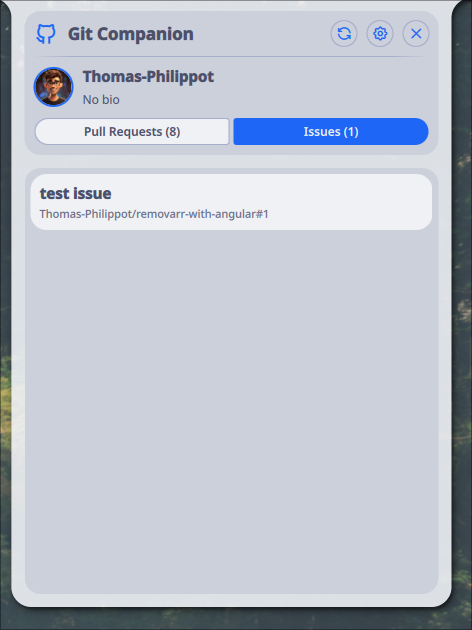
Git Companion
Monitor your git repositories from the Noctalia bar. See open issues and pull requests at a glance, without leaving your desktop.
v1.0.0 Thomas Philippo MIT May 8, 2026
About
Git Companion
Monitor your git repositories from the Noctalia bar. See open issues and pull requests (or merge requests) for a selected repo at a glance, without leaving your desktop.
Features
- Bar widget showing open issue and PR/MR counts for your selected repository
- Tooltip with a quick summary directly in the bar
- Panel with your user profile (avatar, username, bio) and per-repo stats
- Repository picker to switch between your repos
- Supports both GitHub (
gh) and GitLab (glab) - Automatic authentication check with a clear error message if the CLI is missing or not logged in
- Configurable refresh interval
Requirements
- GitHub CLI (
gh) — for GitHub repositories - GitLab CLI (
glab) — for GitLab repositories
The chosen CLI must be installed and authenticated before use:
# GitHub
gh auth login

# GitLab
glab auth login
Configuration
- Open Noctalia settings and navigate to Git Companion
- Select your platform: GitHub or GitLab
- Set the refresh interval (30–90 seconds)
- Open the panel from the bar widget and pick a repository from the dropdown
IPC Commands
Toggle panel:
qs -c noctalia-shell ipc call plugin:git-companion toggle
License
MIT