
Dmenu Provider
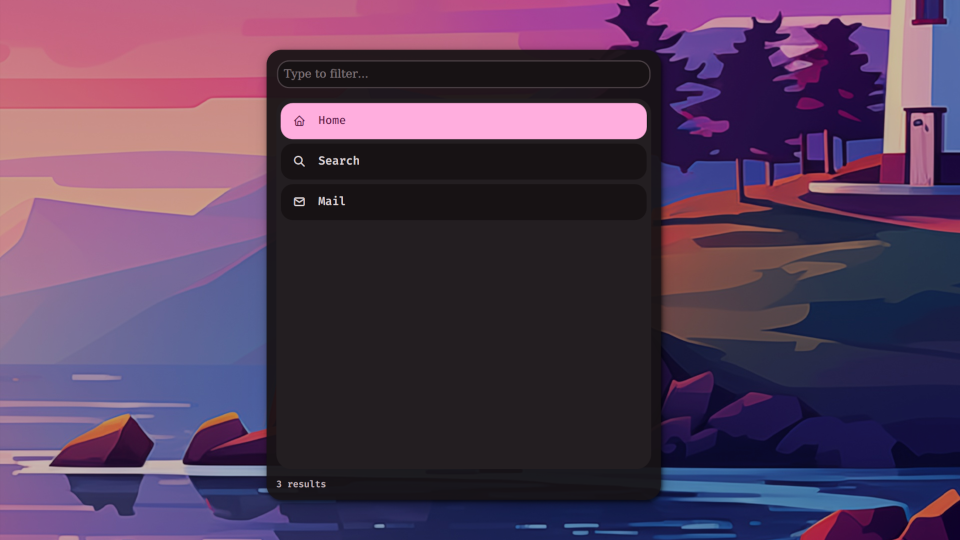
An IPC-driven dmenu replacement that lets external scripts present choices through a Noctalia panel.
About
noctalia-dmenu
A dmenu replacement plugin for Noctalia Shell. Scripts send items over IPC, the user picks one through a native Noctalia panel, and the result comes back via a file or callback.
How it works
Everything is driven by Noctalia's IPC system. A script calls showItems or showJson to open the panel with a list of choices. When the user selects one, the plugin writes the result to a file and optionally runs a callback command. The included noctalia-dmenu helper script wraps this into a familiar pipe interface — under the hood it sends the IPC call, waits for the result file, and prints the selection to stdout.
API
All commands go through noctalia-shell ipc call plugin:dmenu <method> [args].
showItems — plain text
Two args: delimiter-separated items and a JSON options object.
noctalia-shell ipc call plugin:dmenu showItems "a|b|c" '{"separator":"|","prompt":"Pick:"}'

noctalia-shell ipc call plugin:dmenu showItems "yes|no" '{"separator":"|","callbackCmd":"echo {}"}'
showJson — structured items
Single arg: a JSON object containing an items array and any options.
# Strings
noctalia-shell ipc call plugin:dmenu showJson \
    '{"items":["alpha","beta","gamma"],"prompt":"Greek:"}'

# Objects with descriptions and icons
noctalia-shell ipc call plugin:dmenu showJson \
    '{"items":[{"name":"Firefox","value":"firefox","description":"Web browser","icon":"browser"},{"name":"Zen","value":"zen","icon":"shield"}],"prompt":"Launch:"}'

# With images
noctalia-shell ipc call plugin:dmenu showJson \
    '{"items":[{"name":"Photo","value":"p1","image":"/home/user/photo.jpg"}]}'

# With callback
noctalia-shell ipc call plugin:dmenu showJson \
    '{"items":["a","b","c"],"callbackCmd":"echo {}"}'
showFromFile — items from a file
Two args: file path and a JSON options object. Auto-detects JSON arrays, JSON config objects, or plain text.
noctalia-shell ipc call plugin:dmenu showFromFile /tmp/items.json '{"prompt":"Pick:"}'
noctalia-shell ipc call plugin:dmenu showFromFile /tmp/items.txt '{"separator":"|"}'
Item fields
| Field | Type | Description |
|---|---|---|
name |
string | Display text |
value |
string | Return value (defaults to name) |
description |
string | Subtitle |
icon |
string | Tabler icon name |
image |
string | Absolute path to image (overrides icon) |
Options
For showItems / showFromFile, pass as second arg. For showJson, include in the same object.
| Field | Type | Default | Description |
|---|---|---|---|
separator |
string | "\n" |
Item delimiter (showItems / showFromFile text mode) |
prompt |
string | "" |
Search bar placeholder |
callbackCmd |
string | "" |
Run on selection. {} = value, {index} = index, {name} = name |
resultFile |
string | /tmp/noctalia-dmenu-result |
Where to write the result |
resultFormat |
string | "plain" |
"plain", "json", or "index" |
allowCustomInput |
bool | false |
Allow typing values not in the list |
closeOnSelect |
bool | true |
Close after selection |
maxResults |
int | 200 |
Max displayed items |
Other commands
| Command | Description |
|---|---|
toggle |
Toggle panel open/closed |
close |
Cancel and close |
clear |
Reset state |
Helper script
The noctalia-dmenu script provides a pipe interface. It calls showItems over IPC, waits for the result file, and prints the selection to stdout.
echo -e "Power Off\nReboot\nSuspend" | noctalia-dmenu -p "Power:"

CHOICE=$(echo -e "yes\nno" | noctalia-dmenu -p "Continue?")

echo "one::two::three" | noctalia-dmenu -s "::"

noctalia-dmenu -f /tmp/items.txt -p "Select:"

echo -e "Firefox\nChromium" | noctalia-dmenu -cb "gtk-launch {}"
| Flag | Description |
|---|---|
-p, --prompt |
Search bar placeholder |
-cb, --callback |
Command on selection |
-c, --custom |
Allow custom input |
-s, --separator |
Delimiter (default: newline) |
-t, --timeout |
Wait timeout (default: 30s) |
-r, --result-file |
Override result path |
-f, --file |
Read from file |
-F, --format |
Output: plain, json, index |
-no-close |
Keep panel open |
Exit: 0 selected, 1 timeout/cancelled, 2 error.
Chaining
Menus chain naturally — each callback can open a new menu.
#!/usr/bin/env bash
CATEGORY=$(echo -e "Power\nDisplay\nNetwork" | noctalia-dmenu -p "System:")
case "$CATEGORY" in
    "Power")
        ACTION=$(echo -e "Shutdown\nReboot\nSuspend" | noctalia-dmenu -p "Power:")
        case "$ACTION" in
            "Shutdown") systemctl poweroff ;;
            "Reboot")   systemctl reboot ;;
            "Suspend")  systemctl suspend ;;
        esac ;;
esac
Settings
Settings → Plugins → Dmenu Provider → Configure.
| Setting | Default | Description |
|---|---|---|
| Panel position | Follow launcher | Where the panel appears |
| Show match count | On | Filtered/total in footer |
| Show footer | On | Result count bar |
| Show toast | Off | Notification on selection |
| Result file | /tmp/noctalia-dmenu-result |
Default path |
| Max results | 200 | Display cap |
Testing
./test-dmenu.sh       # all 20 tests
./test-dmenu.sh 4     # single test
License
MIT