
Back to plugins 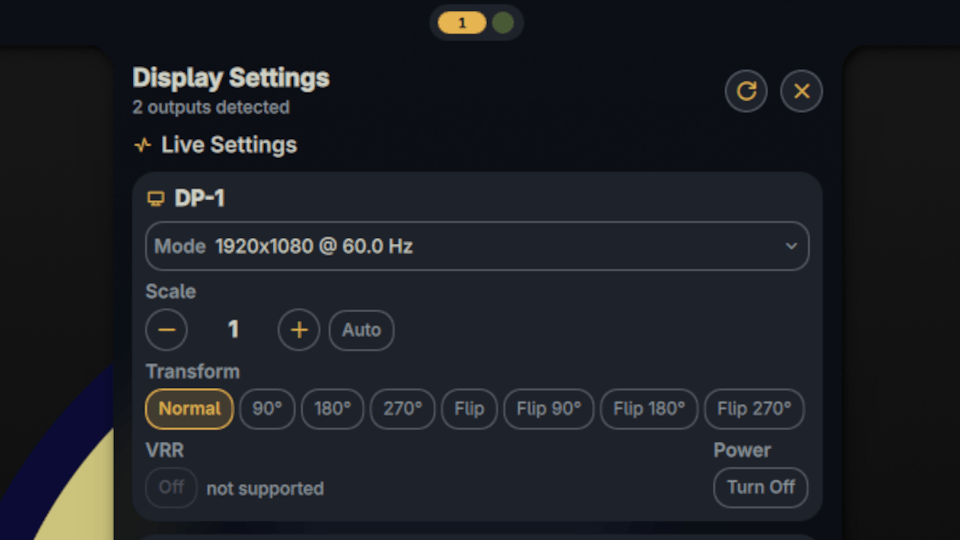
Display Settings
View live display settings from wlr-randr and permanent niri KDL output configuration
v1.0.0 fstanis MIT May 8, 2026
About
Display Settings
View and modify your display configuration.
Compatibility
Mainly tested on Niri, but also works on any compositor that supports wlr-randr in read-only mode.
On Niri, the plugin allows changing the settings and also parses the persistent KDL configuration (~/.config/niri/config.kdl, following any include directives) to show the saved output configuration alongside the live state.
Features
- Live display info on every supported compositor via
wlr-randr(resolution, refresh rate, scale, transform, position, adaptive sync) - Editable settings on Niri - change mode, scale, transform, VRR, and power per output using
niri msg output - Niri saved config - reads the persistent output configuration from your KDL files, automatically following
includedirectives
Settings
- Niri config path - Path to the main niri configuration file (default:
~/.config/niri/config.kdl) - Icon color - Color of the bar widget icon
IPC
Toggle the panel via CLI:
qs ipc call plugin:display-settings toggle
On Niri, you can bind it to a keyboard shortcut by adding an entry to your binds {} block in ~/.config/niri/config.kdl:
binds {
    Mod+P { spawn "qs" "ipc" "-c" "noctalia-shell" "call" "plugin:display-settings" "toggle"; }
    // ...
}