 Noctalia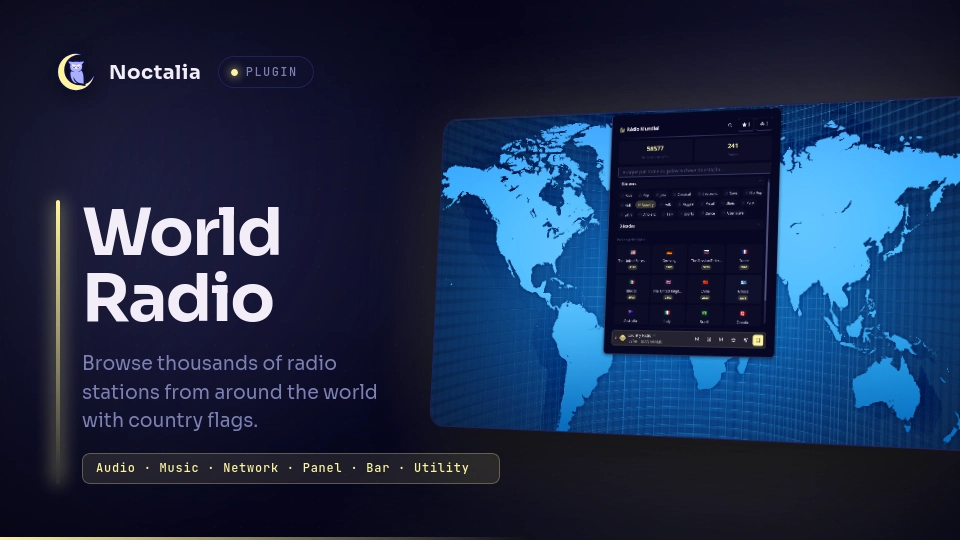
About
World Radio
Browse thousands of internet radio stations from around the world and play them straight from a Noctalia panel - each country shows its flag, and while a station plays, its name and logo appear in Noctalia's media widget through mpv-mpris.
Plugin
| Field | Value |
|---|---|
| ID | nilsonlinux/world-radio |
| Entries | Bar widget: radio; Panel: Panel; Service: sync |
Features
- Dashboard - two stat cards (total stations and total countries) fetched from the radio-browser.info stats API, animated with a count-up effect every time the panel opens. Below them, genre and decade chips, then a searchable list of every country sorted by station count with each country's flag.
- Tappable stat cards - tap Total de estações to open every station in
the directory ordered by votes (
Load morefetches the next 100), or tap Total de países to open the full country list (paginated 50 at a time). - Paged country list - the dashboard's "Todos os países" drawer and the
All countries view render 50 countries at a time with a
Load morebutton, so the full ~240-country list never locks the panel while opening. - Per-country stations - tap a country to list its stations ordered by
votes. A search box above the list filters them by name, and rows show the
station's favicon (downloaded on demand), codec, bitrate and vote count,
with a
Load morebutton for the next page (100 stations per page). - Favorites - star any station to save it; all favorites live in one place and are persisted to disk.
- Local radios - add your own stations by URL (name is optional and guessed from the host), with an optional cover image URL that shows as the station's thumbnail in the list and as its logo in the media widget. Each one can be edited later (name, URL or cover), played, favorited, or removed; they persist across restarts in a separate file.
- Playback via mpv - stations are played through
mpvat 85% volume (falls back toffplaywhen mpv is missing; station switching needs mpv). Starting a station gives mpv the whole source list as a playlist, so the panel's mini player and Noctalia's native media controls can move between stations with Next/Previous. The mini player shows a pulsing green live icon while a station is playing. - Station switching - scroll up on the bar widget for the next station and down for the previous one (one move per gesture), or use the Next / Previous buttons in Noctalia's media widget. A headless service keeps the current station in sync with mpv even while the panel is closed.
- Station name and logo in the media widget - mpv labels every playlist
entry with the station name. When an entry starts, the bundled helper sets
force-media-titleandcover-art-filesfor that entry, and mpv-mpris publishes them asxesam:titleandmpris:artUrl, so Noctalia's media panel shows the station name and its own logo. The station you start is downloaded first; other stations use their cached logo (or none). For local radios the plugin looks the artwork up automatically (see below); the optional cover URL is only an override. Editing the cover of the station that is currently playing restarts mpv at the same queue position, because mpv-mpris cachesmpris:artUrlper stream. - Now playing on the bar - while a station plays, the bar widget shows its
name next to the icon (configurable, see
show_now_playing) and a tooltip with "Now playing:<station>". - Current song in the mini player - the bundled mpv helper mirrors the
stream's ICY metadata (
icy-title) tosong.txt, so the panel's mini player shows the current song under the station name and scrolls long titles. The native media widget keeps showing the station name. - Two languages - English and
pt-BRtranslations.
Requirements
Install mpv and make sure it is on PATH. If mpv is missing, playback
automatically falls back to ffplay (provided by ffmpeg), also expected on
PATH.
mpv- the primary player used by the plugin (declared dependency).ffmpeg- only used as theffplayfallback whenmpvis not installed (declared dependency).mpv-mpris- required for Noctalia's media panel integration. It publishes mpv as an MPRIS player, including the station title (xesam:title) and the artwork (mpris:artUrl), and exposes the Next/Previous actions used by the media widget and by wheel switching. Install the distro package (for examplesudo pacman -S mpv-mprison Arch/Artix) or dropmpris.sointo~/.config/mpv/scripts/. Without it Noctalia sees no MPRIS player, so the media panel keeps saying nothing is playing.glib2- providesgdbus(declared dependency). The background service uses it to call MPRIS Next/Previous on mpv.- Network - reaching
radio-browser.infois required for the country list, the stats cards, all station lists and searches. No API key or account is needed; the service is a public, free API. - The panel only works while a network connection is available to reach
radio-browser.info.
Usage
Open the panel directly with:
noctalia msg panel-toggle nilsonlinux/world-radio:Panel
or click the radio widget (radio) placed in the bar. The panel opens as a
floating window centered on the screen by default.
- Dashboard - search or scroll the country list; the stat cards show the total of stations and countries with a count-up animation on open. Tap a country to open it.
- All stations - tap the Total de estações card to browse the whole
directory ordered by votes (100 per page). Tap Total de países to open
the full country list (50 per page). Use
Load moreto fetch the next page. - Country view - type in the search box to filter stations by name, tap
the play button on a station to start it (it becomes a stop button while
playing), the star to favorite it, or
Load morefor the next page. - Favorites - the star button in the header lists every station you starred.
- Local radios - the broadcast button in the header opens your saved
stations;
+lets you add one with a stream URL (an optional name and an optional cover image URL). Artwork is fetched automatically when possible: the plugin asksradio-browser.infofor the stream, reads the station page for Zeno streams, and falls back to the stream host'sog:image. The cover URL field is only an override for stations whose artwork cannot be found. Use the pencil button to edit a station and the trash button to remove it. - While a station plays, check the media widget for the station's name and logo, and the bar for the now-playing name. Scroll up/down over the bar widget to move to the next/previous station, or press Next/Previous in the media widget; both work with the panel closed. The panel's mini player has its own previous/next buttons as well.
Settings
Bar Widget
| Setting | Type | Default | Description |
|---|---|---|---|
glyph |
glyph |
radio |
Icon shown in the bar for the widget. |
show_now_playing |
bool |
false |
Show the currently playing station name next to the icon (the tooltip always keeps it). |
IPC
Panel toggle and station transport:
noctalia msg panel-toggle nilsonlinux/world-radio:Panel
noctalia msg plugin nilsonlinux/world-radio:sync all next
noctalia msg plugin nilsonlinux/world-radio:sync all previous
While a station plays, the plugin publishes
{ name, uuid, url, flag, session, pos } on the playing state channel
(noctalia.state); widget.luau watches it to update the bar text, tooltip
and icon, and the panel watches it to adopt stations changed from outside the
panel. The bar widget publishes { id, dir } on skip_request; the service
turns each new id into an MPRIS Next (dir = 1) or Previous (dir = -1).
Notes
- A headless
syncservice runs for the whole session. It follows mpv's playlist position (now.json), keepsplaying.jsonpointing at the station that is actually playing, publishes the widget state, and performs Next/Previous through MPRIS for wheel gestures. Fetching and browsing still happen only in the panel. - Network calls - the plugin talks to
radio-browser.info(de1.api.radio-browser.info) using/json/countries,/json/stats,/json/stations/search(hidebroken=true, ordered by votes) and/json/stations/byurlfor automatic local-radio artwork, with aUser-Agentofnilsonlinux/world-radio/1.2.0. When that lookup misses, it may fetchhttps://zeno.fm/radio/<name>/for Zeno streams or the stream host's home page to read itsog:image. Cover images are downloaded only fromhttp(s)://URLs. No credentials are sent. - Processes - playback spawns
mpv(orffplay) per station; the PID is stored inplayer.pidso the next play/Stop kills it cleanly. mpv is given the whole queue as--playlistwith--loop-playlist=force, so its MPRIS Next/Previous wrap around the queue. Before anykill, the PID is cross-checked against/proc/<pid>/command/proc/<pid>/cmdlineto confirm the process is actuallympv/ffplay, so a stale pid file that was recycled by an unrelated process is never signalled. The debounce and animation timers shell out tosleep. - Files - runtime data lives in the plugin's data directory and survives
reloads:
countries.jsonandstats.json(4h cache),favorites.json,custom-stations.json,playing.json(mini player state + session),queue.m3u/covers.txt(mpv playlist and per-entry logos),now.json(current playlist position written by the mpv helper),thumbs/(downloaded favicons) andplayer.pid. All of them can be safely deleted to force a refresh. Favicon file names derive from a sanitised station id (non[A-Za-z0-9_-]characters are stripped) and downloads only accepthttp(s)://artwork URLs, so a remote station id or favicon cannot write outsidethumbs/. - While a station plays, the mini player state and the mpv session token are
persisted to
playing.json. If the plugin reloads (for example after toggling another plugin in Settings), the panel restores the mini player on next open as long as the player process is still alive, and the service ignores anow.jsonleft behind by an older session. Deletingplaying.jsonclears it. - Station logos sometimes fail to download (some favicons return 403/404) - playback is never blocked by that; the station just plays without artwork. Covers are resolved from the favicon cache when each playlist entry starts; only the station you start is downloaded before playback.
- The media panel title is forced to the station name for each playlist entry,
so it stays readable even for streams that would otherwise report a generic
streamtitle. The mini player reads the current song from the stream's own ICY metadata instead, so it does not depend on MPRIS titles.
License
MIT
Versions
| Version | Plugin API | Updated |
|---|---|---|
| v1.2.2 latest | 43 | Oct 26, 2026 |
| v1.0.7 | 24 | Oct 24, 2026 |
Older versions stay installable on a Noctalia release whose plugin API is below the latest version's.