 Noctalia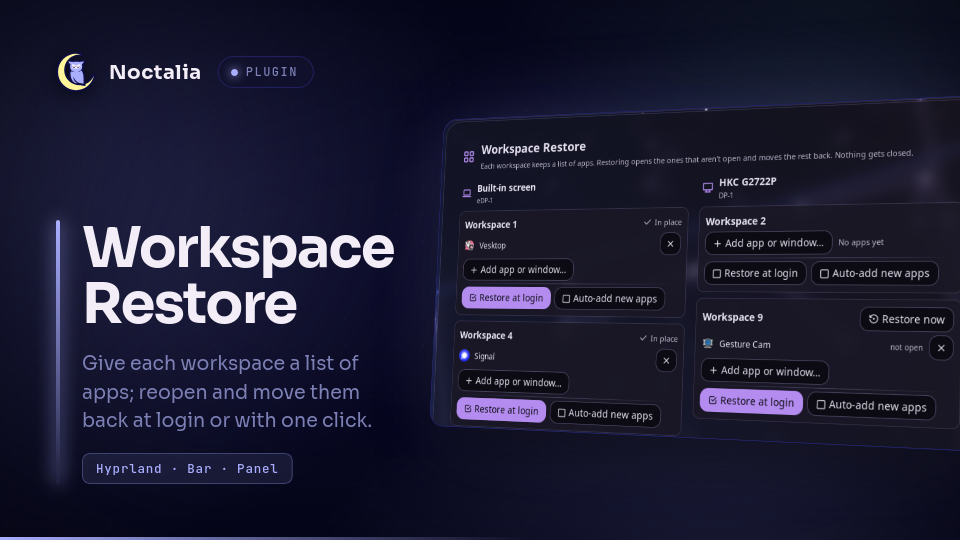
About
Workspace Restore
Give each Hyprland workspace a list of apps. Restoring puts the workspace back on its screen, opens the apps on its list that aren't open and moves the open ones back, so your layout comes back at login or with one click.
Plugin
| Field | Value |
|---|---|
| ID | soulmanyes/workspace-restore |
| Entries | Bar widget: bar; panel: panel |
Requirements
- Hyprland 0.56 or later with the Lua config.
hyprctlmust be onPATH; the plugin useshl.dsp.window.move,hl.dsp.workspace.move,hl.dsp.focusandhl.dsp.exec_cmd. python3(standard library only).wsr.pydoes all the work; the bar widget and panel only call it.setsid(util-linux), to run a restore in the background.- Noctalia 5.4.0 or later (plugin API 43).
Usage
Add the bar widget to a bar and click it, or open the panel with:
noctalia msg panel-toggle soulmanyes/workspace-restore:panel
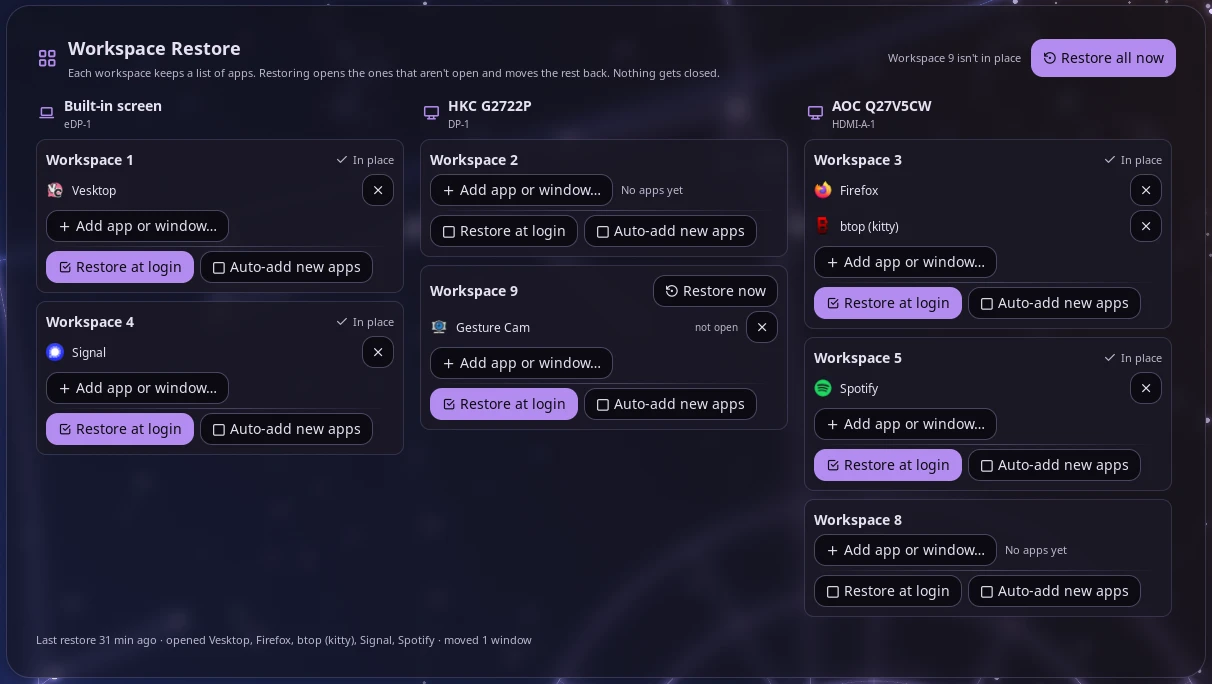
The panel has one column per screen, left to right. Each workspace that has saved apps or is open gets a card:
- The apps on its list, with their icons. Apps that aren't open right now are marked not open; restoring opens them.
- × removes an app from the list. The app keeps running.
- Add app or window… opens a picker with open windows on one side and installed apps on the other, with a search box. Picking an open window is the most reliable way to add an app: it records the exact launch command, Firefox profile or terminal command.
- Windows open on the workspace but not on its list appear under Open here, not on the list, each with its own Add button.
- Restore now restores the workspace right away. A workspace whose apps are all open on it, on its own screen, shows ✓ In place instead.
- Two settings, shown as checkboxes:
- Restore at login: restore this workspace when you log in (see below).
- Auto-add new apps: when you open an app on this workspace that isn't on any list yet, add it to this one. It only adds, skips floating windows such as dialogs, and never brings back an app you removed from this workspace until you add it again yourself.
Restore all now at the top restores every workspace; hovering it lists the apps it would open. The note next to it says which workspaces aren't in place.
If an app is on the lists more than once, such as two Firefox windows, the panel asks for a word from each window's title so restoring knows which window goes where.
Restore at login
Nothing to set up: when the bar widget starts, it restores the Restore at login workspaces, once per Hyprland session. Restarting the bar doesn't reopen anything; logging in again does. It waits up to 20 seconds for screens that show up after Hyprland starts. The bar widget has to be on your bar for this to run.
Notes
Restoring never closes windows. Apps that aren't on a list stay where they are. Window sizes and positions are not restored, only which workspace each window is on.
Launching: an app that isn't running is started once through
hl.dsp.exec_cmd, using its.desktopfile'sExecline (or the command line it was running with). Launches carry the target workspace as an exec rule, so the app opens there even if a window rule sends it elsewhere. An installed app is matched by its.desktopfile'sStartupWMClass(or file name), which a few apps don't match; add those from an open window instead.Screens are matched by their description (make, model, serial), not the connector name. A workspace whose screen isn't connected is skipped.
Terminals are saved only when started with a command (
kitty -e btop) and matched by that exact command line. Plain shells are skipped.Firefox is launched with
--profile <path>for the profile in use, which skips the profile picker; Firefox's own session restore ("Open previous windows and tabs") reopens its windows.After a restore from the panel, every screen shows the workspace it showed before, and focus is unchanged.
Files written: only
$XDG_STATE_HOME/workspace-restore/(default~/.local/state/workspace-restore/):layout.json: each workspace's screen and app listconfig.json: Restore at login and Auto-add workspaces, title words, and apps removed from auto-add workspaceslast-restore.json: what the last restore didrestore.lock,state.lock: lock files
Plus one empty marker per Hyprland session,
$XDG_RUNTIME_DIR/workspace-restore-login-<uid>-<instance>, so the login restore runs once.$XDG_RUNTIME_DIRis cleared at logout.Processes started:
python3runningwsr.py, which runshyprctl(-jqueries anddispatch);setsidfor background restores; and the apps on your lists when restoring.Polling: the bar widget runs
wsr.py auto-addandwsr.py statusevery 30 seconds. It reads/proc/<pid>/cmdlineof open windows and the.desktopfiles in the XDG data dirs.No network access.
Command line
wsr.py save [--ws N]
wsr.py status
wsr.py set-tick 1|0 WS [WS ...]
wsr.py set-keyword KEY TEXT
wsr.py candidates [--ws N]
wsr.py add-window WS (--address ADDR | --desktop ID)
wsr.py add-open WS
wsr.py remove-window WS N CLASS
wsr.py set-auto-add 0|1 WS [WS ...]
wsr.py auto-add
wsr.py restore [--all] [--ticked] [--ws N ...] [--monitor DESC] [--wait-monitors] [--once] [--dry-run]
save replaces the saved lists with what's open now: every workspace, or only --ws N. add-open only adds what a workspace's list doesn't have yet. --ticked restores the Restore at login workspaces. --once runs only on the first call per Hyprland session (a marker in $XDG_RUNTIME_DIR). --dry-run prints the Hyprland dispatches without sending them. --state-dir DIR uses another state folder, which is handy for testing.
License
CC0 1.0. See LICENSE.
Versions
| Version | Plugin API | Updated |
|---|---|---|
| v1.1.0 latest | 43 | Oct 26, 2026 |
Older versions stay installable on a Noctalia release whose plugin API is below the latest version's.