 Noctalia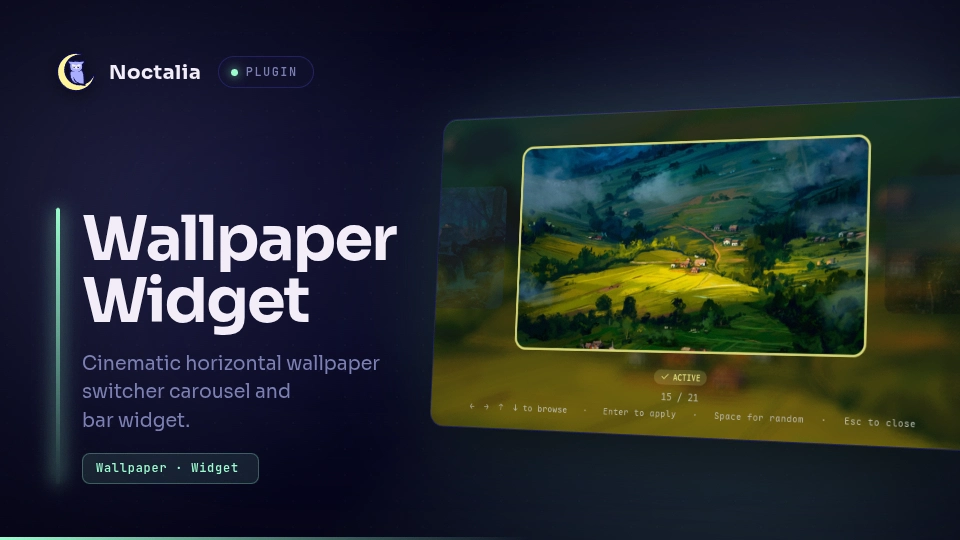
About
Wallpaper Widget
A cinematic horizontal wallpaper switcher carousel and interactive bar widget for Noctalia.
Plugin
| Field | Value |
|---|---|
| ID | ashur-d/wallpaper-widget |
| Entries | Panel: hub; bar widget: widget; shortcut: toggle |
Usage
Wallpaper Widget provides convenient ways to browse and switch your desktop wallpapers:
Visual Carousel Panel
Open the floating carousel panel directly or bind it to a custom compositor keybind:
noctalia msg panel-toggle ashur-d/wallpaper-widget:hub
- Cinematic Carousel: Focus on your wallpapers with an active center spotlight card and adjacent previews.
- Active Indicator: The currently active wallpaper is highlighted with a primary accent border and active badge.
- Fast Keyboard Navigation: Browse with arrow keys (
Left/Right/Up/Down), and apply withEnter. - Quick Actions: Press
Spaceto instantly apply a random wallpaper. - Instant Switch: Uses in-process wallpaper switching for seamless transitions with zero latency.
Bar Widget
Add the widget entry to your Noctalia bar:
- Left click: Toggles the Wallpaper Widget carousel panel.
- Right click: Immediately picks and applies a random wallpaper.
- Scroll wheel up / down: Cycles to the next or previous wallpaper.
- Tooltip: Displays the currently active wallpaper filename and control tips.
Control Center Shortcut
Add the toggle shortcut to your Control Center to toggle the widget panel with a single click.
Performance & Background Thumbnail Caching
Wallpaper Widget automatically generates and caches downscaled 512x288 thumbnails in ~/.cache/noctalia/wallpaper-widget/thumbnails/ for buttery-smooth 60 FPS carousel navigation:
- Low-Priority Background Processing: Runs thumbnail jobs in the background with
nice -n 19so your desktop compositor and user input never hitch. - Auto-Detection: Automatically detects
magick(ImageMagick 7),convert(ImageMagick 6), orffmpeg. - Graceful Fallback: If none of these image utilities are installed, Wallpaper Widget falls back to original wallpaper files with zero required dependencies.
Settings
Configure Wallpaper Widget in Settings -> Plugins -> Wallpaper Widget:
| Setting | Type | Default | Description |
|---|---|---|---|
wallpaper_dir |
folder |
(empty) | Path to your wallpapers directory. Leave empty to automatically use Noctalia's configured wallpaper folder. |
notify_on_change |
bool |
true |
Send a desktop notification whenever the wallpaper is switched. |
close_on_apply |
bool |
false |
Automatically close the Wallpaper Widget carousel after applying a wallpaper. |
License
MIT
Versions
| Version | Plugin API | Updated |
|---|---|---|
| v1.0.2 latest | 43 | Oct 25, 2026 |
| v1.0.1 | 15 | Sep 14, 2026 |
Older versions stay installable on a Noctalia release whose plugin API is below the latest version's.