 Noctalia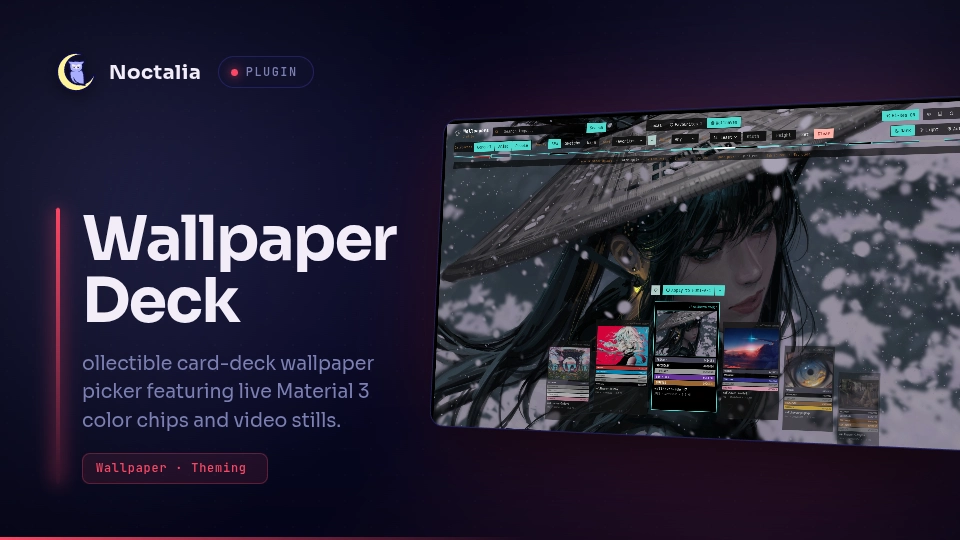
About
Wallpaper Deck
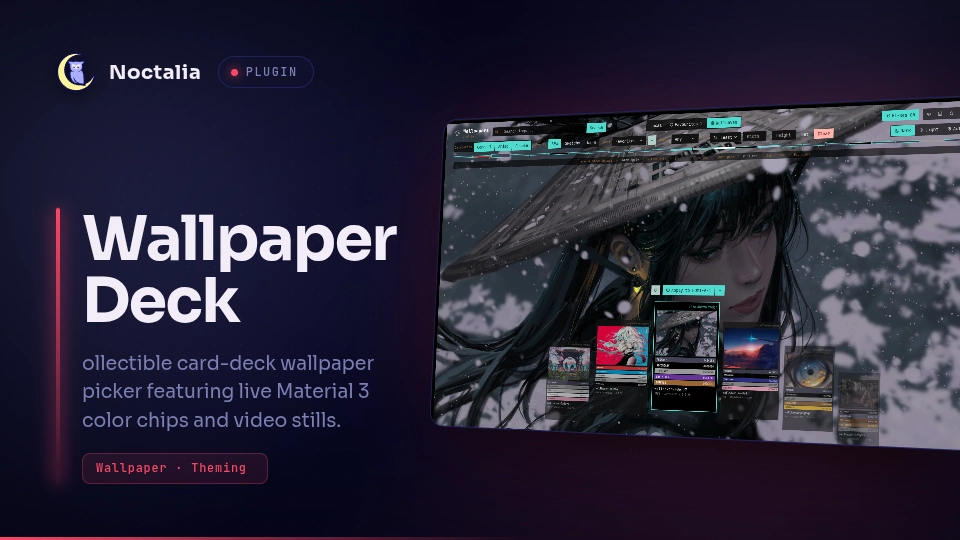
A native Noctalia wallpaper picker inspired by Magic: The Gathering cards, featuring Material 3 dynamic color extraction, tiered coverflow navigation, multi-monitor targeting, and Wallhaven search integration.
Plugin
| Field | Value |
|---|---|
| ID | ishan0121/wallpaper-deck |
| Entries | Bar widget: bar; panel: picker; shortcut: toggle; service: service |
Requirements
The plugin relies on the following tools available on PATH:
python3- Runs the background scanner and color-wheel indexer (scripts/wallpaper_helper.py).matugen- Generates Material 3 color palettes and dynamic contrast tokens from wallpapers.ffmpeg- Extracts frames and generates fast thumbnail previews.wtype- Simulates keypress events for smooth swipe gestures.
Optional Tools
swwworawww- Alternative wallpaper daemons supported via the custom command setting.python-pillow- Accelerates image thumbnail resizing.
Usage
Opening the Wallpaper Picker
You can open the picker panel using the Noctalia IPC command or toggle shortcut:
noctalia msg panel-toggle ishan0121/wallpaper-deck:picker
Bar Widget
Add the bar widget to your Noctalia bar under Settings (Mod+Shift+S) -> Bar -> Widgets. Left-clicking the widget toggles the wallpaper picker panel.
Global Shortcut
Enable the toggle shortcut in Noctalia Settings or bind noctalia msg panel-toggle ishan0121/wallpaper-deck:picker directly in your compositor config:
- Hyprland:
bind = $mainMod, W, exec, noctalia msg panel-toggle ishan0121/wallpaper-deck:picker - Niri:
Mod+W { spawn "noctalia" "msg" "panel-toggle" "ishan0121/wallpaper-deck:picker"; } - Sway:
bindsym $mod+w exec noctalia msg panel-toggle ishan0121/wallpaper-deck:picker
Controls & Keybindings
| Key / Gesture | Action |
|---|---|
← / → or h / l |
Browse cards left / right |
Mouse Wheel |
Scroll smoothly through the card deck |
↑ / ↓ or u / d |
Jump 5 cards |
Enter / Return |
Apply selected wallpaper to active target monitor |
Space |
Toggle Peek mode (temporarily hides deck to inspect full wallpaper) |
F |
Toggle favourite status on current wallpaper |
S |
Cycle sort mode (Name -> Colour -> Newest) |
R |
Jump to a random wallpaper |
P |
Toggle hi-res preview in Wallhaven mode |
Tab |
Switch source tab (Local -> Favourites -> Wallhaven) |
/ |
Focus search filter bar |
Esc |
Close picker panel (or close search input / monitor menu) |
Left Click (Card) |
Focus flanking card, or apply if already in center |
Right Click (Apply) |
Toggle monitor selection dropdown |
Click (Spectrum) |
Jump directly to that color position in the deck |
Settings
Configurable inside Noctalia Settings (Settings -> Plugins -> Wallpaper Deck):
| Setting | Type | Default | Description |
|---|---|---|---|
wallpaper_dir |
folder |
~/Pictures/wallpapers |
Primary directory scanned for wallpapers. |
extra_wallpaper_dir |
folder |
~/Pictures/WallHaven |
Additional secondary directory scanned for wallpapers. |
include_wallhaven_downloads |
bool |
true |
Automatically includes the Wallhaven download directory in the local deck. |
additional_wallpaper_dirs |
string |
"" |
Extra directories to scan, separated by commas or colons. |
backend_mode |
select |
native |
Wallpaper engine mode: native (Noctalia surface) or custom. |
custom_command |
string |
swww img "{path}" --transition-type grow --transition-fps 60 |
Shell command executed when backend_mode is set to custom. Supports {path} and {output}. |
post_hook_command |
string |
"" |
Optional shell hook executed after applying a wallpaper (e.g. matugen image "{path}"). |
animate_selected_card |
bool |
true |
Enables subtle floating bobbing animation on the active center card. |
visible_deck_cards |
int |
7 |
Number of cards rendered simultaneously in the deck (3 to 11). |
wallhaven_api_key |
string |
"" |
Optional API key for Wallhaven (unlocks user collections and NSFW filters). |
wallhaven_categories |
string |
"111" |
Wallhaven categories bitflag (General/Anime/People, e.g. 111). |
wallhaven_purity |
string |
"100" |
Wallhaven purity bitflag (SFW/Sketchy/NSFW, e.g. 100 for SFW). |
wallhaven_sorting |
string |
"date_added" |
Default Wallhaven sort criterion (date_added, toplist, views, favorites). |
wallhaven_order |
string |
"desc" |
Sort direction (desc or asc). |
wallhaven_hires_preview |
bool |
false |
Preloads full-resolution backgrounds when browsing Wallhaven cards. |
wallhaven_cache_limit_mb |
int |
300 |
Disk cache quota in megabytes for online previews before auto-pruning. |
wallhaven_download_dir |
folder |
~/Pictures/WallHaven |
Directory where downloaded Wallhaven wallpapers are stored. |
IPC
The picker panel can be opened, closed, or toggled via Noctalia's IPC interface:
# Toggle picker panel
noctalia msg panel-toggle ishan0121/wallpaper-deck:picker

# Open picker panel
noctalia msg panel-open ishan0121/wallpaper-deck:picker

# Close picker panel
noctalia msg panel-close ishan0121/wallpaper-deck:picker
Notes
- Filesystem & Cache: Cached thumbnails, Material 3 palettes, and favourites are stored in
~/.cache/wallpaper-deck/. - Processes: On folder scan,
wallpaper_helper.pyruns asynchronously with thread-pool workers to extract metadata and palettes without blocking the UI thread. - Network: Wallhaven mode queries
https://wallhaven.cc/api/v1strictly upon user request or search query. Local and Favourites modes do not perform any network operations. - Compositor Support: Compatible with Wayland compositors including Niri, Hyprland, Sway, River, MangoWC, and Labwc.
Versions
| Version | Plugin API | Updated |
|---|---|---|
| v1.0.0 latest | 43 | Oct 26, 2026 |
Older versions stay installable on a Noctalia release whose plugin API is below the latest version's.