 Noctalia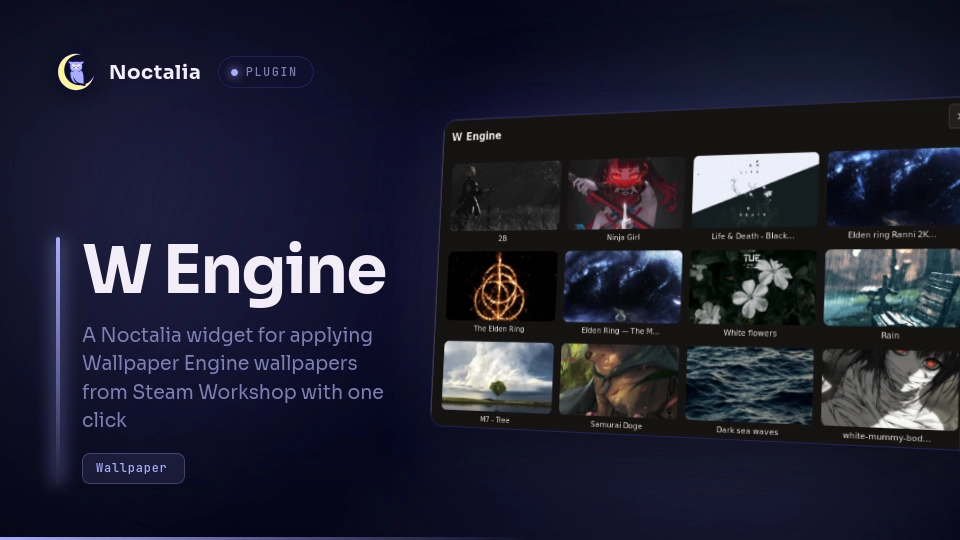
About
W Engine
A Noctalia v5 plugin for applying Wallpaper Engine wallpapers from Steam Workshop.
Dependencies
Before installing this plugin, make sure you already have Wallpaper Engine installed from Steam. Without it, the plugin will not work.
You need Steam itself to download wallpapers from the Workshop, plus the linux-wallpaperengine tool.
You also need kill to stop duplicate wallpaper processes when changing wallpapers, and setsid to start the wallpaper process correctly.
ffmpeg is optional. It is used to take a still frame from video wallpapers for the color sync, and to build the panel's preview thumbnails.
For more details, see the install section below.
Plugin
| Field | Value |
|---|---|
| ID | tadomika_ari/w-engine |
| Entries | Bar widget: w-engine-widget; panel: w-engine-panel; Service: start |
Usage
Add the W Engine widget from Noctalia's widget picker, then click it to open the panel. You can also open the panel directly or bind it in your compositor:
noctalia msg panel-toggle tadomika_ari/w-engine:w-engine-panel
| Action | Effect |
|---|---|
| Left click on the bar glyph | Open or close the W Engine panel |
| Click a wallpaper entry in the panel | Apply that wallpaper |
| Select an output | Change the monitor where the wallpaper is displayed |
| Click the gear on a wallpaper | Open that wallpaper's own settings |
Click Select multiple |
Pick several wallpapers and cycle through them on a timer |
Click Stop |
Stop the wallpaper on that output and restore the previous Noctalia wallpaper |
Settings
Shell colors:
Noctalia builds its color scheme from the current wallpaper image, which a live Wallpaper Engine scene is not, so without this the shell stays themed for whatever wallpaper was set before. With Sync shell colors with the wallpaper enabled, which is the default, applying a wallpaper also hands Noctalia a still of it, and the usual palette generator, scheme, mode and templates all run as they do for a normal wallpaper. The still is the Workshop preview, or a frame decoded from the video for video wallpapers when ffmpeg is installed. The wallpaper Noctalia had before is saved per output and restored by Stop.
Wallpapers per row:
How many wallpapers the panel shows in each row, from 2 to 8, 4 by default. The panel is a fixed size, so fewer columns means larger previews.
Cycling:
Press Select multiple, then click the wallpapers you want. Each one is numbered with its place in the rotation, in the order you clicked them. Set how long each stays up in minutes, pick In order or Random, then press Start cycle. Random plays a shuffled pass over the whole selection before reshuffling, so a wallpaper cannot come up twice in a row. Each output keeps its own selection, interval and order, and the cycle keeps running once the panel is closed. Applying a single wallpaper stops the cycle on that output.
Global defaults:
The wrench beside the screen selector opens the same Playback controls, applied to every wallpaper. Setting Mute this wallpaper there mutes the whole library in one step rather than one wallpaper at a time. A wallpaper's own settings override these key by key, and anything left on Engine default falls through to linux-wallpaperengine.
Applying defaults can optionally clear the matching per-wallpaper overrides. That only affects the settings actually changed at the same time, so an override left untouched keeps its value.
Per-wallpaper settings:
The gear icon on a wallpaper opens its own settings, saved per wallpaper and used every time it is applied, including inside a cycle.
Playback holds the linux-wallpaperengine switches: scaling and clamp mode, Wayland layer, FPS limit, volume, mute, automute, audio processing, particles, mouse interaction, parallax and the fullscreen pause behavior. Anything left on Engine default emits no flag, so the engine's own default applies.
Wallpaper properties is whatever that wallpaper exposes. Wallpaper Engine items declare their own settings in project.json, so this part is built fresh for each one: bool becomes a toggle, slider a slider using the declared min, max and step, color a swatch that opens Noctalia's color picker, combo a dropdown of the author's options and textinput a text field. text and group are headings, and file, directory and scenetexture are left alone because they point into the wallpaper's own assets. Properties can declare a condition on another property and the form honors it, so switching off Audio Bar also hides its color and count. Some authors never rename the properties they add, leaving Wallpaper Engine's placeholder names; those are collected behind a toggle at the end of the list. Property labels are frequently authored as HTML, using <br> to separate a translated label from its English counterpart, so the markup is stripped and headings that consist only of decoration are omitted.
These are command-line arguments, so Apply restarts the wallpaper on any output showing it, and the restore icon clears everything back to the wallpaper's own defaults.
Custom path:
To define a custom path for Steam or the Workshop, you can add a specific path for W Engine.
You can create a data.json file in $NOCTALIA_STATE_HOME based on this example:
{
  "personnalPath": ["path1"]
}
Replace path1 with your personal path or add other paths. The path is loaded after a reload or if you reopen the widget.
The same file also stores the selection, cycle and per-wallpaper settings, so keep the other keys if it already exists.
IPC
Beyond opening the panel, the service accepts:
# Advance to the next wallpaper in the selection now
noctalia msg plugin tadomika_ari/w-engine:start all next [connector]

# Pause the cycle, leaving the current wallpaper up
noctalia msg plugin tadomika_ari/w-engine:start all cycle-stop [connector]

# Stop the wallpaper and restore the previous Noctalia wallpaper
noctalia msg plugin tadomika_ari/w-engine:start all stop [connector]
The optional payload is an output connector such as DP-1. Without it, the focused output is used.
Requirements
- noctalia ≥ 5.0.0
linux-wallpaperenginekillpkillsetsidffmpeg(optional, for video wallpaper colors and preview thumbnails)- Wallpaper Engine
- Steam for Workshop access
Install
Install W Engine from Noctalia's plugin store (Settings → Plugins), then add the widget to a bar from Settings → Bar. Plugin options live in Settings → Plugins.
Next, install Wallpaper Engine from Steam: https://store.steampowered.com/app/431960/Wallpaper_Engine/
Then install linux-wallpaperengine from its project page: https://github.com/Almamu/linux-wallpaperengine
Note that some Wallpaper Engine wallpapers may not work correctly on Linux, especially ones with advanced visual effects.
If you use NixOS, be aware that the package version in nixpkgs may lag behind upstream.
For local development, add your working copy as a path source instead
(.luau edits hot-reload):
noctalia msg plugins source add dev path /path/to/plugins
noctalia msg plugins enable tadomika_ari/w-engine
License
MIT.
Versions
| Version | Plugin API | Updated |
|---|---|---|
| v1.4.1 latest | 43 | Oct 25, 2026 |
| v1.4.0 | 9 | Aug 23, 2026 |
| v1.0.0 | 3 | Jul 25, 2026 |
Older versions stay installable on a Noctalia release whose plugin API is below the latest version's.