
About
Voxtype
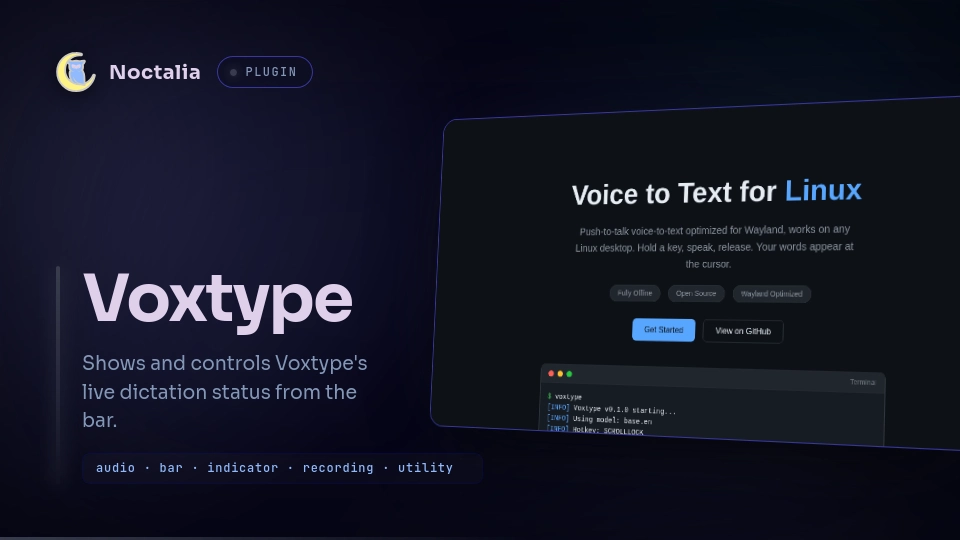
Voxtype adds a bar indicator and recording controls for Voxtype. It uses configurable Noctalia glyphs and colors while preserving Voxtype's own status tooltip.
Plugin
| Field | Value |
|---|---|
| ID | gabedunn/voxtype |
| Entries | Bar widget: status |
Requirements
Install voxtype and make sure the
voxtype command is available on PATH. Configure Voxtype and its recording
hotkey before using this widget.
Usage
Enable the plugin in Settings → Plugins, then add the status widget to your
bar in Settings → Bar.
The widget follows Voxtype's live status and updates as soon as it changes:
| State | Default glyph | Default color | Tooltip |
|---|---|---|---|
idle |
microphone-2-off |
on_surface |
Voxtype ready - hold hotkey to record |
streaming |
microphone-2 |
error |
Streaming live... |
recording |
microphone-2 |
error |
Recording... |
transcribing |
loader |
primary |
Transcribing... |
stopped |
microphone-2-off |
error |
Voxtype not running |
Hover over the widget to see the tooltip supplied by Voxtype. By default the
bar shows only the glyph; enable Show status text to display Voxtype's
alt field beside it. Enable Extended status to request the model, device,
and backend. Voxtype always adds all three to the expanded tooltip; nested
settings let you choose which fields also appear on the bar.
Default pointer actions:
- Left-click runs
voxtype record toggleto start or stop recording. - Right-click runs
voxtype record stopto stop recording. - Middle-click opens the widget settings using Noctalia's standard action.
You can override these gesture bindings for each widget instance in the bar settings.
Settings
| Setting | Type | Default | Description |
|---|---|---|---|
show_alt |
bool |
false |
Show the current state (idle, streaming, recording, transcribing, or stopped) beside the glyph. |
show_extended |
bool |
false |
Enable extended output. The tooltip includes model, device, and backend. |
show_model |
bool |
true |
Show the model on the bar when extended status is enabled. |
show_device |
bool |
true |
Show the audio device on the bar when extended status is enabled. |
show_backend |
bool |
true |
Show the backend on the bar when extended status is enabled. |
idle_glyph |
glyph |
microphone-2-off |
Glyph shown in the idle state. |
idle_color |
color |
on_surface |
Glyph color in the idle state. |
streaming_glyph |
glyph |
microphone-2 |
Glyph shown in the streaming state. |
streaming_color |
color |
error |
Glyph color in the streaming state. |
recording_glyph |
glyph |
microphone-2 |
Glyph shown in the recording state. |
recording_color |
color |
error |
Glyph color in the recording state. |
transcribing_glyph |
glyph |
loader |
Glyph shown while Voxtype is transcribing recorded audio. |
transcribing_color |
color |
primary |
Glyph color in the transcribing state. |
stopped_glyph |
glyph |
microphone-2-off |
Glyph shown while Voxtype is not running. |
stopped_color |
color |
error |
Glyph color in the stopped state. |
Notes
For each bar instance, the widget starts a managed shell loop that runs one
voxtype status --follow --format json process at a time, adding --extended
when extended status is enabled. If the status process exits, the loop waits two
seconds before restarting it. Noctalia stops the process group when the widget
unloads. Each JSON line replaces the current glyph, color, optional status text,
and tooltip; the emoji in Voxtype's text field is not rendered.
The plugin makes no network requests and does not directly read or write files. Its click actions invoke Voxtype, which records and processes audio according to your Voxtype configuration.
Versions
| Version | Plugin API | Updated |
|---|---|---|
| v1.0.0 latest | 14 | Aug 8, 2026 |
Older versions stay installable on a Noctalia release whose plugin API is below the latest version's.