 Noctalia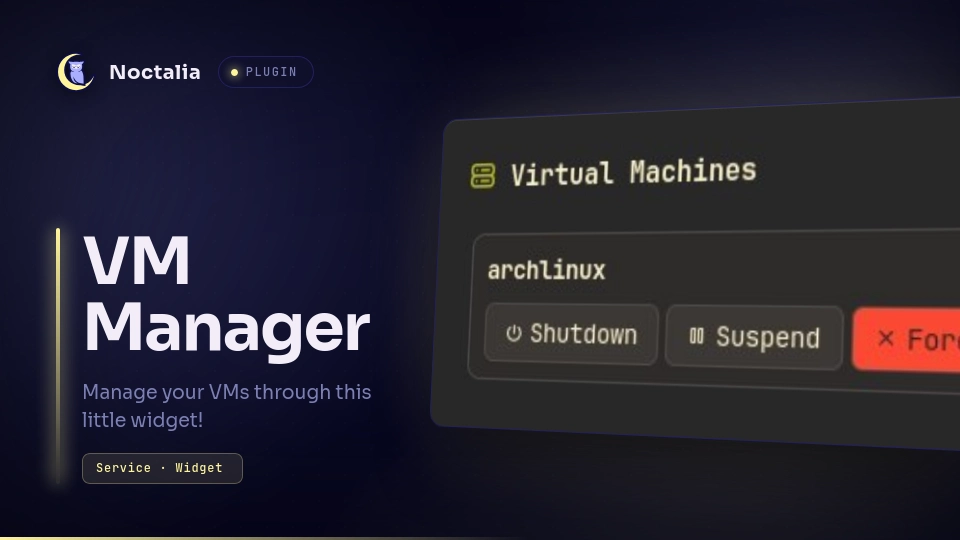
About
VM Manager
Manage QEMU/KVM virtual machines from the Noctalia bar: a live running/total widget, a panel with start/shutdown/suspend/resume/force-off/console actions, and per-VM libvirt autostart (start on boot).
Plugin
| Field | Value |
|---|---|
| ID | tiobaka/vm-manager |
| Entries | Bar widget: status; panel: manager; service: vms |
Requirements
Install virsh (libvirt client) and virt-viewer (for the Console button) on
PATH.
- The libvirt daemon must be running:
sudo systemctl enable --now libvirtd. - Your user must be in the
libvirtgroup, then re-login:sudo usermod -aG libvirt $USER. - The VMs must live on the configured connection (default
qemu:///system). Check withvirsh -c qemu:///system list --all. VMs on the session connection are not visible unless you change theconnect_urisetting.
Usage
Add the bar widget with type = "tiobaka/vm-manager:status" to a bar. It shows
running/total (e.g. 1/2) and turns into a red err glyph when libvirt is
unreachable; the tooltip explains why.
- Left click opens the manager panel.
- Right click (or middle click) opens the VM Manager settings, where the poll interval and libvirt connection URI can be changed.
Open the panel:
noctalia msg panel-toggle tiobaka/vm-manager:manager
The panel lists one card per VM with state-aware actions:
running→ Shutdown, Suspend, Force Off, Consolepaused→ Resume, Force Off, Consoleshut off→ Start
Right-click the gear button on each card to open the Autostart menu:
- Autostart on boot — start this VM whenever libvirtd starts (system boot). Toggles on/off.
- Autostart once (next boot) — start on the next libvirtd start only
(
virsh autostart --once).
The gear shrinks and dims while the VM is running but stays clickable. Disabling autostart also clears a pending once flag.
Settings
| Setting | Type | Default | Description |
|---|---|---|---|
poll_interval |
int | 3 |
Seconds between VM state polls. |
connect_uri |
string | qemu:///system |
The libvirt connection to manage (e.g. qemu:///system, qemu:///session, or a remote URI). |
IPC
The service also answers events from the shell:
noctalia msg plugin tiobaka/vm-manager:vms all refresh
noctalia msg plugin tiobaka/vm-manager:vms all autostart myvm
noctalia msg plugin tiobaka/vm-manager:vms all autostart-disable myvm
noctalia msg plugin tiobaka/vm-manager:vms all autostart-once myvm
Notes
- Spawns
virsh list --all(andvirsh list --all --autostart) on every poll interval, andvirshonce per action. Launchesvirt-viewerfor the Console button. No network access, no data written outside of libvirt's own config. - Autostart is libvirt's native mechanism: it fires when libvirtd starts
(i.e. at system boot), not at login. To start VMs at login instead, use a
systemd
--userunit — a different mechanism than this toggle. - Autostart only applies to persistent (defined) domains.
- Errors are explained in the widget tooltip / panel banner and in
notifications (e.g. libvirtd not running, user not in the
libvirtgroup, unknown VM name).
Versions
| Version | Plugin API | Updated |
|---|---|---|
| v0.1.2 latest | 43 | Oct 25, 2026 |
| v0.1.1 | 28 | Sep 13, 2026 |
Older versions stay installable on a Noctalia release whose plugin API is below the latest version's.