
About
Visualizer+
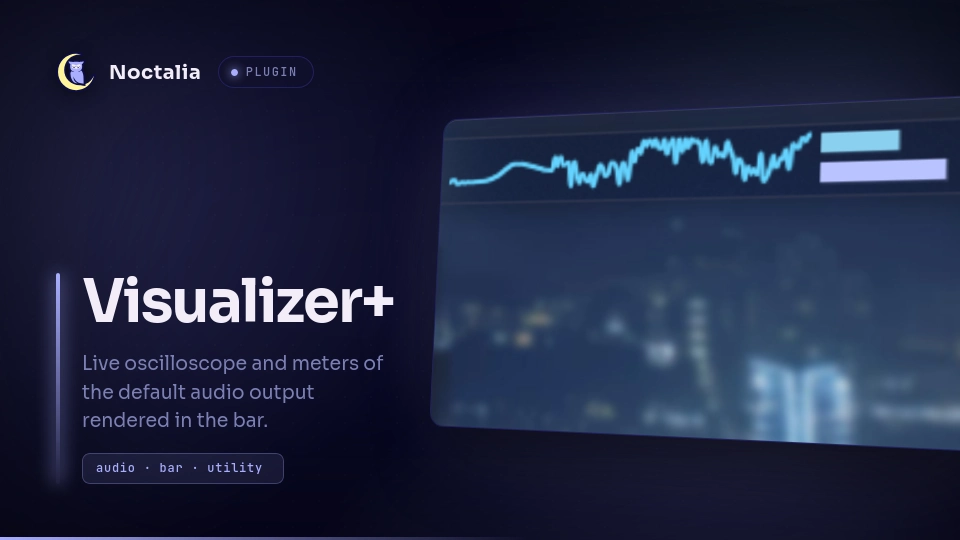
A phase-locked audio oscilloscope for the Noctalia bar. It captures the monitor of your default audio output — "what you hear" — through a small native PipeWire helper, locks the waveform to the same phase every frame so the wave stands still instead of scrolling, and draws it next to RMS and peak level meters.
Plugin
| Field | Value |
|---|---|
| ID | al3x/visualizerp |
| Entries | Bar widget: scope; service: capture |
Requirements
The capture helper is built from source on first run, so a C toolchain and the
PipeWire development files must be installed (declared in plugin.toml):
ccandmake(any C compiler toolchain)pkg-configlibpipewire-0.3development headers (Debian/Ubuntu:libpipewire-0.3-dev, Fedora:pipewire-devel, Arch:pipewire, Void:pipewire-devel)- PipeWire running (any desktop using it already qualifies)
Usage
Add the Visualizer+ widget to the bar (Settings → Bar). One capture process serves every widget instance, so running several costs no extra PipeWire streams.
The widget shows a phase-locked oscilloscope trace with two level meters (RMS on top, peak below). Hover it for a tooltip with the capture target, the locked pitch, and the RMS/peak levels. On silence the trace sits flat on the center line and the meters read zero.
Middle-click the widget to open its settings.
Settings
Capture settings apply when the capture starts (audio restart or plugin reload); render settings apply immediately.
| Setting | Type | Default | Description |
|---|---|---|---|
target |
string |
"" |
Sink to monitor. Empty uses the default output. |
fps |
int |
60 |
Waveform refresh rate. |
cols |
int |
128 |
Horizontal resolution. |
sensitivity |
double |
1.0 |
Amplitude gain. |
smoothing |
double |
0.2 |
Trace smoothing, 0 (raw) to 0.99 (heavy). |
gate |
double |
0.0025 |
Silence threshold; 0 means auto (0.0025 × sensitivity). |
width |
int |
188 |
Waveform width in pixels. |
height |
int |
30 |
Waveform height in pixels. |
color |
color |
primary |
Waveform line color. |
color2 |
color |
on_surface_variant |
Lower envelope color (band view). |
line_width |
int |
1 |
Line width in pixels. |
fill_opacity |
double |
0.0 |
Fill under the trace, 0–0.6. |
draw_band |
bool |
false |
Min/max band instead of a single line. |
show_meter_labels |
bool |
false |
RMS/PK text next to the meters. |
rms_color |
color |
secondary |
RMS meter bar color. |
peak_color |
color |
tertiary |
Peak meter bar color. |
meter_radius |
int |
0 |
Meter corner radius in pixels. |
meter_width |
int |
57 |
Meter bar full-scale width in pixels. |
meter_height |
int |
9 |
Meter bar height in pixels. |
meter_gap |
int |
4 |
Gap between trace and meters in pixels. |
Notes
- On first run (and after updates that do not carry a binary) the service runs
makeinside the plugin's ownnative/directory to buildbin/pwscope, and writes only that one file. If the build fails, the widget shows an error glyph and the tooltip explains what to install. - The helper connects to a sink's monitor port — the system audio output you
hear, not the microphone — via PipeWire's
stream.capture.sinkandstream.monitorproperties. Nothing is recorded or stored. - No network access. One long-lived child process (
pwscope), respawned by a small shell loop if it exits. - Target resolution order: the
targetsetting → PipeWire metadatadefault.audio.sink→ the firstAudio/Sinknode. - Resource usage: ~6 % of one core at 60 fps / 128 columns, ~7 MB RSS; YIN pitch detection dominates the cost.
Versions
| Version | Plugin API | Updated |
|---|---|---|
| v0.1.0 latest | 3 | Oct 8, 2026 |
Older versions stay installable on a Noctalia release whose plugin API is below the latest version's.