
About
usbeehive
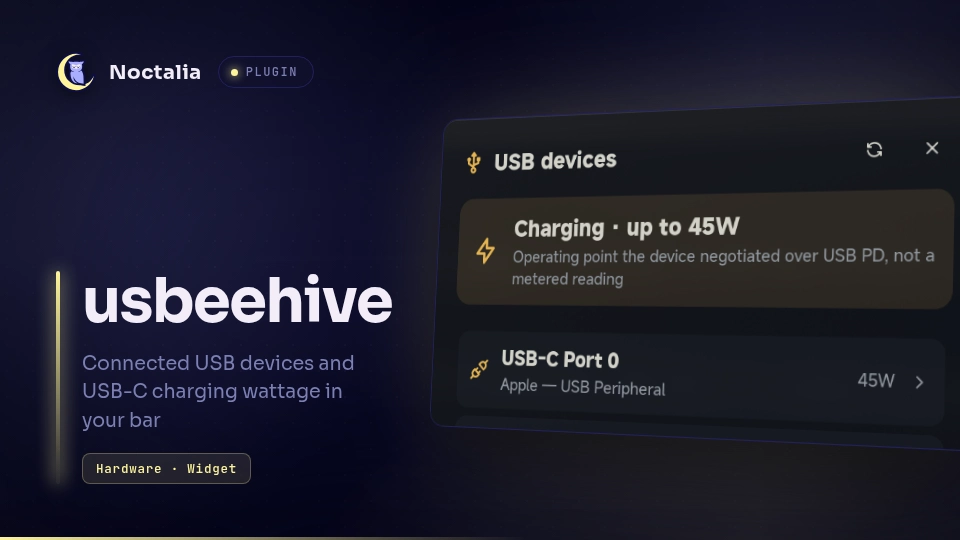
Shows your connected USB devices and USB-C charging wattage in the bar, using usbeehive. It also tells you when a cable or charger is the bottleneck.

Plugin
| Field | Value |
|---|---|
| ID | yangkx/usbeehive |
| Entries | Bar widget: usb; panel: devices; service: monitor |
Requirements
usbeehiveonPATH, or set its path in the plugin settings. Install it withcargo install usbeehive, which needs the libudev headers andpkg-config.jqonPATH. usbeehive pretty-prints--watch --jsonacross many lines, andjqcompacts each snapshot onto one line so the plugin can read the stream line by line.- Linux only. USB-C wattage needs the kernel to expose USB-C power data (UCSI, TCPM or a platform driver). Machines without USB-C Power Delivery, like most desktops, show only the device list.
Usage
Enable the plugin, then add the usbeehive bar widget from the Add-widget picker, or configure it by hand:
[widget.usb]
type = "yangkx/usbeehive:usb"
# then put "usb" in a [bar.<name>] start/center/end list
The bar widget shows:
⚡ 45Wwhile a USB-C port is charging the machine↗(plus wattage when the kernel reports it) while the machine supplies power over USB-C- otherwise a USB icon with the number of connected devices (see
idle_display)
The icon turns to the tertiary color when usbeehive detects a charging bottleneck. Left click toggles the device panel, right click refreshes, and middle click opens the widget settings.
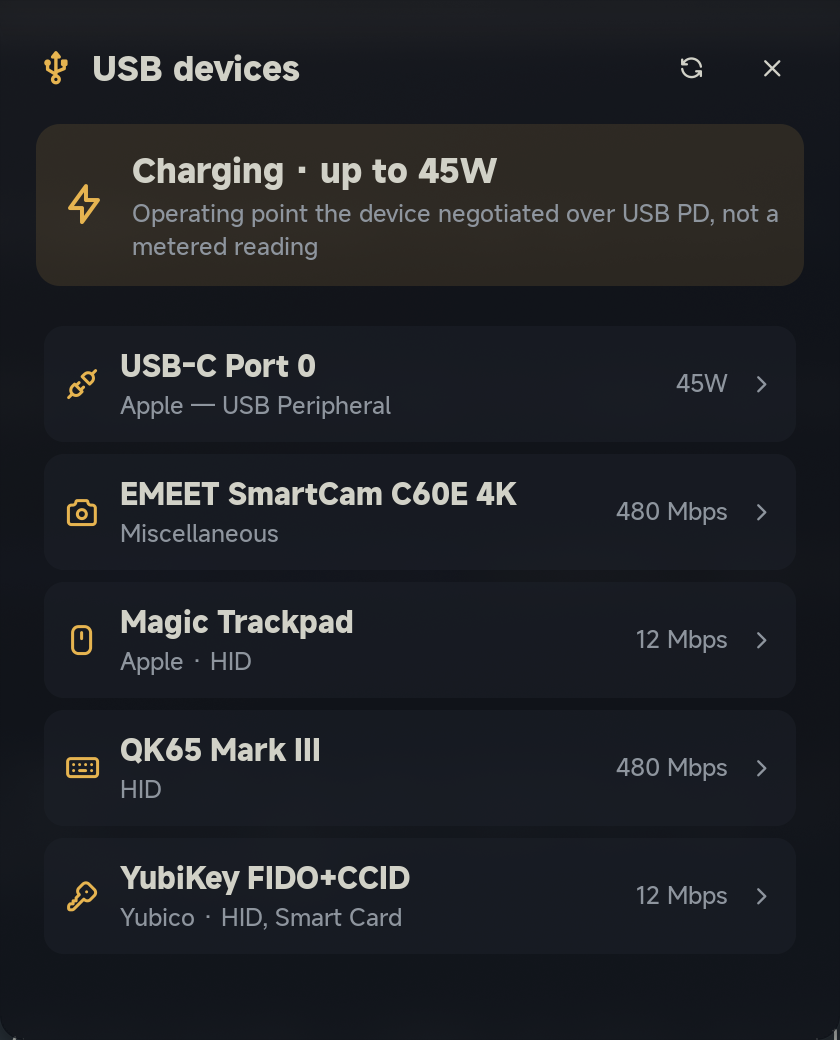
The devices panel shows a power summary, any charging warnings, and every device. Click a device
to expand its details: vendor and product IDs, driver, USB version, link speed, cable e-marker,
and the charger's power profiles with the active one marked. You can also toggle it from a
keybind:
noctalia msg panel-toggle yangkx/usbeehive:devices
The monitor service runs in the background and needs no setup. It sends a notification when a
device is connected or disconnected, and when a new charging bottleneck appears.
Settings
Plugin settings live under Settings → Plugins → usbeehive (the gear).
| Setting | Type | Default | Description |
|---|---|---|---|
usbeehive_path |
file |
usbeehive |
Command name on PATH, or an absolute or ~ path, e.g. ~/.cargo/bin/usbeehive. |
poll_interval_s |
int |
5 |
Seconds between wattage refreshes while charging (1–60). The watcher only reacts to USB/Type-C hotplug events, so this catches PD renegotiations. |
hide_internal |
bool |
true |
Hide devices the kernel marks as fixed: built-in Bluetooth, card readers, internal webcams. |
show_hubs |
bool |
false |
List USB hubs in the panel. Hubs never count as devices and never trigger notifications. |
notify_hotplug |
bool |
true |
Notify when a USB device is connected or disconnected. |
notify_warnings |
bool |
true |
Notify when usbeehive reports a new cable or charger bottleneck. |
Bar widget setting, edited with the widget:
| Setting | Type | Default | Description |
|---|---|---|---|
idle_display |
select |
count |
What the widget shows when no USB-C power is flowing: count (icon and device count), icon (icon only) or hidden (hide the widget). |
IPC
Force a fresh reading, the same as right-clicking the widget:
noctalia msg plugin yangkx/usbeehive:monitor all refresh
Notes
- Processes: the service runs one long-lived shell pipeline,
usbeehive --watch --json | jq -c --unbuffered .. While a port is charging it also runsusbeehive --jsoneverypoll_interval_sseconds. The pipeline's wrapper usesmktemp,pkill -P(to stop its own children when the plugin reloads),grepandtail. - Files: a temporary file from
mktempholds the pipeline's stderr, so a failure can show the real error. It is deleted when the pipeline exits. Nothing else is written. - Network: none.
- Wattage meaning: the number is usbeehive's
powerInMW. That is the operating point the device negotiated over USB PD (UCSI voltage × current) when the kernel exposes it, otherwise the charger's active profile. Either way it is a negotiated ceiling, not a metered reading. - Errors: if usbeehive or jq is missing or the watcher stops, the widget shows a crossed-out plug. The panel keeps the last device list and shows the error text, and the service retries every 10 seconds.
- Development: the standalone repo
includes a sysfs fixture and wrapper (
dev/usbeehive-fixture). Pointusbeehive_pathat it to see the charging UI on a machine without USB-C Power Delivery.
Versions
| Version | Plugin API | Updated |
|---|---|---|
| v0.1.1 latest | 24 | Oct 10, 2026 |
Older versions stay installable on a Noctalia release whose plugin API is below the latest version's.