 Noctalia
About
Umbriel Settings
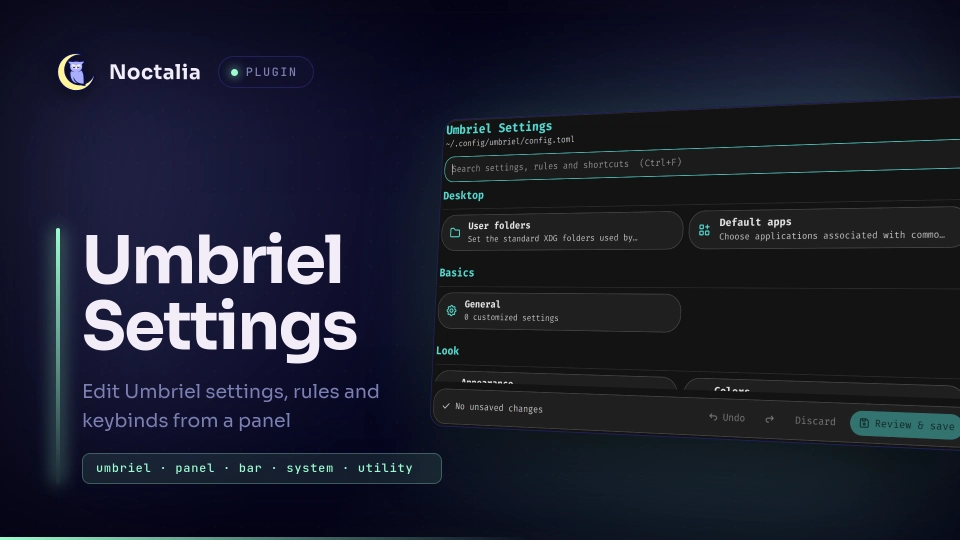
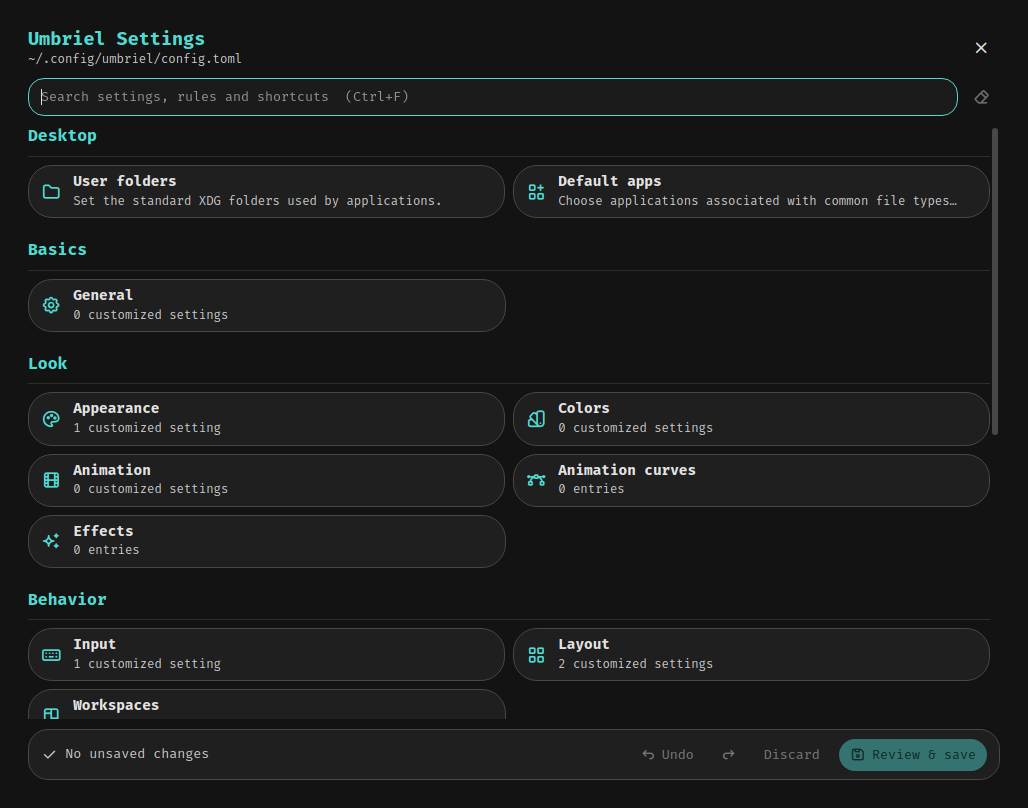
Edit your whole Umbriel configuration from a Noctalia panel without losing the comments and formatting of your config: every setting page, window/layer/workspace/security rules, outputs, scratchpads, input devices, effects, animation curves, environment variables and keybinds, plus XDG user folders and default apps. The same interface also runs as a standalone app: see the Umbriel-Settings repository.
Plugin
| Field | Value |
|---|---|
| ID | 0rz0rz0rz/umbriel-settings |
| Entries | Bar widget: settings; panel: main |
| Version | 0.2.1 |
| Made for Umbriel | 0.1.0 |
| Needs Noctalia | 5.4.0 or newer (plugin API 43) |
Requirements
- Noctalia 5.4.0 or newer (plugin API 43) and
python33.11+ (runs the bundled helper). python-tomlkit: edits the config while keeping its formatting. Without it the panel says what to install; user folders and default apps still work.umbrielonPATH: defaults, ranges, validation before saving, the Outputs display arrangement and mode lists, Pick from open windows/layers, Use the focused window, live refresh (umbriel subscribe) and Run now. Without it settings can still be edited, but aren't checked before writing.- Optional:
gio(open the standalone app),xdg-openor an editor command set under About (Edit file), andnotify-send(the message when a display Try went back on its own while the panel was closed). Buttons explain what's missing.
Usage
Add the Umbriel Settings widget (settings) to a bar from Noctalia's Settings → Bar: it toggles the
panel and turns your accent color while edits are unsaved. Or toggle the panel from a terminal or script:
noctalia msg panel-toggle 0rz0rz0rz/umbriel-settings:main
Open with a keybind: the plugin adds no shortcut of its own; bind the command in Umbriel, under
[keybinds] in your config or as a spawn action on the panel's Keybinds page (pick a free combo):
[keybinds]
"Mod+Shift+S" = "spawn noctalia msg panel-toggle 0rz0rz0rz/umbriel-settings:main"
Home has a search over setting names, help text, config keys (
border_width), rule names and shortcuts, cards for every page with customized/unsaved counts, and Customized, a list of every setting that differs from Umbriel's default.Setting rows show the control, the default (“Default 2”), ⓘ help with the config key (with a copy button) and undo. Like Noctalia's settings, a key that differs from the default shows an Override badge, and Reset (click twice to confirm) removes the key so Umbriel's default applies. Units sit next to the number, special values such as “Automatic” (-1) have their own switch, and ↻ marks settings that need an Umbriel restart. Only customized hides settings at their default; the filter box narrows a page to matching settings, and an open group can undo its unsaved edits at once.
Rules, devices and effects are lists (the filter also matches values): edit, name, reorder, duplicate, delete. Pick from open windows / Pick from open layers on a rule fill its match (app id, optionally title, or layer namespace) with an exact pattern from what Umbriel shows, and follow windows opening and closing; Use the focused window takes the focused window's app id.
Outputs shows the connected displays as numbered tiles at their real size and position, filling the page. Drag a display by its number (the grip under it) onto an edge of another to place it there, or onto a top or bottom corner to place it above or below but shifted half a display that way: displays stay centered on each other, and the layout starts at 0, 0 (a display's Position fields set it by hand). Tidy up recenters after a mode or scale change. The star on a tile marks the default display (click a grey star to move it there, the filled one to clear it): it gets the focus at startup (
focus_at_startup) and is XWayland's primary output. Click a display's number to edit it: a name for the overview (kept beside the config, not in it), and a Mode picked as Resolution and Refresh rate from the modes Umbriel reports (a display without an entry gets one, dropped again if you leave without changing anything). Identical monitors that report the same name are told apart by connector. Entries for outputs that aren't connected are listed under Not connected. Moving displays or picking the default changes nothing on disk until you save; then each display'sposition(andfocus_at_startup) is written to its[output."…"]entry. Try saves display changes right away and asks to keep them (the question stays on top of every page); without an answer within 15 seconds the previous file comes back and the changes are unsaved again, also when the panel was closed meanwhile. Before anything is written, the helper starts a small watcher (systempython3) that restores the previous file 30 seconds after the save unless you pressed Keep or Go back, so the file comes back even if Noctalia stops, also in the middle of the save (not if the session ends: logout or reboot); if the config was edited meanwhile it is left alone and you are told. The Backups page won't delete the backup a Try goes back to until it ends. Saving waits until the Try is answered. The tiles follow monitors being plugged in or out.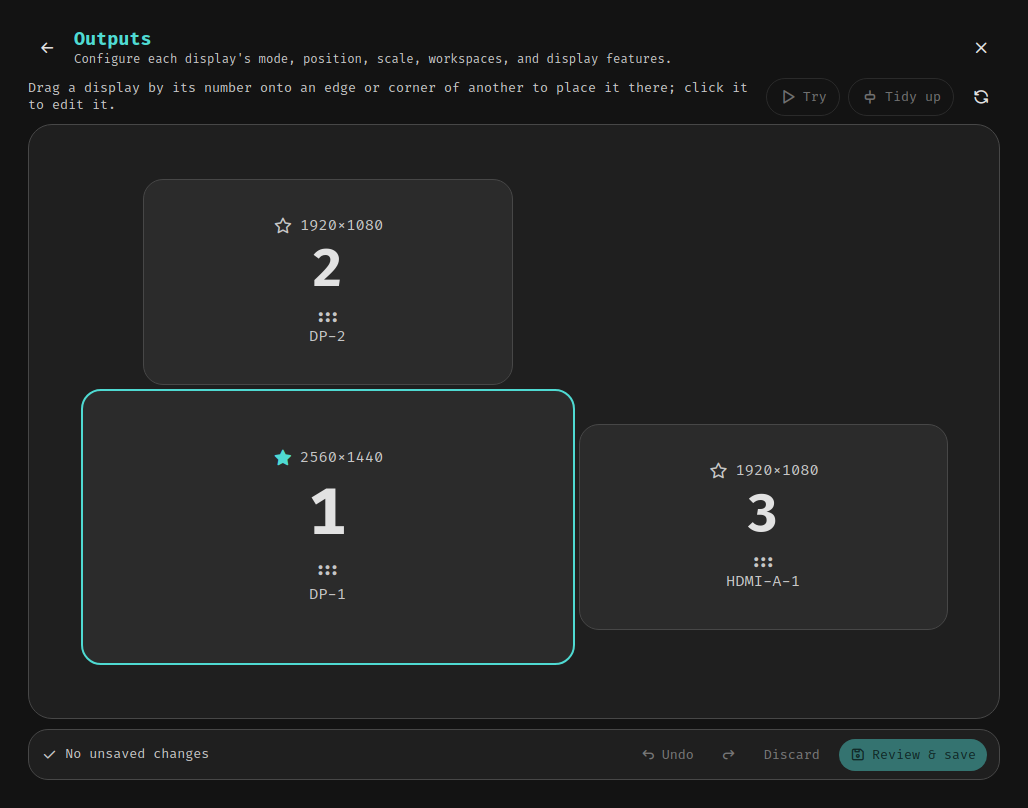
Curve, effect and output settings offer your own named curves, effect presets and pools (also from include files) and your configured and connected outputs; Browse… picks include files, effect shaders and ICC profiles in a file browser of its own (the panel stays above other windows), and for autostart commands lists the installed apps like the default apps do. A keybind action's first argument (output, preset, pool, submap, scratchpad, named workspace) has a list too.
Keyboard layouts: Choose… next to Layout, Variant and XKB options picks from XKB's list.
Keybinds are grouped (shortcuts used twice show conflict): build shortcuts from modifier chips (the standalone app can also Record… a key press), pick actions from a searchable catalog, lock shortcuts against accidental changes. Run now (click twice) sends the action to Umbriel once; it refuses
session-quit, closing or killing the focused window, screens off, disabling outputs, the shortcut inhibitor, entering a submap andspawn noctalia msg session …(other commands you spawn run as written). Window actions act on the window behind the panel. Drag groups and shortcuts by their grip to reorder them or move a shortcut into another group (↑/↓ buttons on the group list and a shortcut's page do the same); the[keybinds]table is saved in that order.User folders and Default apps edit
user-dirs.dirsandmimeapps.list.Title-bar colors: on Colors → Title bar, KDE / KDE header make a background follow Noctalia's palette at the chosen opacity. Like any edit this is queued: Review lists it, Discard and Undo drop it, and only the save starts following; afterwards palette changes update it even with the panel closed. A fixed color or Stop following stops it, also with the next save. Each config follows on its own.
About shows the version, the Umbriel and Noctalia versions it is made for (and notes when your Umbriel differs), options your Umbriel has that aren't covered yet, and the editor command.
Nothing is written until Review & save (Ctrl+S, again to save): the review lists every change with
Revert, shows the diff and runs
umbriel config validate first; if Umbriel rejects the file, nothing is written and each problem links to
its setting. Unsaved edits (including folders and default apps) survive closing the panel and restarting
Noctalia as a draft; edits for another config file wait until that file is open again. Edits made while a
save runs stay unsaved instead of being lost.
Keys: Ctrl+F search, Ctrl+S review (again: save), Ctrl+Z undo the last unsaved edit and Ctrl+Y redo (also in the save bar), Alt+Left back, Esc close.
Settings
| Setting | Type | Default | Description |
|---|---|---|---|
display |
select |
icon |
What the bar widget shows: icon, icon_text or text; the icon (the text in text) takes the accent color while edits are unsaved. A vertical bar always shows only the icon. |
icon |
select |
moon-stars |
The bar widget's icon: settings, settings-2, settings-cog, adjustments-horizontal, adjustments-cog, tool, tools, moon, moon-stars, moon-2 or home-cog. Unknown values fall back to moon-stars. |
Troubleshooting
- "python3 was not found": install Python 3.11+ so
python3is on thePATHNoctalia was started with. - "Python's tomlkit module is missing": install
python-tomlkit(orpip install --user tomlkit) and reopen the panel. User folders and default apps work without it. - "The umbriel command was not found; the config was not validated": the panel can't find
umbrielon Noctalia'sPATH, so it shows no defaults or ranges and can't check the file before saving. Fix thePATHNoctalia is started with. - "… is a symlink; edit its target directly": the plugin never writes through a symlinked config,
user-dirs.dirsormimeapps.list. For the config, enter the link's target path on Home instead. - Rule, curve or keybind edits disappeared: the config changed on disk while they were unsaved (another editor, the app, a dotfile sync). Setting edits are kept; list edits are dropped so they can't overwrite the new file.
- Widget or panel missing after an update: run
noctalia msg config-reload. Errors from the helper are shown in the panel; Noctalia's own log is~/.cache/noctalia/noctalia.log.
Notes
- Look: colors, font and Noctalia's own controls come from the shell; the panel's cards and rows also
follow Corner roundness (
[shell] corner_radius_scale, read withnoctalia.getSetting), live. - Files read: the Umbriel config (last chosen in the panel or app, else
~/.config/umbriel/config.toml),user-dirs.dirs,mimeapps.list, installed.desktopfiles, qt6ct/KDE color files (KDE title-bar colors),noctalia-config.tomland the palette file (title bars that follow Noctalia), XKB'srules/evdev.lst(keyboard layout picker;$XKB_CONFIG_ROOTor/usr/share/X11/xkb) and the files your config includes ([include], for the effect presets, pools and curves they define). - Files written (all atomically, symlinked user files refused):
- on Save, Try, Restore and the Try's own rollback: the Umbriel config (validated),
$XDG_CONFIG_HOME/user-dirs.dirsand$XDG_CONFIG_HOME/mimeapps.list(other entries and MIME fallbacks kept), each after a timestamped backup; - in
$XDG_DATA_HOME/umbriel-settings/(owner-only, 0700; files 0600): those backups (configs/<id>/backups/per config,backups/for the desktop files,noctalia-backups/for Noctalia's config; newest 10 per file, the Try watcher may add one until the next save prunes), rule and display names (gui-labels.json) and keybind locks per config,configs/<id>/trial.jsonwhile a Try waits for an answer andtrial.result.json(what its watcher did), the last chosen config (gui-config-path, written when you switch), the editor command (About),write.lock(one writer at a time: panel, app, Try watcher and title-bar script) and the.migrated-v1/.private-v1markers of one-time migrations; - in Noctalia's plugin data directory: drafts (
draft.json,draft-other-config.json), the helper's request/response files (run/; pairs left by a plugin unload are removed after 10 minutes), its bytecode cache (pycache/) and the field catalog (cache/); - title bars that follow Noctalia, see below.
- on Save, Try, Restore and the Try's own rollback: the Umbriel config (validated),
- Title bars that follow Noctalia, only when a save starts following (KDE / KDE header): the user
template
~/.config/noctalia/templates/umbriel-titlebar.toml, itsumbriel_titlebarentry innoctalia-config.toml(backed up first; refused when Noctalia saved it meanwhile) and~/.config/umbriel-settings/titlebar_apply.py(replaced by a newer one on a later save). On palette changes Noctalia renders~/.config/umbriel-settings/titlebar-colors.tomland runs the script, which sets onlybackground/background_unfocusedin[colors.title_bar]of each following config (an include can't, because Noctalia's umbriel template always loadsnoctalia.tomllast). It writes while holding the samewrite.lock, starts over when the config changed meanwhile, and keeps the config's previous version as an owner-only*.titlebar.baknext to itself. To stop, set a fixed color (or press Stop following) on every field that follows and save: once no config follows any more, the entry, the template, the rendered file, the script and its*.titlebar.bakcopies are removed (the configs keep their last colors). Disabling the plugin does the same for every config (onExit, helpertitlebar-cleanup); this also stops following set up in the standalone app. Uninstalling tries the same, but only on a best-effort basis: Noctalia may remove the plugin folder before the helper has loaded, so disable the plugin first, then uninstall. If the cleanup couldn't run (for example the plugin was removed directly or python3 was gone), delete[theme.templates.user.umbriel_titlebar]fromnoctalia-config.toml,~/.config/noctalia/templates/umbriel-titlebar.toml,titlebar-colors.toml,titlebar_apply.pyand*.titlebar.bakin~/.config/umbriel-settings/by hand. - Processes:
python3 umbriel_settings.py <command>(JSON request/response files and the helper's bytecode cache in the plugin data directory);umbriel config validate(on a temporary.umbriel-settings-*.tomlnext to the config, removed afterwards),umbriel config schema --json,umbriel outputs --json,umbriel windows --json,umbriel layers --json,umbriel keyboard-layouts --json,umbriel subscribe <events>(live refresh, ends after at most 30 s or the first change, while a page that shows live state is open); on button press only:umbriel focused-window --json(Use the focused window),umbriel msg <action>(Run now),gio launch,xdg-openor your editor. Try starts a detached watcher, the system'spython3 -I -c <umbriel_core/trial.py>, that ends once the Try is answered or about 30 s after it started (longer only while another save holdswrite.lock, at most 5 minutes), andnotify-sendwhen it went back or couldn't. Noctalia runspython3 titlebar_apply.pyafter palette changes while a title-bar color follows it, and the plugin runs helpertitlebar-cleanupwhen it is disabled (on uninstall: best effort). - Network: none.
umbriel_core/is the config library shared with the standalone app, bundled so the plugin works alone.app.luauis the app's layout; it isn't inplugin.toml, so Noctalia never loads it.- MIT License; see
LICENSE.
Versions
| Version | Plugin API | Updated |
|---|---|---|
| v0.2.1 latest | 43 | Nov 23, 2026 |
Older versions stay installable on a Noctalia release whose plugin API is below the latest version's.