
About
Umami
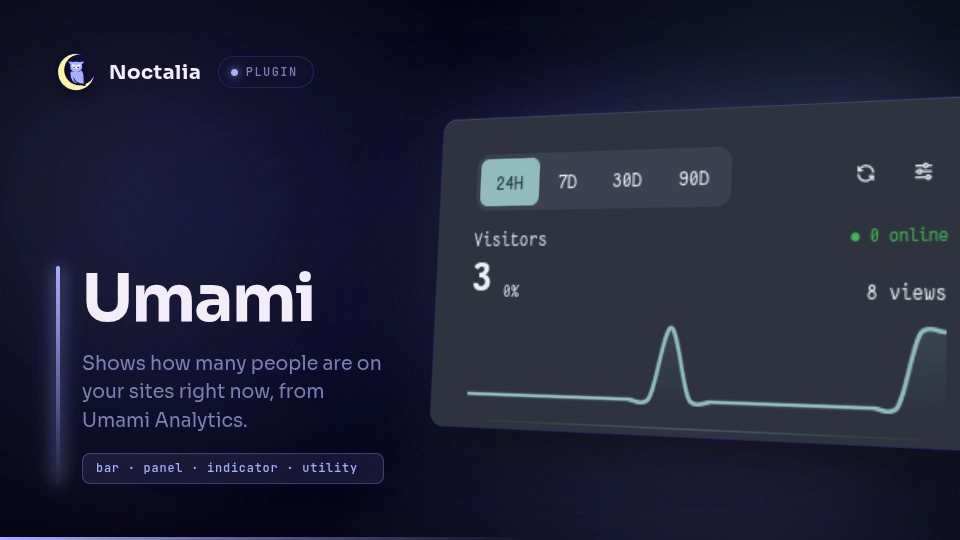
Shows how many people are on your sites right now, from Umami Analytics, in the bar. Click the widget for a dashboard of every website: visitors, views and trends for the last 24 hours, 7, 30 or 90 days, and a per-website page with its stats, a visitors/views chart, and top pages, sources, environments and locations. Works with Umami Cloud and self-hosted instances.
Plugin
| Field | Value |
|---|---|
| ID | ak4duy/umami |
| Entries | Bar widget: bar, panel: dashboard |
Requirements
- An Umami API key (Umami Cloud, or self-hosted Umami 3 and later), or the username and password of a self-hosted Umami account without two-factor authentication.
xdg-openonPATH, used by Open in Umami to open a website in your default browser.
Usage
- Add the
barwidget to a bar. Until it is configured it shows a settings icon; left-click it to open the plugin settings. - For Umami Cloud, paste your API Key and keep the default API URL. For a self-hosted instance, set
API URL to your instance URL followed by
/api, then paste an API Key from Settings → API keys or fill in Username and Password.
The widget shows a chart icon and the number of visitors active in the last five minutes across all your websites. Left-click it to open the dashboard, right-click to refresh. A warning icon means the last request failed; hover it to see why.
To open the dashboard without the widget, bind this command to a key:
noctalia msg panel-toggle ak4duy/umami:dashboard
In the dashboard, pick a period at the top, then click a website to see its details. Open in Umami opens that website in your browser. Hover a bar in the chart for its exact numbers. The Pages, Sources, Environment and Location cards each have tabs (for example Browsers, OS and Devices); each card can be hidden in the settings.
Settings
Plugin settings, shared by every instance:
| Setting | Type | Default | Description |
|---|---|---|---|
api_url |
string |
https://api.umami.is/v1 |
Umami API root. Self-hosted: https://<your-instance>/api. |
api_key |
string |
"" |
Umami API key. When set, username and password are ignored. |
username |
string |
"" |
Self-hosted login username. |
password |
string |
"" |
Self-hosted login password. |
refresh_seconds |
int |
60 |
Seconds between fetches, from 15 to 3600. |
show_pages |
bool |
true |
Show the Pages card (path, URL, entry and exit pages). |
show_sources |
bool |
true |
Show the Sources card (referrers and channels). |
show_environment |
bool |
true |
Show the Environment card (browsers, OS and devices). |
show_location |
bool |
true |
Show the Location card (countries, regions and cities). |
Notes
- Every
refresh_seconds, each widget instance requests<api_url>/websitesand/websites/<id>/activefor each website. While the dashboard is open it also requests/websites/<id>/statsand/websites/<id>/pageviewsfor each website, plus/websites/<id>/metricsonce per shown card, for the selected tab of the website being viewed. With a username and password each entry first calls<api_url>/auth/loginand reuses the returned token until Umami rejects it or the settings change. These are the plugin's only network requests. - Chart buckets are hours for 24H and UTC days for longer periods.
- The plugin runs
xdg-openonly when you click Open in Umami. - The API key, username and password are stored in plain text in your Noctalia config, like every other plugin setting.
- The plugin writes no files.
- This plugin is not affiliated with Umami Software.
Versions
| Version | Plugin API | Updated |
|---|---|---|
| v1.0.0 latest | 32 | Oct 23, 2026 |
Older versions stay installable on a Noctalia release whose plugin API is below the latest version's.