 Noctalia
About
UFW Firewall
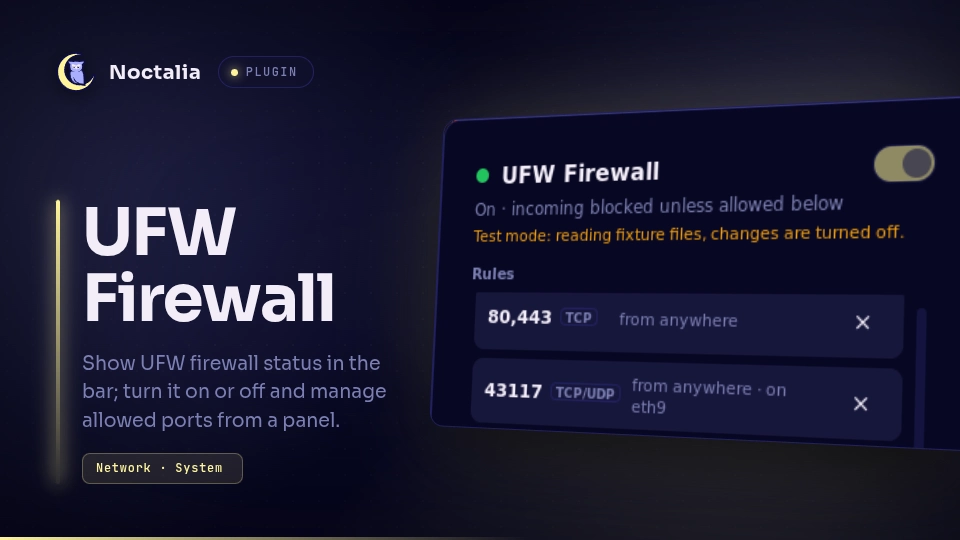
Show the UFW firewall's status in the Noctalia bar and manage it from a panel:
turn it on and off, see the rules, and add or remove allowed ports. The plugin
drives the ufw command line and systemctl; it never talks to the network.
Plugin
| Field | Value |
|---|---|
| ID | 3dprogramin/ufw |
| Entries | Bar widget: status; panel: panel; service: service |
Requirements
Install ufw. Every manifest dependency must be on PATH:
ufw: the firewall. Changes to rules and the on/off state run through it (as root, viapkexec).pkexec: asks for your password so Save, Turn on, Turn off, Start ufw, Start at boot and Load rules can run as root.systemctl: reads theufwunit's state (systemctl show ufw, read-only, nopkexec), and starts, stops, restarts and enables it (throughpkexec).noctalia: thenoctalia msg config-setcommand that Turn on password prompt runs.
The plugin reads /etc/ufw/user.rules and /etc/ufw/user6.rules without root.
On a system where they are not readable, the panel shows Load rules, which
asks for your password once.
Password prompt (polkit)
Anything that changes the firewall needs a polkit authentication agent to show a
password prompt. Noctalia has one built in (the shell.polkit_agent option). If
no agent is running, the plugin says so and offers two fallbacks:
- Turn on password prompt runs
noctalia msg config-set shell.polkit_agent true, which changes your Noctalia config (see Notes). - Run in terminal opens your terminal and runs one fixed command for the action
you tried, the same choice the password prompt would run:
sudo ufw --force enable,sudo sh -c 'ufw --force enable && systemctl start ufw'(Turn on while the unit isn't running),sudo systemctl start ufw,sudo systemctl stop ufw(orsudo ufw disablewithoutsystemctl) orsudo systemctl enable ufw.
sudo and your terminal are not manifest dependencies (they come with your
system), and the plugin runs nothing else through a shell.
Usage
Add the status widget to the bar. It shows a status dot, a label and the number
of ports allowed in. Click it to open the panel, or run:
noctalia msg panel-toggle 3dprogramin/ufw:panel
The dot and the label mean:
| Dot | Label | Meaning |
|---|---|---|
| green | UFW |
ufw is on and running. The count is how many allow and limit rules apply to incoming traffic. |
| red | UFW OFF |
ufw is off (ENABLED=no), or you turned it off from the panel: stopped until you turn it on again or restart. |
| amber | UFW ? |
ufw failed to start, or it isn't running and isn't set to start at boot. Your rules are not enforced. |
| muted | UFW ? |
ufw is missing, its settings can't be read (yet), or systemctl show ufw isn't answering. |
The status comes from the saved configuration (/etc/ufw/ufw.conf) and the state
of the ufw systemd unit. It is not read from the live kernel ruleset, which
needs root.
The panel has:
- A header with the status, a switch to turn the firewall on or off, and the fix for whatever is wrong: Turn on, Start ufw (when ufw isn't running), Start at boot (when ufw is on but won't start after a reboot) or Load rules (when the rules can't be read without a password).
- Turning off asks first. Flipping the switch off shows a confirmation;
Turn off there runs
systemctl stop ufwand Cancel changes nothing. - The rule list, and a form to add an allowed port: a port from 1 to 65535, TCP, UDP or both, and an optional comment (up to 64 plain characters).
- Changes are staged: Add and Remove this rule only list a change ("new", "will be removed") and undo takes it back. Nothing touches ufw until you press Save, which applies every staged change after one password prompt. Discard drops them all. Staged changes live in memory only.
- A rule that the plugin can't safely rebuild a delete for (unusual shapes) shows "remove in a terminal" instead of a remove button.
What Turn off does
Turn off runs systemctl stop ufw. That stops ufw only until you turn it on
again or restart: it never changes ENABLED in ufw.conf and never touches the
boot setting (systemctl enable / disable), and the plugin never offers to
disable ufw at boot. Without systemctl it falls back to ufw disable, which
writes ENABLED=no and does persist across reboots.
Starting again from a terminal. After a Turn off, use
sudo systemctl start ufw, not sudo ufw enable. ufw enable loads the rules
without starting the ufw service, so the plugin (which cannot see the kernel
firewall without root) keeps showing "stopped" until you press Turn on. That
is harmless: Turn on then only starts the unit (the rules are already loaded)
and the dot turns green.
Settings
| Setting | Type | Default | Description |
|---|---|---|---|
show_label |
bool |
true |
Bar widget only: show the UFW / UFW OFF / UFW ? text next to the dot. |
show_count |
bool |
true |
Bar widget only: show the number of ports allowed in, while the firewall is on. |
IPC
The service is the only entry that reads ufw's files or runs a process. The bar
and the panel send it requests, and you can too (all is required for a service
entry):
ID=3dprogramin/ufw:service

noctalia msg plugin $ID all request '{"action":"refresh"}'
noctalia msg plugin $ID all request '{"action":"stage_add","port":"49152","proto":"tcp","comment":"dev server"}'
noctalia msg plugin $ID all request '{"action":"save"}'
noctalia msg plugin $ID all request '{"action":"disable"}'
noctalia msg plugin $ID all request '{"action":"enable"}'
Every action and its arguments:
| Action | Arguments | Does |
|---|---|---|
refresh |
Re-reads every file and the unit state (the panel does this when it opens). | |
stage_add |
port: 1 to 65535 (string or number); optional proto: both (default), tcp or udp; optional comment |
Stages an allow rule. Refused when the port and protocol are already allowed or staged. |
stage_remove |
rule: the id of a rule in the published state (the panel sends it; there is no stable hand-typed form) |
Stages that rule's removal. Refused when the rule can't be removed from here. |
unstage |
id: the id of a staged change |
Takes that staged change back. |
discard |
Drops every staged change. | |
save |
Applies every staged change as root, in one batch. Needs a password. | |
enable |
Turn on. When ufw.conf already says ENABLED=yes and the unit is inactive or failed, it only starts the unit (pkexec systemctl start ufw, restart when failed). Otherwise pkexec ufw --force enable, as pkexec /bin/sh -c "ufw --force enable && systemctl start ufw" when the unit isn't active. |
|
disable |
Turn off: pkexec systemctl stop ufw (or pkexec ufw disable without systemctl). |
|
start_service |
pkexec systemctl start ufw (restart when the unit has failed). |
|
enable_at_boot |
pkexec systemctl enable ufw. |
|
load_rules |
Reads the rules as root, with one password prompt, when the files can't be read without it. Never runs on its own. | |
run_in_terminal |
for: enable, disable, start_service or enable_at_boot |
Runs that action's fixed sudo command in your terminal. |
enable_polkit_agent |
noctalia msg config-set shell.polkit_agent true. |
|
dismiss_error |
optional key of the error or notice shown |
Clears it (with no key, whatever is shown). |
Only one root action runs at a time (a second one is answered with "Another change is still running"), and each is limited to 60 seconds.
Notes
Why the password prompt says /bin/sh. Save has to run several ufw
commands and then read the rules back. To ask for your password once, the whole
batch runs as one command: pkexec /bin/sh -c <script> ufw-batch <op> <op> ....
polkit therefore names /bin/sh in the prompt, not ufw. The script is a fixed
constant (BATCH_SCRIPT in commands.luau), reproduced here exactly. Request
data is never part of it: each change is one argument, and the script only splits
it into words (with globbing off) and runs ufw --force <words>.
PATH=/usr/local/sbin:/usr/local/bin:/usr/sbin:/usr/bin:/sbin:/bin
LC_ALL=C
LANGUAGE=C
export PATH LC_ALL LANGUAGE
status=0
i=0
for op in "$@"; do
  i=$((i + 1))
  set -f
  IFS=$(printf '\037')
  set -- $op
  unset IFS
  if [ "$#" -eq 0 ]; then
    out='empty op'
    code=2
  else
    out=$(ufw --force "$@" 2>&1)
    code=$?
  fi
  ok=no
  if [ "$code" -eq 0 ]; then
    if [ "$1" = delete ] || [ "$2" = delete ]; then
      case $out in
        *"Rule deleted"*|*"Rules updated"*) ok=yes ;;
      esac
    else
      case $out in
        *"Rule added"*|*"Rules updated"*) ok=yes ;;
      esac
    fi
    case $out in
      *"Could not"*|*"Skipping"*) ok=no ;;
    esac
  else
    case $out in
      *"Could not delete"*|*"Skipping"*) ;;
      *"problem running")
        ufw --force "$@" >/dev/null 2>&1
        ok=written ;;
    esac
  fi
  if [ "$ok" = yes ]; then
    echo "@@op $i ok"
  else
    if [ "$ok" = written ]; then
      echo "@@op $i written $code"
    else
      echo "@@op $i fail $code"
    fi
    if [ -n "$out" ]; then
      sed 's/^/@@msg /' <<EOF
$out
EOF
    fi
    if [ "$ok" = no ]; then
      status=1
      break
    fi
  fi
done
dump() {
  echo "@@file $1"
  if [ -r "$2" ]; then
    cat "$2"
    [ -z "$(tail -c 1 "$2")" ] || echo
  fi
}
dump conf /etc/ufw/ufw.conf
dump defaults /etc/default/ufw
dump v4 /etc/ufw/user.rules
dump v6 /etc/ufw/user6.rules
echo "@@end"
exit "$status"
Saving while ufw is off. After Turn off (the stopped state) ufw still writes
each change to its rules file, then fails to update the firewall that isn't
running, after the IPv4 file only: its output ends in the bare "problem
running". Only then does the script run that change once more, for the IPv6
file, mark it written and go on with the rest, so one password prompt still
covers every change. Any other error ("problem running iptables", "Could not
update running firewall") stays a failure. The plugin then checks the rules
files it read back: a change counts as saved only when ufw wasn't on before the
Save and the files show it, and the panel says "1 change saved. It takes effect
when ufw is turned on." (or "2 changes saved. They take effect when ufw is
turned on."). While ufw is on, a written change is a failure: it stays listed
with ufw's message.
Turning on from the Off state also uses one fixed shell string, so that enabling and starting the unit is a single prompt:
pkexec /bin/sh -c "ufw --force enable && systemctl start ufw"
Reads saved state, not the live firewall. The plugin reads ufw.conf,
/etc/default/ufw (the default policies) and the rules files, plus
systemctl show ufw. Rules added by other means while ufw is running (for example
iptables directly) are not shown. If you edit the files by hand the panel
follows within a few seconds.
Amber. Amber (UFW ? with an amber dot) means ufw isn't doing its job
although it may be configured: the unit failed, or it is not running and not set
to start at boot, so a restart would not bring the firewall back either. The panel
offers Start ufw (and Start at boot). Red UFW OFF is the expected
off: ufw is off, or you stopped it from the panel and a restart brings it back.
Muted means ufw isn't installed, its settings can't be read yet, or
systemctl show ufw fails. Where systemd has no ufw unit at all
(LoadState=not-found), the plugin works as without systemctl: the status
comes from ENABLED alone, and Turn on / Turn off run ufw --force enable /
ufw disable.
Noctalia config. Turn on password prompt changes your Noctalia config: it
sets shell.polkit_agent = true, which turns on Noctalia's built-in polkit agent.
It is the only button that changes anything outside ufw.
Files and network. The plugin makes no network calls.
- Files it reads, without root:
/etc/ufw/ufw.conf,/etc/default/ufw,/etc/ufw/user.rules,/etc/ufw/user6.rules(their size and modification time are checked every 3 seconds, and a file is re-read only when it changed), and its ownplugin.toml, only to yield between reads. With the markers below it reads the data directory'sdebugandfixture-rootfiles and the files under the directoryfixture-rootnames. - Files it writes: none in normal use. Everything ufw changes,
ufwwrites itself, as root. In its own data directory (~/.local/state/noctalia/plugins/data/3dprogramin/ufw/) it writesstate.jsononly while adebugmarker file exists there (see Test mode). - Rule content (ports, addresses, comments) never goes to
noctalia.log. The log gets short events with a count or a key; the one notification, after a Save, carries only a count of changes;state.jsonholds counts and keys.
Test mode and the debug file. Two marker files in the data directory change how the plugin behaves. They are for testing and are never created by normal use:
debug: while it exists, every state change is also written tostate.json(counts and keys, never a rule), which the live-check script reads. The plugin deletesstate.jsonwhen the marker is removed.fixture-root: only together withdebug. It holds a directory path, and the four files are read from there instead of/etc(laid out like/etc:ufw/ufw.conf,default/ufw,ufw/user.rules,ufw/user6.rules). This is test mode: the panel and the bar's tooltip say so, and every root action is refused. Remove either marker to go back to/etc.
Processes it starts. Every one, as an argument list unless noted:
systemctl show ufw --property=LoadState,ActiveState,UnitFileState, read-only, every 5 seconds and after each action.pkexec /bin/sh -c <BATCH_SCRIPT> ufw-batch <op> ..., on Save (the script runsufw --force rule allow ...orufw --force delete ...for each staged change, a second time when ufw is stopped (see "Saving while ufw is off"), andcats the four files back) and, with no ops, on Load rules.pkexec ufw --force enable,pkexec /bin/sh -c "ufw --force enable && systemctl start ufw",pkexec systemctl start ufw,pkexec systemctl restart ufw(after a failure),pkexec systemctl stop ufw,pkexec ufw disable(nosystemctl), andpkexec systemctl enable ufw, on Turn on, Start ufw, Turn off and Start at boot.noctalia msg config-set shell.polkit_agent true, on Turn on password prompt.sudo ufw --force enable,sudo sh -c 'ufw --force enable && systemctl start ufw',sudo systemctl start ufw,sudo systemctl stop ufw,sudo ufw disableorsudo systemctl enable ufw, in your terminal, on Run in terminal (enablemaps to the same choice as itspkexeccommand;disablemaps tosudo systemctl stop ufw, or tosudo ufw disablewithoutsystemctl): the only other shell strings, fixed constants chosen by lookup and never built from request data.
Left out on purpose. The plugin never runs ufw reset, never disables ufw at
boot, never changes the default policies or the logging level, and never edits the
rules files itself.
Testing
From the repository root:
lua ufw/tests/run.lua                      # unit suites, no Noctalia needed
python3 ufw/tests/check-translations.py    # every translation key exists, none unused
python3 ufw/tests/spec_sandbox.py          # the real BATCH_SCRIPT and argvs against real ufw in a bwrap sandbox
python3 ufw/tests/privacy-check.py ufw     # none of your real rules appear in the plugin (add --git for the history)
python3 ufw/tests/privacy-check.py --backups ufw  # same, also against your dated /etc/ufw/user*.rules.* backups
python3 ufw/tests/e2e-live.py --selftest   # the live script's own logic, on fake data
python3 ufw/tests/e2e-live.py              # live checks against the real ufw and Noctalia
privacy-check.py does not scan for real comments shorter than 6 characters or for
app-profile names (they are too common in ordinary text to match reliably).
spec_sandbox.py needs bwrap and ufw, runs without root and uses only made-up
rules; it never reads your real rules.
e2e-live.py drives the plugin through its IPC entry on a machine with Noctalia
and ufw. Run it from a terminal, at the keyboard, with nothing staged in the panel:
python3 ufw/tests/e2e-live.py --toggle --service
Before it starts it records, in memory only, ufw.conf, /etc/default/ufw, the
tuple lines of both rules files (none is fine) and the unit's ActiveState and
UnitFileState; it prints only counts, field names and pass/fail. It then prints
which checks will run, how many password prompts to expect and which one to
cancel, and waits for Enter. Every prompt is announced by a PROMPT line.
| Check | Prompts | What it does |
|---|---|---|
baseline |
0 | The plugin reads the same state as the files. |
save_add_remove |
2 | Saves an add of a free port in 49152-65535 (no rule covers it, no socket uses it) with the comment noctalia-ufw-e2e-<6 hex>, checks it in both rules files, then saves its remove and checks every other tuple is unchanged. |
save_cancel |
1, cancel it | Stages the same kind of add and Saves; you press Cancel. The add stays staged, nothing changes, then it is discarded. |
load_rules |
1 | Load rules: no error and the same rules. With readable files the action's own re-read puts the source back to files before it publishes, so the check expects files (root only while the files are unreadable); the root-dump path itself is covered by the unit suites only. |
enable_at_boot |
1 | Start at boot, only when the unit already starts at boot (a no-op then); skipped otherwise, so boot is never changed. |
toggle (--toggle) |
4 | Turn off (the unit stops, ENABLED stays yes, boot untouched, status stopped); while stopped, saves an add and its remove and checks both rules files and the "takes effect when ufw is turned on" notice; Turn on (green, ENABLED=yes, boot unchanged). |
service (--service) |
1 + sudo | sudo systemctl stop ufw from outside the plugin (a sudo prompt unless sudo has your password cached), checks stopped, then Start ufw through the plugin and checks green. |
--toggle --service asks for the password 11 times (10 pkexec prompts, plus one
sudo prompt unless cached); the 3rd prompt is the one to cancel. A failure (or
Ctrl-C) may ask for the sudo password once more, to start ufw again or to clean
up. toggle keeps the firewall down from Turn off until Turn on, across three
prompts (the two Saves and Turn on), so answer them promptly; service keeps it
down from the sudo stop until Start ufw (one prompt). The amber not_running
state needs a unit that does not start at boot, so the unit suites cover it
instead. At the end the script prints each check's result and how many prompts
it caused. --only NAME ... picks single checks.
At the end (also on failure and Ctrl-C) it waits for a running action of the
plugin to finish, discards what it staged, and puts everything back: it turns
ufw back on or off as recorded and starts the unit if it was active, and only
then deletes the e2e rules this run created (found by their comment; with ufw
stopped the delete runs a second time, as ufw then writes only user.rules on
the first). It scans the files again and says how many are left. Then, even if
something in the restore failed, it compares every recorded field and prints
match or MISMATCH: <field>. An e2e rule left by an earlier run is reported
("remove by hand") and left alone. A failing toggle or service starts the
unit again at once. It never runs ufw reset, never changes the boot setting,
and never deletes or edits a rule this run did not create (the only rules it
adds are its own e2e ones). Every read of the plugin's state is checked for a
reload (its counters going backwards, during a request or between two): the run
then stops and restores. It refuses to start while fixture-root exists or
while the panel has staged changes, and says so cleanly when noctalia is
missing or does not answer.
Besides the plugin's IPC, the live script:
- creates the
debugmarker in the plugin's data directory before its first request, and removes the marker andstate.jsonwhen it ends; - reads the files in
/etc/ufwdirectly (throughsudo catwhere they aren't readable) and/proc/net(ports in use); - runs
sudo systemctl stop ufwinservice;sudo systemctl start ufwwhen a stopping check fails; and, while restoring,sudo ufw --force enableorsudo ufw disable,sudo systemctl start ufw, thensudo ufw --force delete <rule>(only for this run's e2e rules, twice while ufw is stopped). It readssystemctl show ufwand runssudo -n trueto tell whether sudo will ask for the password.
Versions
| Version | Plugin API | Updated |
|---|---|---|
| v0.1.0 latest | 43 | Nov 6, 2026 |
Older versions stay installable on a Noctalia release whose plugin API is below the latest version's.