 Noctalia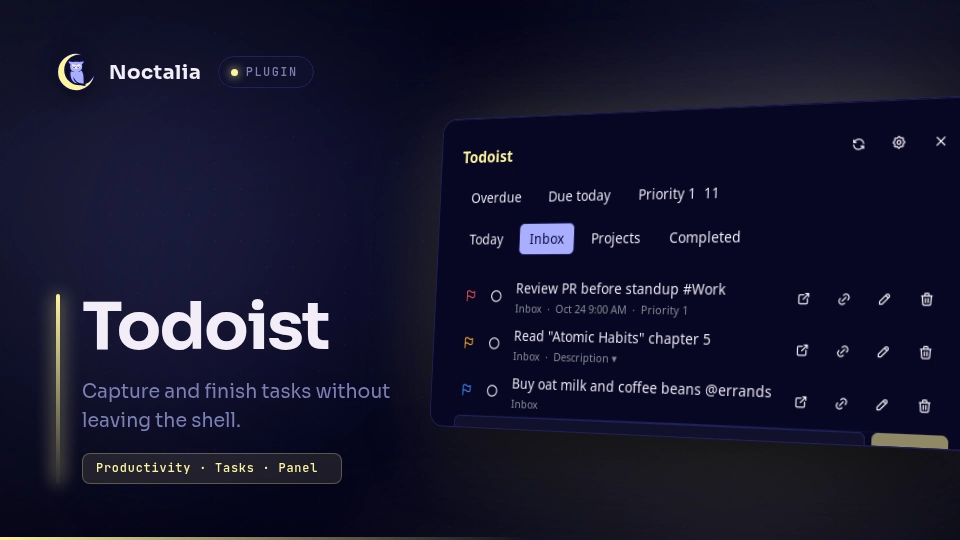
About
Todoist Manager
Manage your Todoist tasks from the Noctalia panel and capture new ones from the launcher — without leaving the shell. Read, complete, edit, move, delete, and quick-add tasks.
Screenshots
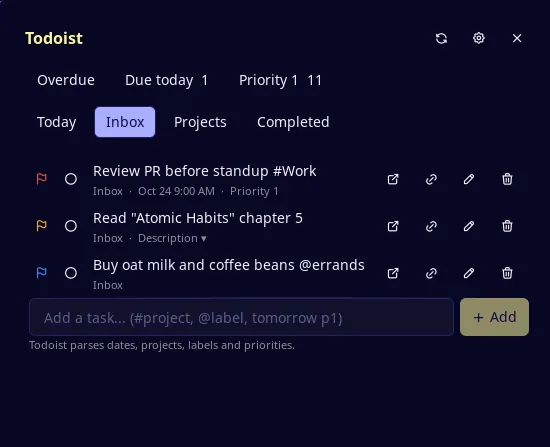
Inbox view with filter tiles, priority flags, due dates and per-task actions:
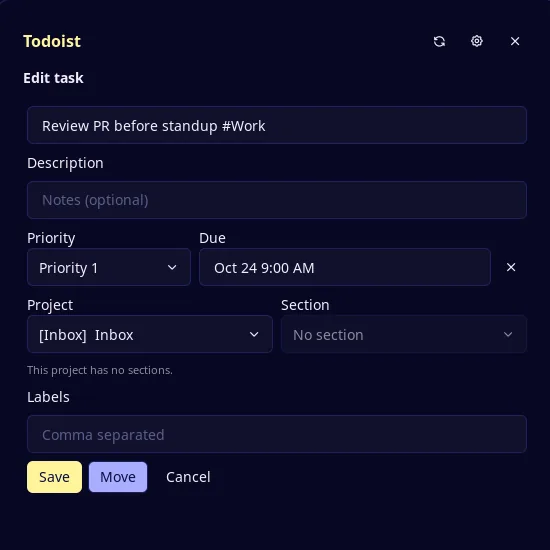
Edit form for a task: title, description, priority, due date, project, section and labels:
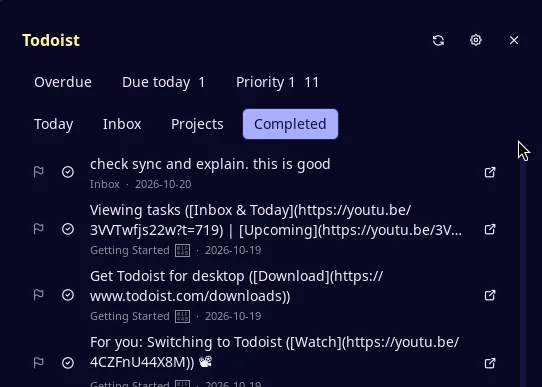
Completed view:
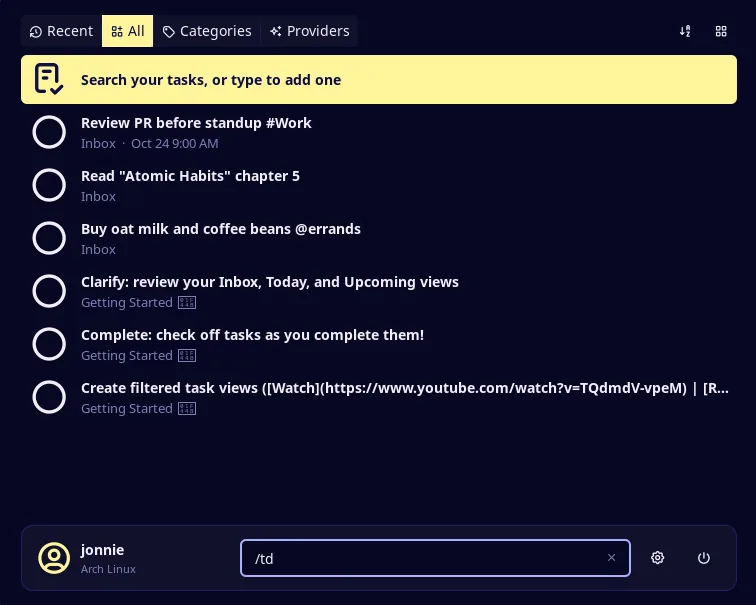
Quick capture from the launcher with the /td prefix:
Plugin
| Field | Value |
|---|---|
| ID | snowballons/todoist-manager |
| Entries | Bar widget: button; panel: manager; launcher provider: capture; service: core |
| Launcher Prefix | /td |
Requirements
- Noctalia v5.3.0 or newer (
plugin_api = 33). - A Todoist account and an API token (Settings → Integrations → Developer → API
token). Provide the token in one of these places; the first match wins:
TODOIST_API_TOKENin the environment Noctalia runs in.- The Token file setting, for example
~/.config/todoist/token. The file may hold the bare token or a line such asTODOIST_API_TOKEN = …;export, quotes, and#comment lines are handled. - The Token setting — plain text, stored in Noctalia's settings.
chmod— used to restrict permissions on the plugin data directory and cached snapshot.xdg-open— used to open task links in the browser.
Restrict the token file yourself:
chmod 600 ~/.config/todoist/token
Usage
Enable Todoist Manager in Settings → Plugins, then use any of the entries below.
Panel
Open the panel from the bar widget or with:
noctalia msg panel-toggle snowballons/todoist-manager:manager
The panel opens on the last active view. The header row shows Overdue, Due today, and Priority 1 filter tiles with current counts. The nav row switches between Today, Inbox, Projects, and Completed.
Each task row shows a priority flag, a circle checkbox (click to expand
Complete / Reopen), the title, project · due, and action buttons:
Open in Todoist, copy link, edit (pencil), delete (trash).
- Completing a task removes it from the current view and shows a 5-second Undo toast. Click Undo to reopen it immediately.
- Edit form — the pencil opens a form with title, description, priority, due date, project, section, and labels. Save sends only the changed fields. Use Move when the project or section changes (the API requires a separate endpoint for that). Cancel discards all edits.
- Completed view — the Completed nav tab lists tasks completed in the last 7 days. Click the circle-check on any row to reopen it.
- Quick Add — type at the bottom of the Today, Inbox, filter, and project
views (not Completed). Todoist parses the text, so
buy milk tomorrow p1 #Errandsworks as-is. - The refresh button in the header forces a full re-fetch.
Launcher
Type /td in the Noctalia launcher, then:
- Pick an existing task from the list to jump to it in the panel.
- Type a new task name and pick Add "…" to quick-add it.
For example, /td call the bank friday p2 offers Add "call the bank friday
p2". Todoist's own parser handles #project, @label, p1–p4, and dates
in the text — no rewriting is done.
Bar widget
Add the Todoist Manager widget (snowballons/todoist-manager:button) from
Settings → Bar. Its checklist glyph toggles the panel.
Settings
| Setting | Type | Default | Description |
|---|---|---|---|
token |
string |
(empty) | Plain-text API token — stored in Noctalia's settings. Prefer token_file or the environment variable. |
token_file |
file |
(empty) | Path to a file holding the token. Accepts the bare token or a line like TODOIST_API_TOKEN = xxx. |
default_project |
string |
(empty) | Shown as a hint under the panel's Quick Add field. Not appended to the text. |
default_labels |
string_list |
(empty) | Shown as a hint under the panel's Quick Add field. Not appended to the text. |
default_priority |
select |
none |
Shown as a hint under the panel's Quick Add field. Not appended to the text. |
cache_tasks |
bool |
false |
Cache the last loaded tasks to disk so the panel paints before the first request completes. |
confirm_delete |
bool |
true |
Ask for confirmation in the panel before deleting a task. |
max_retries |
int |
1 |
How many times a failed read or idempotent write is retried (0–3). Create is never retried. |
IPC
noctalia msg plugin snowballons/todoist-manager:core all ping
noctalia msg plugin snowballons/todoist-manager:core all refresh
ping checks the API token and publishes a status. refresh forces a full
re-fetch of all views, equivalent to clicking the refresh button in the panel.
Notes
Token handling — the token comes from the first source listed under
Requirements. It is used only in the Authorization header to
api.todoist.com, and is never logged, written to the cache file, or published
to other plugin entries.
Cache — with cache_tasks enabled, task data (titles, descriptions, due
dates, projects) is written in plain text to Noctalia's plugin data directory
(directory mode 700, file mode 600). Nothing is sent anywhere except the
Todoist API.
Retry policy — reads and idempotent mutations (update, move, complete,
reopen, delete) are retried up to max_retries times on network errors, server
errors, or 429 rate-limit responses (429 uses a 10-second backoff). Create
(Quick Add) is never retried — a retried POST would duplicate the task. When a
write's response is lost, one GET /tasks/{id} settles the outcome instead of
replaying the write.
Processes — chmod runs when the service starts and after a cache write.
xdg-open runs when you choose Open in Todoist; if it is missing, the link
is copied instead.
Known limits — Quick Add returns no task id, so the plugin refreshes its views after adding instead of inserting the task locally. There is no background sync; data is as fresh as the last open or manual refresh. The bar widget is a plain glyph and shows no count. There is no in-panel search; use the launcher to find a task. Labels are editable but not shown on task rows. Sections are assignable but project views are not grouped by them. The UI is English only.
Versions
| Version | Plugin API | Updated |
|---|---|---|
| v1.1.0 latest | 33 | Oct 25, 2026 |
Older versions stay installable on a Noctalia release whose plugin API is below the latest version's.