
About
Todoist
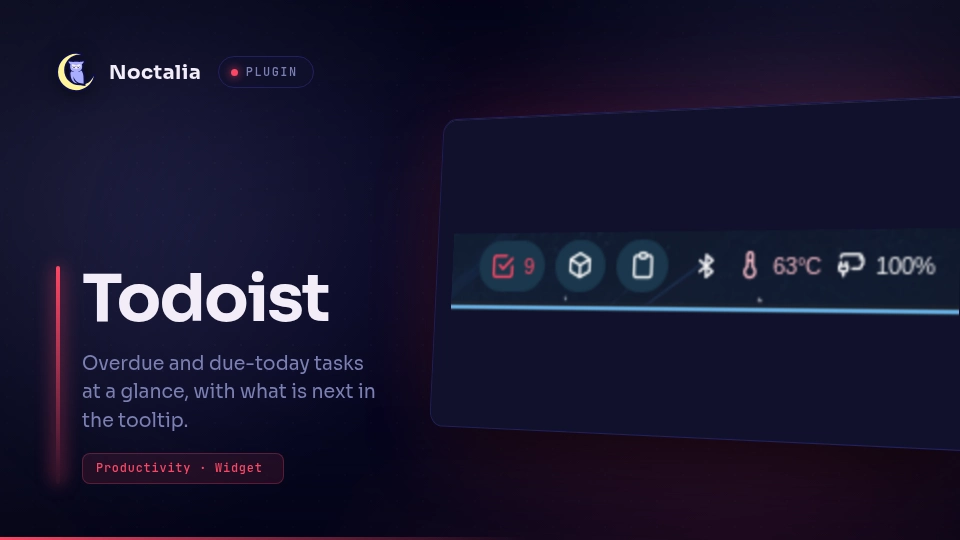
A bar widget that shows how many Todoist tasks are overdue or due today, colored by urgency. Hover it to see the overdue tasks and what's coming up next.
Plugin
| Field | Value |
|---|---|
| ID | turja-roy/todoist |
| Entries | Bar widget: widget |
Requirements
- A Todoist account and its API token. Find the token in Todoist under Settings → Integrations → Developer.
xdg-openonPATH, used by left click when no Todoist desktop app is installed.
Save the token to a file only you can read:
mkdir -p ~/.config/todoist
printf '%s' 'YOUR_API_TOKEN' > ~/.config/todoist/token
chmod 600 ~/.config/todoist/token
The TODOIST_TOKEN environment variable is used instead when it is set.
Usage
Enable the plugin, then add the Todoist widget to a bar from the widget picker, or by hand:
[widget.todoist]
type = "turja-roy/todoist:widget"

[bar.default]
end = ["todoist", "clock"]
The label is the number of overdue tasks plus tasks due today. The color shows the most urgent state:
- Overdue color: at least one task is overdue.
- Due today color: nothing is overdue, but something is due today.
- All clear color: nothing is overdue or due today.
The tooltip lists every overdue task, then the next upcoming ones, each with its due date or time.
| Gesture | Action |
|---|---|
| Left click | Opens the Todoist app (Flatpak com.todoist.Todoist, else a todoist or todoist-electron command), or https://app.todoist.com/app/today with xdg-open when neither is installed |
| Right click | Refreshes now |
| Middle click | Opens the widget settings |
To open something else, override the left click for your widget:
[widget.todoist.actions]
left = "exec xdg-open https://app.todoist.com/app/upcoming"
Settings
| Setting | Scope | Type | Default | Description |
|---|---|---|---|---|
token_file |
Plugin | file |
~/.config/todoist/token |
File holding your API token. |
refresh_minutes |
Plugin | int |
5 |
Minutes between fetches (1–120). |
glyph |
Widget | glyph |
checkbox |
Bar icon. |
max_upcoming |
Widget | int |
10 |
Upcoming tasks listed in the tooltip (0–50). Overdue tasks are always listed. |
overdue_color |
Widget | color |
error |
Color when a task is overdue. |
today_color |
Widget | color |
tertiary |
Color when a task is due today. |
clear_color |
Widget | color |
on_surface |
Color when nothing is overdue or due today. |
IPC
Refresh every Todoist widget, for example from a script after adding a task:
noctalia msg plugin turja-roy/todoist:widget all refresh
Notes
- Network: one
GET https://api.todoist.com/api/v1/tasksper refresh, plus one more per 200 tasks, sent with your token as a bearer header. Nothing else is contacted. - Files: reads the token file. Writes nothing.
- Processes: only on left click:
flatpak run com.todoist.Todoist,todoist,todoist-electron, orxdg-open, whichever is found first. - Only tasks with a due date are counted. Each widget instance fetches on its own, so a widget on two bars makes two requests per refresh.
- If a refresh fails, the last tasks stay on screen and the tooltip says why. With no token, the widget shows
?.
Versions
| Version | Plugin API | Updated |
|---|---|---|
| v1.0.0 latest | 32 | Oct 14, 2026 |
Older versions stay installable on a Noctalia release whose plugin API is below the latest version's.