
About
Tailnet
Tailscale host access for Noctalia, built around one core flow: see which
hosts are online and copy their IP or name in one gesture — from the launcher
or from the panel. Plus connect/disconnect, exit-node management, per-host ping
and SSH, Taildrop receive, and a desktop widget. A port of the v4 tailscale
plugin to the v5 Luau plugin API.
Community plugin built on top of the Tailscale CLI. Not affiliated with Tailscale Inc.
This is not the only Tailscale plugin in the catalog:
davemhammer/tailscaledrives the same daemon. Tailnet is host-access first — launcher search, one-gesture copy, per-host ping/SSH, Taildrop receive, a desktop widget — and installing both is fine, they share no ids, state keys or launcher prefix.
Plugin
| Field | Value |
|---|---|
| ID | rylos/tailnet |
| Entries | Bar widget: bar; panel: panel; service: poller; shortcut: toggle; launcher: hosts; desktop widget: desktop |
| Launcher Prefix | /tn |
Requirements
| Command | Needed for |
|---|---|
tailscale |
Everything: status polling, up/down, exit nodes, ping, Taildrop receive. |
ssh |
The panel's per-peer SSH button (opens ssh <tailscale-ip> in your terminal). |
xdg-user-dir |
Resolving the default Taildrop download folder when taildrop_dir is empty (xdg-utils). |
gio |
Opening the daemon's login URL (glib2). |
xdg-open |
Fallback for opening the login URL when gio is unavailable (xdg-utils). |
Only tailscale is required for the core flows; the others are used by the
corresponding optional actions. Install tailscale and authenticate the node.
For Taildrop receive without a root prompt, grant your user operator rights
once:
sudo tailscale set --operator=$USER
Usage
Launcher (
/tn): type/tn <query>to fuzzy-search the tailnet by host name, IP, or OS; activating a result copies the host's Tailscale IP to the clipboard. Type/tn n <query>to copy the host name (the Tailscale short name, the formtailscale ssh/file cpexpect) instead. Online hosts rank first.Bar widget (
bar): add it from the Add-widget picker. Tailscale logo with state badge, online/total peer count, and optionally this node's IP. Left click opens the panel, right click togglestailscale up/down.Panel (
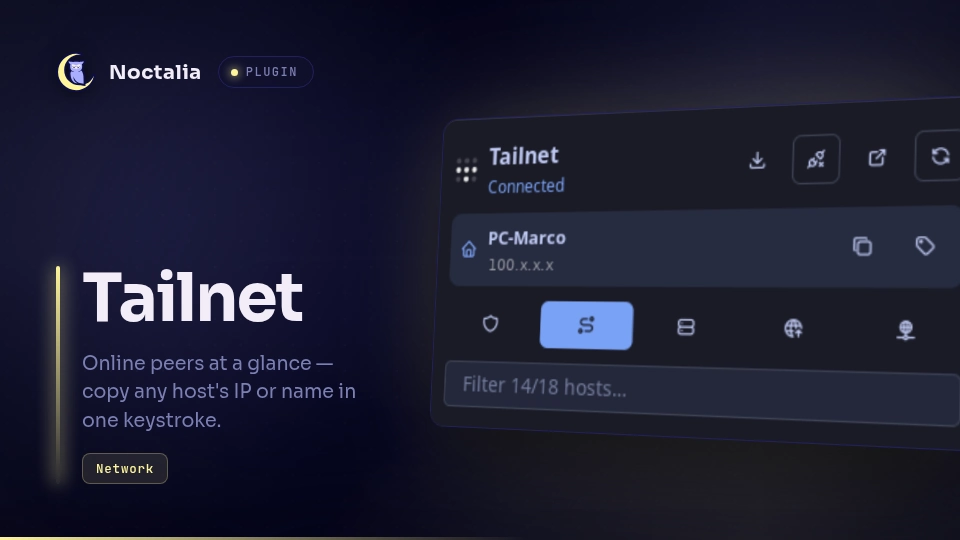
panel): connect/disconnect, Taildrop receive, admin console, and refresh in the header; any warning the daemon reports (expiring key, unreachable relay, …); this node's row with copy buttons; a row of preference toggles; a live filter box; then the peer list sorted online-first with status dot, OS icon, last-seen time for offline peers, and per-row buttons: copy IP, copy name, ping, SSH in terminal, and use as exit node (on peers that advertise it). When an exit node is active a banner shows it with a disable button.The toggle row drives
tailscale set: shields up, accept subnet routes, Tailscale SSH server, advertise as exit node, allow LAN access while using an exit node. A lit button means the flag is on; hover for its name and current state.noctalia msg panel-toggle rylos/tailnet:panelShortcut (
toggle): add it from Settings → Control Center shortcuts. It toggles the Tailscale connection up/down.Desktop widget (
desktop): add it from the desktop-widgets editor. A compact card with state, this node's IP, online/total peers, and the active exit node.
Settings
| Setting | Type | Default | Description |
|---|---|---|---|
poll_interval |
int |
5 |
Status refresh interval in seconds (1–60). |
hide_mullvad |
bool |
true |
Hide Mullvad exit nodes from the peer lists. |
hide_offline |
bool |
false |
Hide offline peers from the panel and launcher. |
taildrop_dir |
folder |
"" |
Where Taildrop saves received files. Empty = the XDG download folder (advanced). |
ssh_username |
string |
"" |
Username for the SSH button. Empty = system default (advanced). |
tailscale_bin |
string |
"" |
Full path to the tailscale command. Empty = look it up on PATH (advanced). |
admin_url |
string |
"" |
URL opened by the admin button. Empty = the Tailscale admin console (advanced). |
show_ip |
bool |
false |
Bar widget: show this node's Tailscale IP. |
show_count |
bool |
true |
Bar widget: show the online/total peer count. |
IPC
noctalia msg plugin rylos/tailnet:poller all refresh   # force a status refresh
noctalia msg plugin rylos/tailnet:poller all up        # tailscale up
noctalia msg plugin rylos/tailnet:poller all down      # tailscale down
noctalia msg panel-toggle rylos/tailnet:panel
Notes
- Processes: the service polls
tailscale status --jsonandtailscale debug prefs; actions spawntailscale up|down,tailscale set --exit-node=…,tailscale set --<flag>=true|falsefor the toggles,tailscale ping -c 3 <ip>,tailscale file get <dir>, andxdg-user-dir DOWNLOAD(to resolve the default Taildrop folder). The login and admin buttons open a URL withgio open(fallbackxdg-open); the SSH button runsssh <tailscale-ip>in your terminal via the shell's run-in-terminal facility — the peer's Tailscale IP, not its name, so it works whether or not MagicDNS is enabled. There is no direct network access from the plugin itself — everything goes through the Tailscale CLI. - Preferences:
tailscale debug prefsis the only way to read the toggle states back, and its output also contains the node's private key. The plugin decodes it in-process, keeps the five booleans it needs, and discards the rest: nothing from that output is logged, stored, or published to the panel. - Filesystem: Taildrop receive lists the download directory before and
after
tailscale file getto report exactly which files arrived. Nothing else is written. - Privacy: host names, IPs, and last-seen times come from your own tailnet via the local CLI and are only shown/copied locally.
- Not ported from v4: Taildrop send (the plugin API has no file picker) and multi-account switching.
Credits
Based on the v4 tailscale plugin. MIT license.
Versions
| Version | Plugin API | Updated |
|---|---|---|
| v2.1.0 latest | 9 | Aug 16, 2026 |
Older versions stay installable on a Noctalia release whose plugin API is below the latest version's.