
About
SystemPulse
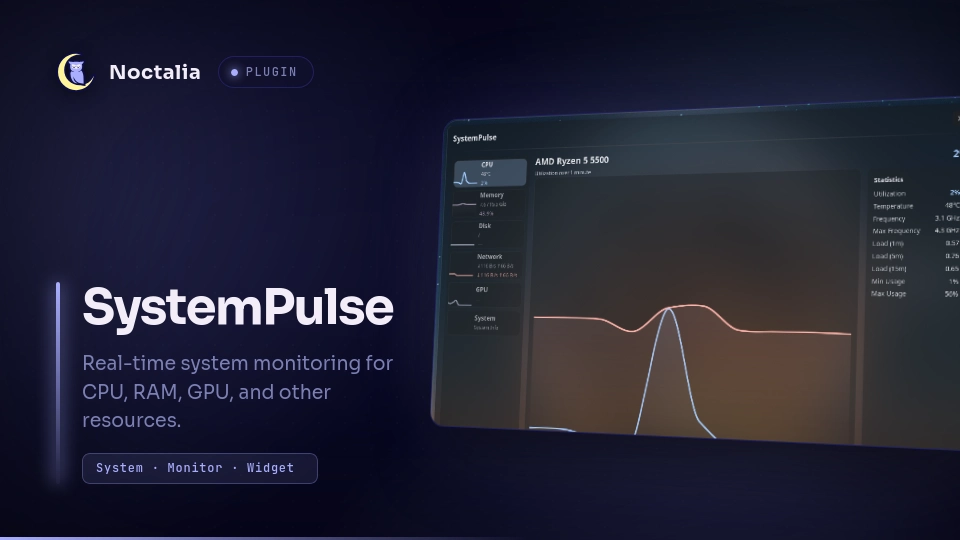
A bar widget that displays live CPU and RAM usage, with a detailed panel showing CPU, RAM, Disk, Network, and GPU monitoring. Clicking the widget toggles the panel.This plugin is meant to use via IPC only. That's why I did not work on the widget that much.
Requirements
Requires Nvtop for detailed GPU telemetry (utilization, temperature, clock speeds, fan, power, VRAM, encoder/decoder). Without it, GPU monitoring falls back to basic values from systemStats().
Plugin
| Field | Value |
|---|---|
| ID | arrifat346afs/systempulse |
| Entries | Bar widget: sysmon; panel: panel; shortcut: toggle |
Usage
Add the sysmon widget from the Add-widget picker. Clicking the widget opens the system monitor panel, which attaches to the bar so its background follows the bar's background_opacity.
Settings
| Setting | Type | Default | Description |
|---|---|---|---|
show_cpu |
bool |
true |
Display CPU usage percentage in the bar. |
show_ram |
bool |
true |
Display RAM usage percentage in the bar. |
show_gpu |
bool |
false |
Display GPU usage percentage in the bar. |
show_disk |
bool |
false |
Display Disk usage percentage in the bar. |
show_network |
bool |
false |
Display Network usage in the bar. |
panel_background_opacity |
double |
1.0 |
Panel background translucency (0 transparent → 1 opaque); content stays opaque. Uses fill = "surface/<alpha>" so graphs, labels and cards remain fully opaque. Edited under Settings → Plugins (gear icon). |
IPC
Toggle the panel from the shell:
noctalia msg panel-toggle arrifat346afs/systempulse:panel
To bind it to a Hyprland key in your binds.lua, define the command prefix once
and reuse it across keybinds:
-- Prefix for sending IPC messages; reuse for every SystemPulse binding.
local noctCall = "noctalia msg " -- trailing space keeps the command well-formed

hl.bind(
  "SUPER + SHIFT + S",
  hl.dsp.exec_cmd(noctCall .. "panel-toggle arrifat346afs/systempulse:panel"),
  { description = "Toggle SystemPulse panel" }
)
Shortcut
Add the toggle shortcut from Settings → Control Center shortcuts to toggle the SystemPulse panel from the control center.
Notes
- GPU monitoring uses
nvtopwhen it is installed (queried periodically vianvtop -s), providing detailed data: utilization, temperature, clock speeds, fan speed, power draw, VRAM, and encoder/decoder usage. - Without
nvtop, the GPU monitor falls back to the basicusagePercentand temperature reported by the host'ssystemStats()API. These values are sparser and can be empty on some platforms, so installingnvtopis recommended for full GPU telemetry.
Versions
| Version | Plugin API | Updated |
|---|---|---|
| v1.1.2 latest | 22 | Sep 1, 2026 |
Older versions stay installable on a Noctalia release whose plugin API is below the latest version's.