
About
System Updates Manager
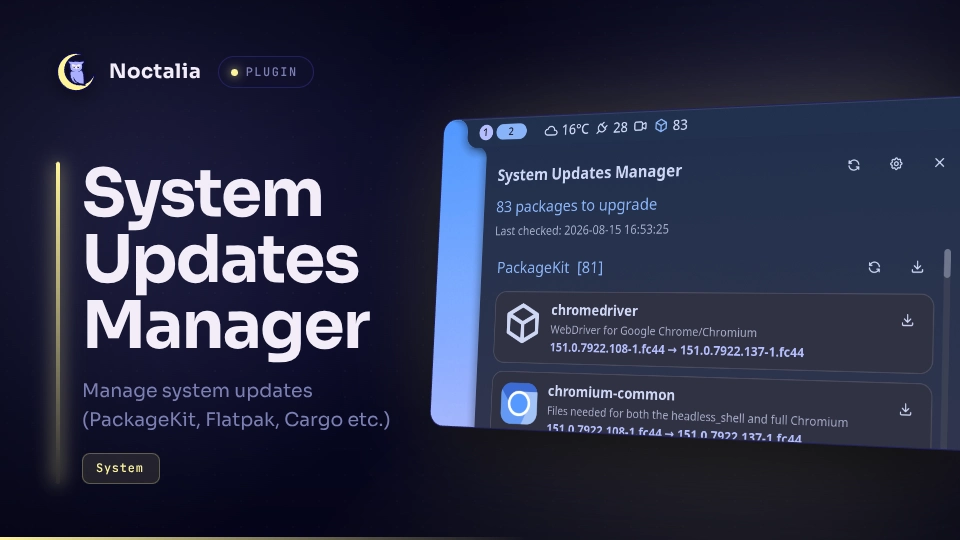
Manage system updates inside the noctalia panel. Currently supported PackageKit, Flatpak, Cargo, pipx, Gear Lever, and XBPS.
Features
- Check updates with PackageKit, Flatpak, Cargo, pipx, Gear Lever, and XBPS.
- Extensible with user created adapters
- Support for offline updates with PackageKit
- Single package update is supported
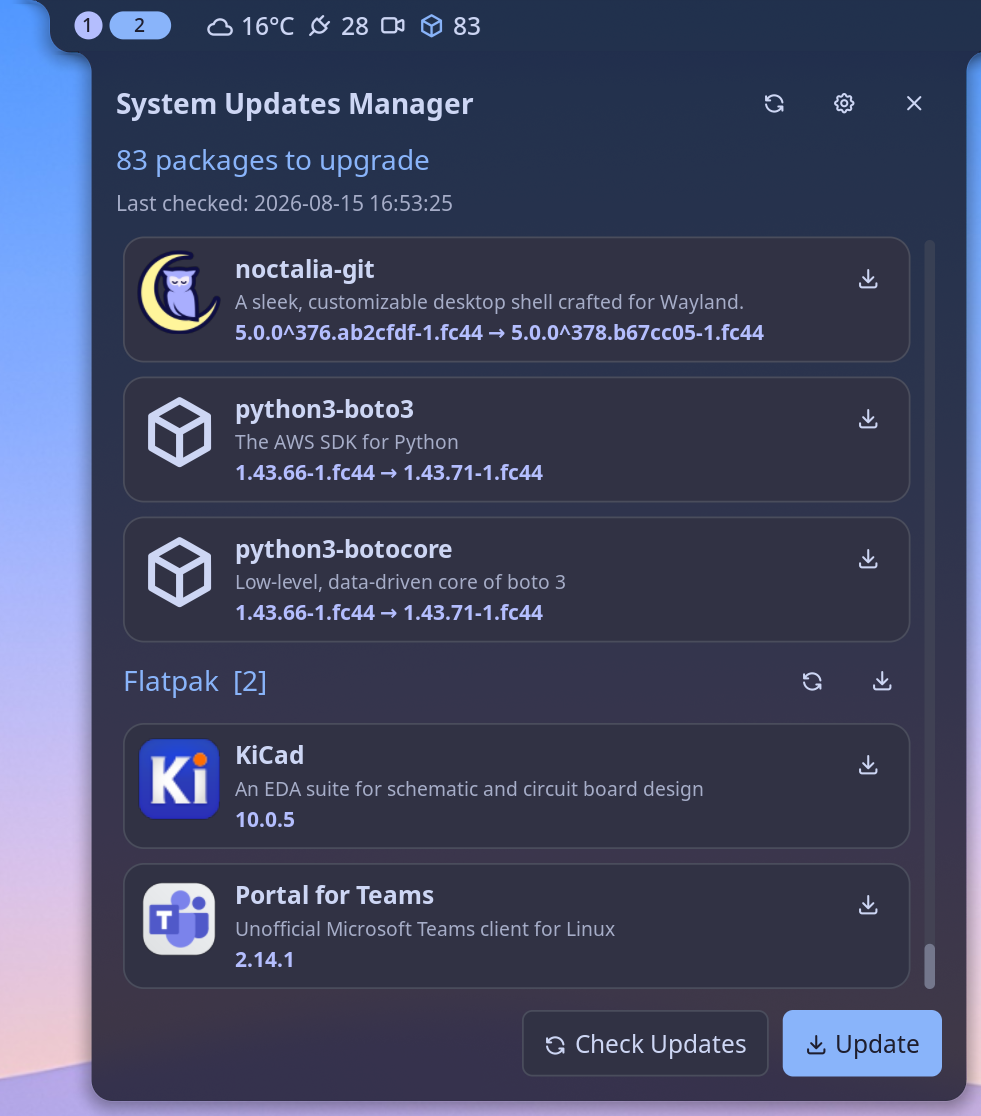
- Show brief package information: Name, description, installed version, updated version
- Show application icon if found
- Show number of pending packages in the bar widget
Plugin
| Field | Value |
|---|---|
| ID | tordex/system-updater |
| Entries | Bar widget: status; panel: panel; service: service |
Requirements
All adapters require python3 to run check update scripts. You have to install pycairo PyGObject modules with pip:
pip install pycairo PyGObject
Other requirements are depend of update adapter. Plugin disables update adapter if any of its own dependences are not installed.
PackageKit
PackageKit update adapter requires python3 and pkgcli to be installed into $PATH.
Flatpak
Flatpak update adapter requires python3 and flatpak to be installed into $PATH.
Cargo
Cargo update adapter requires cargo, python3, cargo-install-update, awk and bash to be installed into $PATH.
pipx
pipx update adapter requires pipx, jq, and grep to be installed into $PATH. The adapter can update pipx itself if your pipx installation is self-managed.
Gear Lever
Gear Lever update adapter requires gearlever, sed, and coreutils (echo, tr, head) to be installed into $PATH.
XBPS
XBPS update adapter requires xbps (xbps-install, xbps-query), jq, bash, grep, and coreutils (echo, cut) to be installed into $PATH.
Usage
Add the system-updater widget from Noctalia's widget picker, then click it to open the panel. You can also open the panel directly or bind it in your compositor:
noctalia msg panel-toggle tordex/system-updater:panel
| Action | Effect |
|---|---|
| Left click (bar glyph) | Open/close the panel |
| Check Updates (panel) | Check for new updates |
| Update (panel) | Start applying updates |
| ↻ refresh (panel header) | Same as Check Updates |
| ⚙ settings (panel header) | Open this plugin's page in Settings → Plugins |
Settings
| Setting | Type | Default | Description |
|---|---|---|---|
enable_packagekit |
bool |
true |
Enable the PackageKit adapter for managing system updates. |
enable_flatpak |
bool |
true |
Enable the Flatpak adapter for managing system updates. |
enable_cargo |
bool |
true |
Enable the Cargo adapter for managing system updates. |
enable_pipx |
bool |
true |
Enable the pipx adapter for managing system updates. |
enable_gearlever |
bool |
true |
Enable the Gear Lever adapter for managing system updates. |
enable_xbps |
bool |
true |
Enable the XBPS adapter for managing system updates. |
auto_check_minutes |
int |
60 |
Check for updates automatically every N minutes. if <= 10 never checks on its own — nothing runs until you ask for it. |
adapters_folder |
folder |
The folder where adapters definitions are stored. One adapter per subfolder. Each adapter folder must contain an adapter.json with the adapter definition. | |
notify_on_updates |
bool |
true |
Send a desktop notification when a check finds packages to upgrade or after applying updates. |
glyph |
glyph |
package |
The glyph shown for the system updater widget on the bar. |
show_count |
bool |
true |
Show the number of pending updates next to the bar glyph. |
IPC
IPC command to start updates checking:
noctalia msg plugin tordex/system-updater:service all check
IPC command to start update applying updates:
noctalia msg plugin tordex/system-updater:service all update
Notes
You can define the folder with your own adapters the setting adapters_folder. Plugin will read custom adapters and include them into ckecking/updating process.
How to write update adapter
- Adapter must be located inside single folder
- Adapter folder must have
adapter.jsonfile with adapter definitions - You have to write a script to check updates that provides output in the formap plugin understand
adapter.json file
Adpater definitions in format:
{
    "name": "PackageKit",
    "enabled": true,
    "dependencies": ["python3", "pkgcli"],
    "check_command": "python3 {adapter_dir}/check.py",
    "update_package_command": "pkgcli -y -q update {package_name}",
    "update_all_command": "pkgcli -y -q offline-update prepare",
    "actions": {
        "reboot": {
            "command": "noctalia msg session reboot",
            "check_after": false
        },
        "cancel": {
            "command": "pkgcli -y -q offline-update cancel",
            "check_after": true
        }
    }
}
| Field | Type | Description |
|---|---|---|
name |
string |
The update adapter name. Please don't use spaces. |
enables |
bool |
Disable or enable adapter. |
check_command |
string |
The shell command to check updates. Output should be in the specified format. |
update_package_command |
string |
The shell command to update the single package. Use {package_name} placeholder as the package parameter |
update_all_command |
string |
The shell command to update all pending packages. |
actions |
string |
The supported by adapter actions dictinary. |
For commands use {adapter_dir} placeholder as the full path to the adapter folder.
Actions are the spesial buttons shown after update checking. adapter.json has the disctionary of available actions. Every action has two fileds:
| Field | Type | Description |
|---|---|---|
command |
string |
The shell script to run. |
check_after |
bool |
When true plugin will run check update for this adapter after running the action command. |
check_command output format
{
  "info": "",
  "actions": [
     {
          "name": "actions name/label",
          "command": "action_id",
     }
  ],
  "updates": [
    {
      "id": "package_id",
      "name": "package_name",
      "icon": "path to the icon",
      "description": "package description",
      "from_version": "current version",
      "to_version": "new version"
    }
    ...
}
| Field | Type | Description |
|---|---|---|
info |
string |
The message for actions. |
actions |
list |
List of actions to show. |
actions.name |
string |
The name/label of action. Will be shown on the action button |
actions.command |
string |
Actions ID. Refers to the adapter.json |
updates |
list |
List of available updates. |
updates.id |
string |
The package ID. Plugin pass it as {package_name} placeholder |
updates.name |
string |
The package name to be shown on the panel |
updates.icon |
string |
(optional) Full path to the icon file |
updates.description |
string |
(optional) The description of the package |
updates.from_version |
string |
(optional) The current version of the package |
updates.to_version |
string |
(optional) The new version of the package |
Versions
| Version | Plugin API | Updated |
|---|---|---|
| v2.0.0 latest | 20 | Oct 3, 2026 |
Older versions stay installable on a Noctalia release whose plugin API is below the latest version's.