
About
stdout
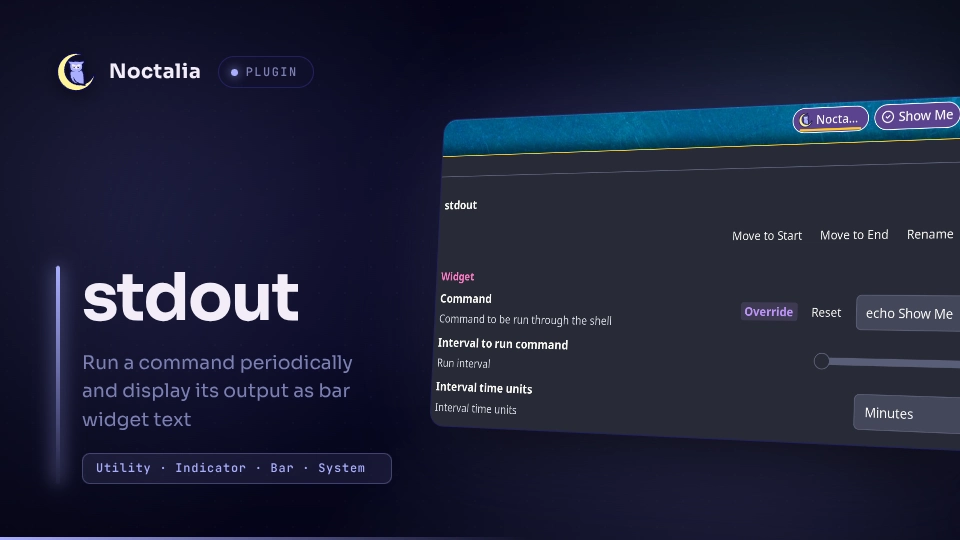
Run a command periodically and display its output as bar widget text.
Plugin
| Field | Value |
|---|---|
| ID | tordex/stdout |
| Entries | Bar widget: bar |
bar- bar widget. Runs a command and shows its output on the widget.
Requirements
Noctalia plugin API 28 or newer.
No other dependencies.
Usage
Add the stdout widget to a bar from Settings → Bar. Open the plugin settings and enter the command.
Right-click the widget to force an update. You can also force an update using Noctalia IPC:
noctalia msg plugin tordex/stdout:bar all update
Command examples
Show local IP address:
ip route get 1.1.1.1 | awk '{print $7; exit}'
Show public IP address:
curl -s ifconfig.me
Show country code of your public IP address:
curl -s https://ipapi.co/country/
Show ping time:
ping -c 3 8.8.8.8 | awk -F'/' 'END {print $5 " ms"}'
Show uptime:
uptime -p
Also check out the stdout-bt-battery.sh script for an example of JSON mode. It shows the battery percentage of a Bluetooth device using bluetoothctl and outputs it in JSON format.
JSON mode
If the json option is true, the plugin tries to parse the command output as JSON. Here is an example of the JSON output:
{
  "visible": true,
  "glyph": "mouse",
  "text": "26%",
  "fontWeight": "bold",
  "textColor": "#00FF00",
  "glyphColor": "error",
  "tips": [
    [
      "Name:",
      "TX Track"
    ],
    [
      "Paired:",
      "yes"
    ],
    [
      "Bonded:",
      "yes"
    ],
    [
      "Trusted:",
      "yes"
    ]
  ]
}
| Field | Type | Description |
|---|---|---|
visible |
bool |
true to show widget, false to hide it |
glyph |
(optional) string |
Glyph name. If omitted, no glyph is shown. |
text |
(optional) string |
Text to show on the widget. If omitted, no text is shown. |
fontWeight |
(optional) string |
Can be one of the following values: thin, light, normal, medium, semibold, bold, or heavy. The default font weight is used if omitted. |
textColor |
(optional) string |
Text color. Refer to the Noctalia docs for the color format. The default color is used if omitted. |
glyphColor |
(optional) string |
Glyph color. Refer to the Noctalia docs for the color format. The default color is used if omitted. |
tips |
(optional) array |
An array of two-string values: [ "label", "value" ]. |
Settings
Bar Widget
| Setting | Type | Default | Description |
|---|---|---|---|
cmd |
string |
"" |
Command to be run through the shell. |
interval |
int |
1 |
Interval at which to run the command. Can be from 1 to 59. |
interval_units |
select["1", "60", "3600"] |
60 |
Interval time units: Seconds, Minutes, Hours. |
json |
bool |
false |
If true, the command output is expected to be in JSON format. |
hide_on_error |
bool |
false |
Hide the bar widget if command execution results in an error. Ignored in json mode. |
show_glyph |
bool |
true |
Show the glyph on the bar widget. Ignored in json mode. |
ok_glyph |
glyph |
circle-check |
Glyph to show on success. Ignored in json mode. |
err_glyph |
glyph |
alert-triangle |
Glyph to show on error. Ignored in json mode. |
Versions
| Version | Plugin API | Updated |
|---|---|---|
| v1.0.0 latest | 28 | Oct 19, 2026 |
Older versions stay installable on a Noctalia release whose plugin API is below the latest version's.