 Noctalia
 Back to plugins 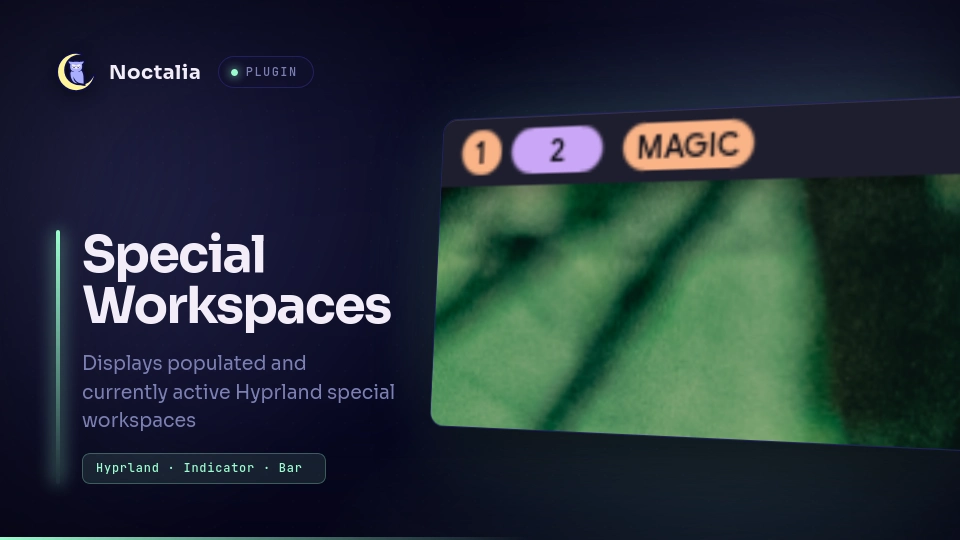
v1.7.0 jamesfeeder
About
Special Workspaces
Displays populated and currently active Hyprland special workspaces as compact chips in the Noctalia bar.
Plugin
| Field | Value |
|---|---|
| ID | jamesfeeder/special-workspaces |
| Entries | Bar widget: special-workspaces; service: workspace-state |
Requirements
- Noctalia v5 with plugin API 3 or newer.
- Hyprland, including its
hyprctlutility. - Install
socatonPATH.
Usage
Enable jamesfeeder/special-workspaces in Settings → Plugins, then add
Special Workspaces to the bar from Settings → Bar.
The widget shows special workspaces in alphabetical order.
Click on a workspace capsule to toggle the workspace.
Active workspaces remain visible when empty.
Inactive workspaces appear only while populated and can be hidden with hide_inactive.
Settings
| Setting | Type | Default | Description |
|---|---|---|---|
font_size |
int |
11 |
Workspace name font size. Set 0 to use system default. |
max_label_chars |
int |
0 |
Maximum Unicode characters shown from each workspace name. 0 shows the full name. |
hide_inactive |
bool |
false |
Hide populated workspaces unless they are visible on a monitor. |
capsule_radius |
int |
8 |
Corner radius in logical pixels. Negative values are treated as 0. |
capsule_padding |
int |
5 |
Space before and after the label along the bar axis, in logical pixels. Negative values are treated as 0. |
capsule_min_width |
int |
35 |
Minimum capsule length along the bar axis, in logical pixels. Negative values are treated as 0. |
active_style |
select |
"fill" |
Active capsule style: "fill" or "ghost". |
inactive_style |
select |
"fill" |
Inactive capsule style: "fill" or "ghost". Hidden when hide_inactive is enabled. |
active_color |
color |
"primary" |
Fill color of active capsules. Palette role name or hex value. |
active_text_color |
color |
"on_primary" |
Label color inside active capsules. |
inactive_color |
color |
"secondary" |
Fill color of inactive capsules. |
inactive_text_color |
color |
"on_secondary" |
Label color inside inactive capsules. |
Notes
- Active means visible on any monitor, not focused.
- Fill style uses the configured colors, which default to
primaryfor active workspaces andsecondaryfor inactive ones. Ghost style uses a transparent fill with the active color, oron_surfacetext for inactive capsules. - Color settings take either a palette role name (
primary,secondary,tertiary,on_surface, ...) or a hex value such as#3B4261. Useful when the bar's own workspace widget already uses one of those roles and the capsules would otherwise be indistinguishable from it. - On vertical bars, capsules grow vertically and display one Unicode character per line from top to bottom.
- The service snapshots
hyprctl -j clientsandhyprctl -j monitors, then listens to Hyprland's.socket2.sockthroughsocat. - If the event socket disconnects, the service waits for it to return,
refreshes its snapshot, and reconnects. It retains the last valid state while
hyprctlis unavailable and retries failed snapshots up to twice.
Versions
| Version | Plugin API | Updated |
|---|---|---|
| v1.7.0 latest | 3 | Sep 23, 2026 |
Older versions stay installable on a Noctalia release whose plugin API is below the latest version's.