 Noctalia
Back to plugins 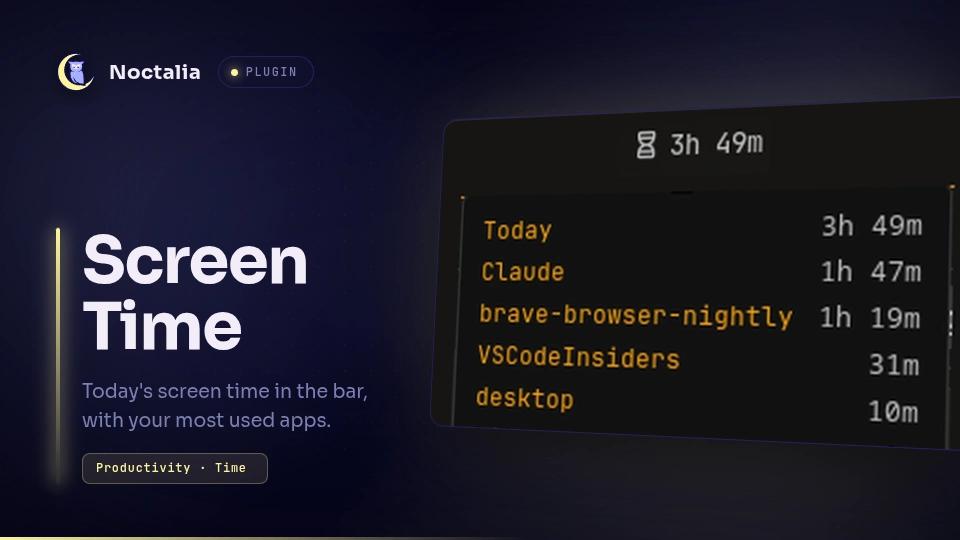
v1.0.1 omerfuyar
About
Screen Time
Today's screen time in the bar, with your most used apps. Noctalia already records how long you use each app, but shows it only in its control center; this widget keeps it in sight.
Plugin
| Field | Value |
|---|---|
| ID | omerfuyar/screen-time |
| Entries | Bar widget: widget; service: service |
Requirements
None. The plugin reads the screen time Noctalia records.
Usage
Add the Screen Time widget to the bar.
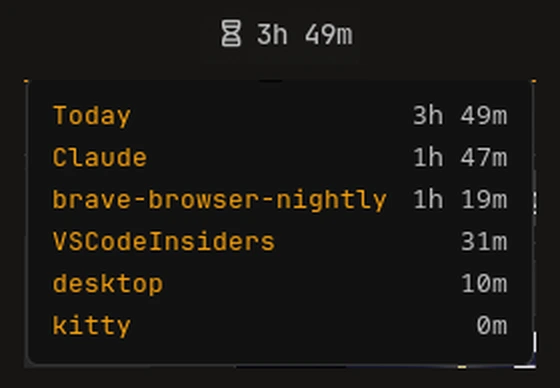
- It shows an hourglass and today's screen time, such as
3h 12m. On a vertical bar it shows only the hourglass. - Hover it to see today's total and your five most used apps.
- Click it to open Noctalia's control center at Screen time, with each hour and the last days. The click is the widget's left action, so you can bind it to something else in the widget's settings.
- The widget hides while Noctalia does not record screen time. Turn it on in Noctalia's settings, under Shell.
Settings
| Setting | Type | Default | Description |
|---|---|---|---|
show_text |
bool |
true |
Widget setting. Show today's screen time next to the hourglass. |
data_file |
file |
"" |
Advanced. The screen time file to read. Empty reads Noctalia's own, in its state folder. |
Notes
- The time comes from
$XDG_STATE_HOME/noctalia/screen_time.json(~/.local/state/noctalia/screen_time.jsonby default), read once a minute. - A day is the local date, as Noctalia records it.
Versions
| Version | Plugin API | Updated |
|---|---|---|
| v1.0.1 latest | 43 | Nov 11, 2026 |
Older versions stay installable on a Noctalia release whose plugin API is below the latest version's.