 Noctalia
About
Screen Mirror
Mirror the main niri output onto every hotplugged display, toggled from the Noctalia control center, the bar, or a keybind.
Plugin
| Field | Value |
|---|---|
| ID | goldesquemoon/screen-mirror |
| Entries | Service: state; shortcut: mirror; bar widget: screen-mirror |
Mirrors the main niri output onto every other connected display, and cleans up when they are
unplugged. niri has no output mirroring of its own, so the plugin drives the companion
niri-mirror daemon, which renders the source output with wl-mirror and fullscreens it on the
target outputs.
Requirements
| Requirement | Why |
|---|---|
niri |
The compositor this plugin targets; mirroring uses its output and output events. |
wl-mirror |
Renders the source output into a window that gets fullscreened on the target display. |
python3 |
Runs the companion daemon that follows niri's event stream. |
niri-mirror CLI (~/.local/bin/niri-mirror, installed by this repo's install.sh) |
The daemon and its CLI ship in the companion repository and do the actual mirroring. |
Usage
Add the tile under Settings -> Control center -> Shortcuts -> Screen Mirror, or toggle it with
noctalia msg plugin goldesquemoon/screen-mirror:state all toggle. The optional screen-mirror
bar widget shows the same state. The settings choose the source output, the excluded outputs,
OSD feedback and whether mirroring starts enabled.
Settings
| Setting | Type | Default | Description |
|---|---|---|---|
enabled_on_start |
bool |
true |
Turn mirroring on when the plugin starts. |
source_output |
string |
empty | Output to mirror; empty picks the primary output. |
excluded_outputs |
string_list |
empty | Outputs that must never be mirrored. |
scaling |
string |
fit |
How wl-mirror scales the source into the target display. |
show_osd |
bool |
true |
Show an OSD popup when mirroring is toggled. |
poll_interval |
int |
2000 |
State refresh interval in milliseconds (minimum 500). |
中文说明
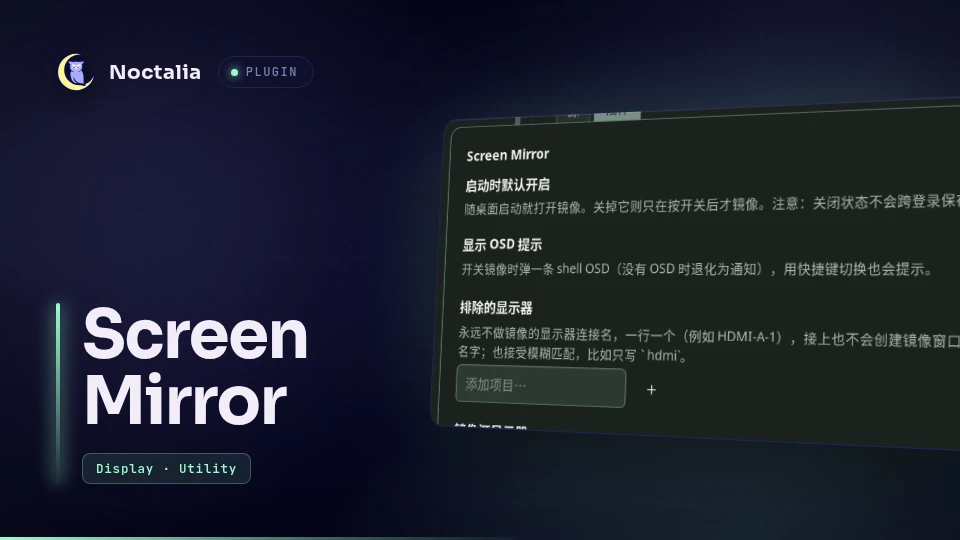
Mirror the main niri output onto every other display — control-center tile, optional bar widget, and all the settings in the plugin settings page. Plugging a monitor in mirrors it automatically; unplugging cleans up. A display on the exclusion list never gets a mirror window, even when it is plugged in.
The two display settings are plain text fields, but you rarely need the exact
connector name: hdmi matches HDMI-A-1 (exact → case-insensitive → unique substring).
A name that matches nothing is reported back with the list of what is actually
connected:
排除的显示器里有无法识别的显示器
HDMI-X 不匹配任何已连接的显示器;可用: eDP-2, HDMI-A-1
To see the names up front: niri-mirror --list-outputs.
niri has no output mirroring of its own (Mirroring is not yet supported), so the
companion niri-mirror daemon renders the source output with
wl-mirror and fullscreens that window on the
target display. The daemon follows niri's event stream, so hotplug works with no
polling; this plugin is the UI and the settings bridge.
Install
git clone https://github.com/Goldppx/noctalia-screen-mirror.git
cd noctalia-screen-mirror
./install.sh          # installs/checks the engine, registers the source, enables the plugin
install.sh first looks for the mirroring engine and installs it when it is missing: a
niri-mirror CLI on PATH or in ~/.local/bin is used as is, otherwise the
niri-mirror repository is cloned to a temporary
directory and its install.sh is run, which puts niri-mirror into ~/.local/bin and adds the
daemon's autostart entry to your niri config. Only wl-mirror stays a manual package:
sudo pacman -S wl-mirror
Flags: --no-daemon only checks the engine and never fetches it;
NIRI_MIRROR_DIR=~/dev/niri-mirror ./install.sh uses an existing checkout instead of cloning.
Dependencies
Declared in plugin.toml so the browser shows them:
| Need | Why | Install |
|---|---|---|
niri |
compositor; the daemon reads niri msg |
your session |
wl-mirror |
does the actual output capture/mirroring | sudo pacman -S wl-mirror |
python3 |
runs the daemon | sudo pacman -S python |
niri-mirror CLI |
the daemon itself (~/.local/bin/niri-mirror) |
this repo's install.sh installs it automatically, or run install.sh in the niri-mirror repo |
If the CLI is missing, the tile stays disabled and the service reports it instead of
failing silently — running install.sh is the fix.
How it works
settings page ──write──▶ ~/.config/niri-mirror/config.json ──read──▶ niri-mirror daemon
                                                                          │
tile / widget ◀──state── $XDG_RUNTIME_DIR/niri-mirror/state ◀──write──────┘
service.luauwrites the settings as JSON (the daemon's config file), then runsniri-mirror ensure; niri-mirror reloadso a running daemon picks the changes up (ensurealso starts it when it is not running yet).- The daemon writes a
key=valuestate file on every change; the service mirrors it intonoctalia.state "status"and the tile/widget render from there. - Toggles go back as
noctalia.state "command"→niri-mirror toggle, so keybind toggles, the tile, and the widget all share one source of truth. - A state file that stops refreshing means the daemon died; the service revives it
with a throttled
ensure.
Settings
| Setting | Type | Default | Effect |
|---|---|---|---|
| Enabled on start | bool | on | enabled_on_start — mirroring on as soon as the daemon starts. The manually-toggled off state is not persisted across logins. |
| Show OSD feedback | bool | on | show_osd — OSD popup on every on/off (falls back to a notification, feedback: never when off). |
| Excluded displays | string list | empty | excluded_outputs — connectors that never get a mirror window, not even when they are plugged in. |
| Source display | string | empty | source_output — connector to mirror from; empty = focused display at startup, re-elected if it disappears. |
| Scaling | select | fit | scaling — fit / cover / exact, passed to wl-mirror. |
| Refresh interval (ms) | int | 2000 | UI refresh of the state file (the daemon reacts to niri events, not to this). |
IPC / keybinds
noctalia msg plugin goldesquemoon/screen-mirror:state all toggle          # on / off
noctalia msg plugin goldesquemoon/screen-mirror:state all sync            # re-push settings
niri-mirror toggle            # the same thing without going through noctalia
niri keybind (works even when Noctalia is not running):
Mod+U { spawn-sh "~/.local/bin/niri-mirror toggle"; }
Limitations
- Mirroring costs a capture + composite round trip: expect some latency, and the pointer can smear on a 60 Hz target driven by a 180 Hz source. Not for games.
- Layer-shell surfaces (bars, wallpapers) still draw above the fullscreen mirror.
- Every display that is not the source and not excluded gets mirrored, so a third
screen is mirrored too — add it to
Excluded displaysto keep it usable as its own workspace.
Versions
| Version | Plugin API | Updated |
|---|---|---|
| v1.0.1 latest | 24 | Nov 3, 2026 |
Older versions stay installable on a Noctalia release whose plugin API is below the latest version's.