
Back to plugins 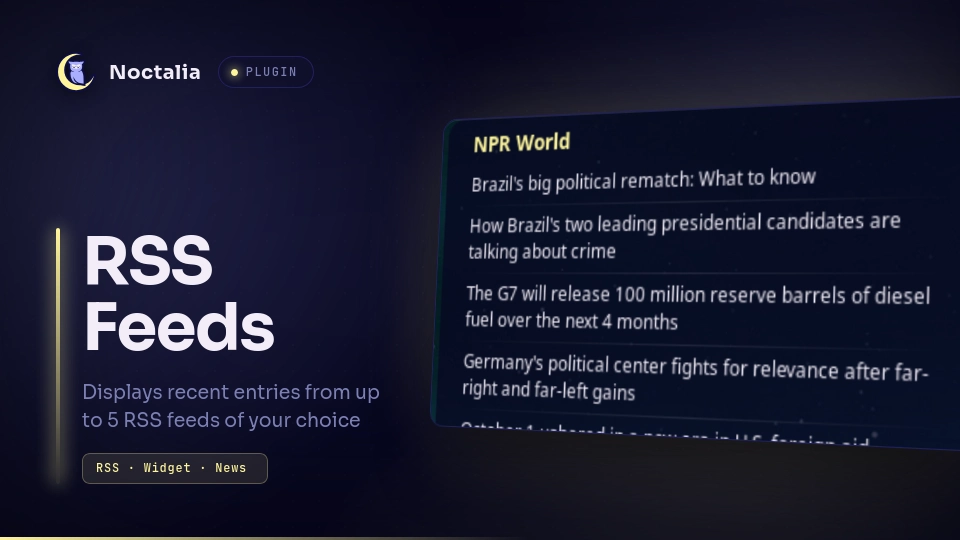
v1.0.0 Peter Mason
About
RSS Feeds
A desktop widget that displays the most recent entries from RSS and Atom feeds of your choice. View updates from up to five news sites, blogs, or project releases. Feeds automatically update and links will open in your default web browser.
Plugin
| Field | Value |
|---|---|
| ID | pmason314/rss-feeds |
| Entries | Desktop widget: feeds |
Requirements
xdg-openonPATH, used only to open an entry's link in your default web browser. Usually pre-installed and onPATHon most Linux distributions.
Usage
- Enable RSS Feeds in Noctalia Settings → Plugins.
- In the plugin settings, enter one or more URLs under Feed 1 URL … Feed 5 URL. Optionally give each feed a cleaner heading with the matching Feed N title (optional) field.
- Add the
feedsdesktop widget to your desktop via Noctalia Settings → Desktop → Widgets. Enable Desktop Widgets and click Toggle Editor, then add and place the RSS Feeds widget where you want. - The widget lists the most recent entries from each feed you configured. Click any entry to open its link in your default browser.
The widget re-fetches its feeds automatically on the Refresh interval (minutes) setting (every 30 minutes by default). A feed that fails to load keeps showing its last good entries and retries on an exponential back-off.
Force a refresh
To re-fetch every configured feed immediately:
noctalia msg plugin pmason314/rss-feeds:feeds all refresh
Settings
| Setting | Type | Default | Description |
|---|---|---|---|
feed_1 |
string |
"" |
URL of the feed shown first (feed slot 1). Leave blank to skip this slot. |
title_1 |
string |
"" |
Optional heading for feed slot 1. If blank, the feed's own <title> is used, then its URL. |
feed_2 |
string |
"" |
URL of the feed shown second (feed slot 2). Leave blank to skip. |
title_2 |
string |
"" |
Optional heading for feed slot 2. |
feed_3 |
string |
"" |
URL of the feed shown third (feed slot 3). Leave blank to skip. |
title_3 |
string |
"" |
Optional heading for feed slot 3. |
feed_4 |
string |
"" |
URL of the feed shown fourth (feed slot 4). Leave blank to skip. |
title_4 |
string |
"" |
Optional heading for feed slot 4. |
feed_5 |
string |
"" |
URL of the feed shown fifth (feed slot 5). Leave blank to skip. |
title_5 |
string |
"" |
Optional heading for feed slot 5. |
items_per_feed |
int |
5 |
Number of most-recent entries to show per feed, from 1 to 15. |
refresh_minutes |
int |
30 |
How often to re-fetch all feeds, in minutes, from 5 to 1440. |
Notes
- Reads RSS 2.0 (
<item>) and Atom (<entry>) feeds. Entries must have a title andhttp(s)link to be retrieved. - Everything runs on your machine. The plugin fetches only the feeds you list and does not record or send any telemetry.
xdg-openis started only when you click an entry.
Versions
| Version | Plugin API | Updated |
|---|---|---|
| v1.0.0 latest | 24 | Oct 4, 2026 |
Older versions stay installable on a Noctalia release whose plugin API is below the latest version's.