 Noctalia
About
ROG Control
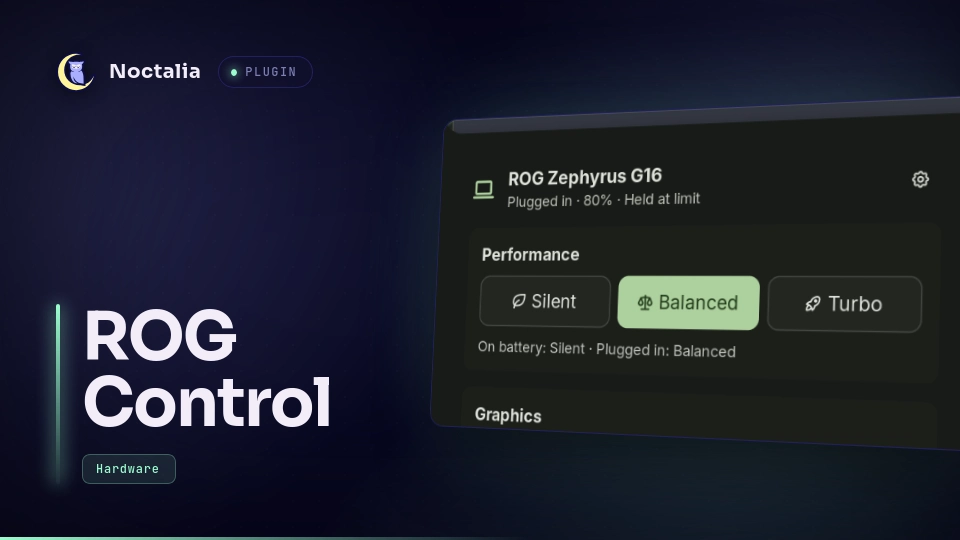
Performance modes, battery charge limit, graphics mode, panel overdrive, fans and keyboard lighting for ASUS ROG laptops, in the bar and a panel. It is a thin front end for asusd (from asusctl) that reacts to the daemon's own change events instead of polling.
Source, issues and changelog: GenuineMoron/noctalia-rog-control. Install it from Noctalia's plugin store (Settings → Plugins), or clone the repository into ~/.local/share/noctalia/plugins/rog-control and enable it there.
Plugin
| Field | Value |
|---|---|
| ID | genuinemoron/rog-control |
| Entries | Bar widget: bar; panel: panel; shortcut: mode; service: service |
Requirements
- An ASUS laptop supported by asusctl, with
asusdrunning: installasusctland enableasusd.service. busctl(systemd) andgdbus(glib2) onPATH.- For switching the graphics mode: asusctl's
asus-shutdown.serviceenabled (systemctl enable --now asus-shutdown). asusd queues the switch and that service applies it at shutdown, after preparing the NVIDIA driver, so it takes effect at the next start. If the deprecatedsupergfxdis running, the plugin uses it instead. - Optional: UPower 1.90 or newer with charge-threshold support, for the charge limit.
Each section only appears when the hardware and daemons report it, so a laptop without Slash lighting or panel overdrive simply doesn't show those controls.
Usage
Add the ROG Control bar widget in Settings → Bar. It shows the current performance mode as one icon: a leaf for Silent, a scale for Balanced, a rocket for Turbo.
- Hover: shows the mode, graphics mode and charge limit.
- Click: opens the panel.
- One scroll flick: steps to the next or previous mode.
Open the panel from the widget, or with:
noctalia msg panel-toggle genuinemoron/rog-control:panel
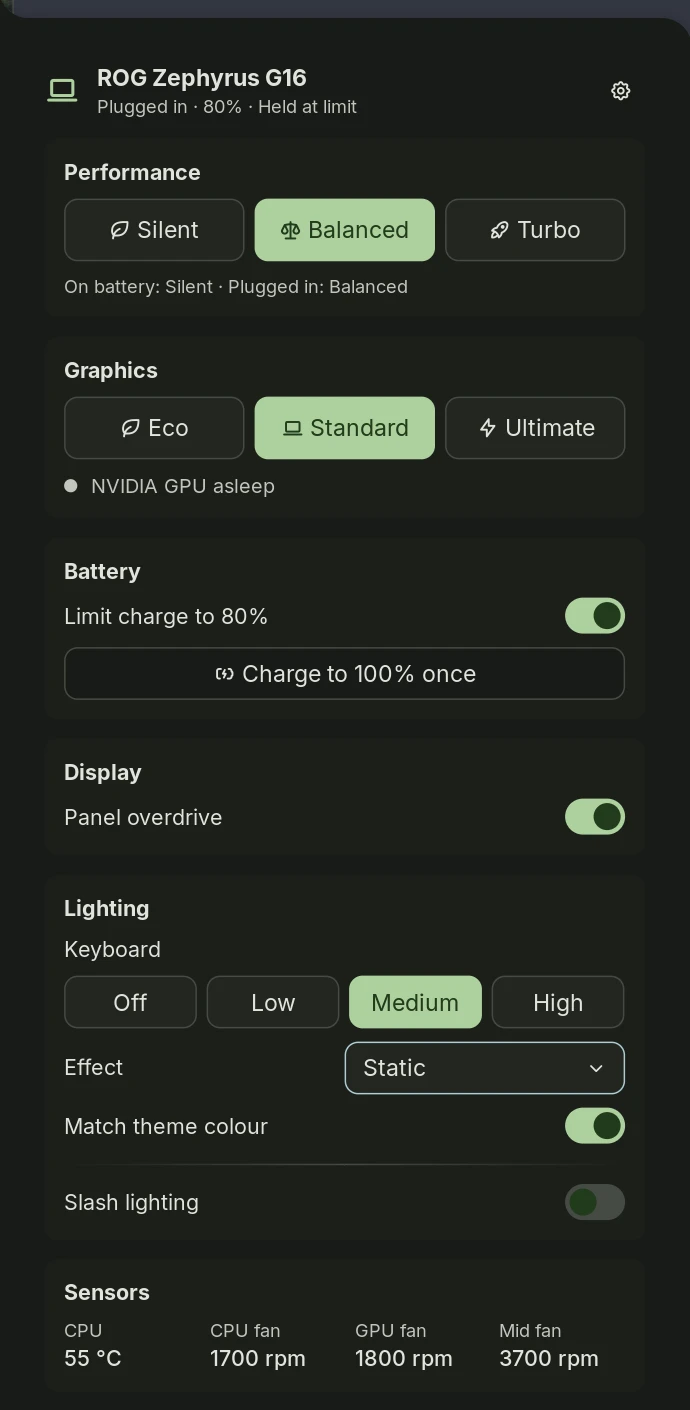
The panel has these sections:
- Performance: Silent, Balanced or Turbo (on AMD models whose kernel calls the quiet mode
low-power, that is Silent). The choice also becomes the default for the power source you are on (charger or battery), and asusd switches between the two defaults by itself, as Armoury Crate does. - Graphics: Eco, Standard or Ultimate. A switch takes effect at the next start: a banner offers Restart or Cancel until then. A status line says whether the discrete GPU (NVIDIA or AMD) is asleep. Switching is offered only with an asusd that queues the change until shutdown (asusctl 6.5 does); otherwise the mode is shown, not switched.
- Battery: Limit charge to N%, and Charge to 100% once while the limit is on. The limit is UPower's, the same one Noctalia's Control Center Power tab shows, so both stay in sync.
- Display: Panel overdrive.
- Lighting:
- keyboard brightness and effect;
- Match theme colour (off until you turn it on), which tints the keyboard with the current theme accent and follows wallpaper-driven themes; otherwise pick a colour;
- Slash lighting and its animation, on laptops that have it.
- Sensors: CPU temperature and fan speeds, read while the panel is open.
Add the mode shortcut in Settings → Control Center. Clicking it steps to the next mode; right-clicking opens the panel.
When the mode changes from anywhere, including the laptop's ROG key, the shell's on-screen display shows the new mode.
Settings
| Setting | Type | Default | Description |
|---|---|---|---|
show_osd |
bool |
true |
Show the new mode or lighting effect in the on-screen display whenever it changes. |
rgb_keyboard |
bool |
true |
Turn off for a single-colour (usually white) keyboard backlight: hides the colour and rainbow options and stops matching the theme colour. Same idea as G-Helper's no_rgb. |
show_label (bar widget) |
bool |
false |
Show the mode name next to the icon on horizontal bars. |
scroll_changes_mode (bar widget) |
bool |
true |
One scroll flick over the icon steps the mode. |
The charge-limit percentage is UPower's configured limit (udev hwdb CHARGE_LIMIT, 80% by default), not a plugin setting.
IPC
noctalia msg plugin genuinemoron/rog-control:service all next-profile       # next performance mode
noctalia msg plugin genuinemoron/rog-control:service all previous-profile   # previous performance mode
noctalia msg plugin genuinemoron/rog-control:service all next-aura          # next keyboard lighting effect
noctalia msg plugin genuinemoron/rog-control:service all previous-aura      # previous keyboard lighting effect
noctalia msg plugin genuinemoron/rog-control:service all refresh            # re-read every daemon
noctalia msg panel-toggle genuinemoron/rog-control:panel                    # open or close the panel
ROG keyboard keys
On ROG laptops the Aura key sends XF86Launch3, the fan key XF86Launch4 and the ROG key XF86Launch1. Bound to the commands above they behave as in Armoury Crate, with an on-screen confirmation. For example, in Umbriel's config.toml:
"XF86Launch3" = { action = "spawn noctalia msg plugin genuinemoron/rog-control:service all next-aura", repeat = false }
"XF86Launch4" = { action = "spawn noctalia msg plugin genuinemoron/rog-control:service all next-profile", repeat = false }
"XF86Launch1" = { action = "spawn noctalia msg panel-toggle genuinemoron/rog-control:panel", repeat = false }
On many models the kernel already cycles the mode on Fn+F5 itself; the panel and on-screen display follow it either way.
Notes
- Processes:
- One long-lived
gdbus monitor --systemper daemon (asusd; the UPower battery object, filtered to charge-threshold changes; supergfxd only if it is running). - One
busctl --json=shortread when a daemon reports a change. - One
busctl set-propertyorcallper action you take. noctalia msg panel-toggle sessionwhen you press Restart (or Log out, with supergfxd) in the graphics banner.
- One long-lived
- Polling: nothing polls the hardware. The panel reads hwmon fan speeds, the CPU temperature (
coretempork10temp), the discrete GPU'spower/runtime_status, battery capacity and status, and AC state from sysfs once a second while it is open, never otherwise. Readingruntime_statusdoes not wake the GPU. The service ticks every 20 s to restart a dropped stream, to repeat a read that failed, and to notice a theme colour change for the keyboard; it spawns nothing unless one of those needs it. - Hardware writes: only when you act, plus the keyboard colour while Match theme colour is on. Nothing is written at startup.
- Files written:
prefs.jsonin the plugin's data directory (noctalia.pluginDataDir()), holding the Match theme colour choice and your custom keyboard colour. - Network: none.
- Permissions: asusd accepts property writes from local users, including the graphics switches it queues. UPower's
enable-charging-limitaction is allowed for the active session by default. With supergfxd, mode changes follow its own policy. - Tested on: ROG Zephyrus G16 GU605MI (2024), asusctl 6.5.0 (graphics switching through asusd and asus-shutdown; 1.0.0 also with supergfxctl 5.2), UPower 1.91, Noctalia 5.5.0 on Umbriel (1.2.0: white-keyboard GU605MI-QR081W, ROG keys bound as in the IPC section). The AMD paths (
low-power,k10temp, AMD dGPU) follow the kernel and asusd sources but are untested on hardware.
Versions
| Version | Plugin API | Updated |
|---|---|---|
| v1.0.0 latest | 43 | Nov 16, 2026 |
Older versions stay installable on a Noctalia release whose plugin API is below the latest version's.