 Noctalia
About
Retro HDD LED
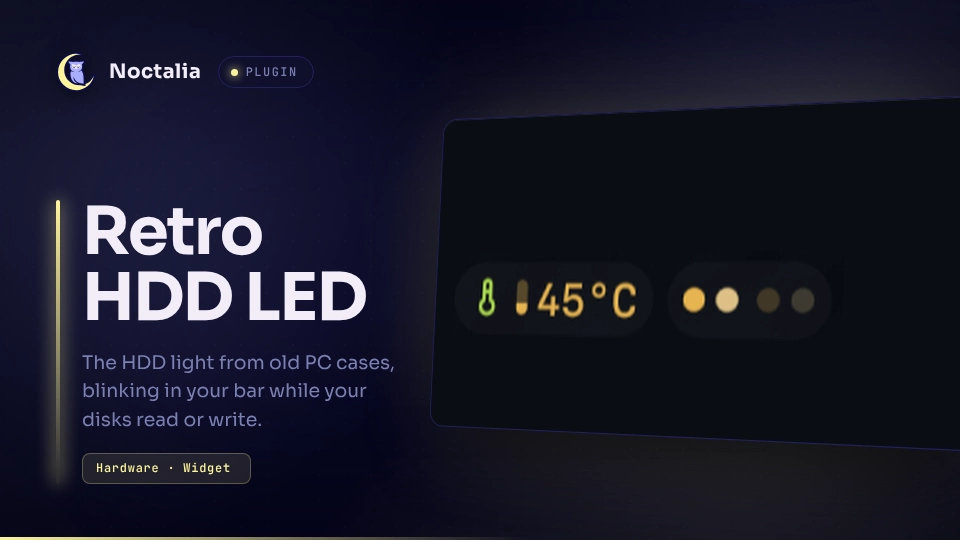
The HDD light from the front of old PC cases, in your bar: a small LED that blinks while your disks read or write. Use one LED for all disks or one per disk, each either shared for reading and writing or split into a read and a write LED. Hover it to see the current rate per disk.

Plugin
| Field | Value |
|---|---|
| ID | dmopp/retro-hdd-led |
| Entries | Bar widget: led |
Usage
Add the bar widget dmopp/retro-hdd-led:led in Settings → Bar, or in your
configuration:
[widget.hdd_led]
type = "dmopp/retro-hdd-led:led"
Then put hdd_led into one of the bar's start, center or end lists.
An LED lights for one poll interval whenever its disks read or write, and dims again when they are idle. Hovering the widget shows the read and write rate of each watched disk, averaged over the last second.
Settings
All settings belong to the widget instance.
| Setting | Type | Default | Description |
|---|---|---|---|
mode |
select |
combined |
combined: one shared LED for reading and writing. split: a read LED and a write LED. |
per_disk |
bool |
false |
One LED (or read/write pair) for every watched disk instead of one for all of them, in the order of disks, or of disk_order followed by the other disks sorted by name. |
disks |
string_list |
[] |
Device names as listed in /proc/diskstats, for example nvme0n1, sda or a partition such as sda1. Empty watches every physical disk. |
disk_order |
string_list |
[] |
Disks to show first, in this order, for example nvme1n1 to put that disk before nvme0n1. All other physical disks follow sorted by name, including drives plugged in later. Not used when disks is set. |
read_color |
color |
primary |
Color of the shared LED, or of the read LED. A palette role or a #RRGGBB value. |
auto_write_color |
bool |
true |
In split mode, color the write LED with a variant of the LED color, mixed toward on_surface: lighter on dark themes, darker on light ones. |
write_color |
color |
primary |
Write LED color when auto_write_color is off. |
disk_colors |
string_map |
{} |
Colors per disk with per_disk: the disk name maps to one color (read or shared LED) or read,write, for example primary,#FF8800. A disk with only its own read color gets the variant of it as write color. |
size |
int |
8 |
LED diameter in pixels (4-24). |
off_brightness |
int |
20 |
Brightness of an idle LED in percent. 0 hides it until there is activity; its space stays reserved. |
glow |
bool |
true |
Soft edge on a lit LED. |
poll_ms |
int |
100 |
How often activity is checked, in milliseconds (30-1000, advanced). Lower values catch shorter bursts. |
Notes
- The widget reads
/proc/diskstatsonce per poll interval and lists/sys/blockevery 10 seconds to pick up hot-plugged drives. It writes no files, starts no processes and makes no network requests. - "Physical disk" means a block device with a backing device
(
/sys/block/<name>/device). Partitions, loop, zram and device-mapper devices are skipped by default, so the same I/O is not counted twice. Name them indisksto watch them anyway. - Cost: one read of
/proc/diskstatsper poll interval for all disks together, so the number of disks hardly matters. Measured on a desktop at the default 100 ms, the shell used about 2 ms of CPU time per second more with the widget than without it (about 0.2% of one core); parsing takes about 30 µs per poll. - Derived colors follow theme changes on the next poll.
- Kernel names such as
nvme0n1are not guaranteed to stay the same across reboots, sodisks,disk_orderanddisk_colorscan point at another drive after a restart. Check the hover tooltip if the LEDs look swapped. - The kernel only updates the counters when a request completes, so very short bursts between two polls show as one blink.
Versions
| Version | Plugin API | Updated |
|---|---|---|
| v1.0.0 latest | 31 | Nov 19, 2026 |
Older versions stay installable on a Noctalia release whose plugin API is below the latest version's.