
About
Remmina
Opens your saved Remmina connections from the Noctalia
launcher. Type /rmn, pick a host, and the session opens in Remmina — no
digging through its window, no retyping addresses.
Plugin
| Field | Value |
|---|---|
| ID | rylos/remmina |
| Entries | Bar widget: bar; panel: connections; launcher provider: launcher |
| Launcher Prefix | /rmn |
Requirements
Install remmina on PATH, with the plugin for the protocols you use
(remmina-plugin-rdp, remmina-plugin-vnc, …, depending on your distribution).
You also need at least one saved connection profile. The plugin reads the profiles Remmina already wrote; it never creates or edits them.
Usage
Add the Remmina widget to a bar from Settings → Bar. It shows a single screen-share glyph, with the number of saved connections in its tooltip; clicking it opens the panel right under the widget. You can also open the panel directly:
noctalia msg panel-toggle rylos/remmina:connections
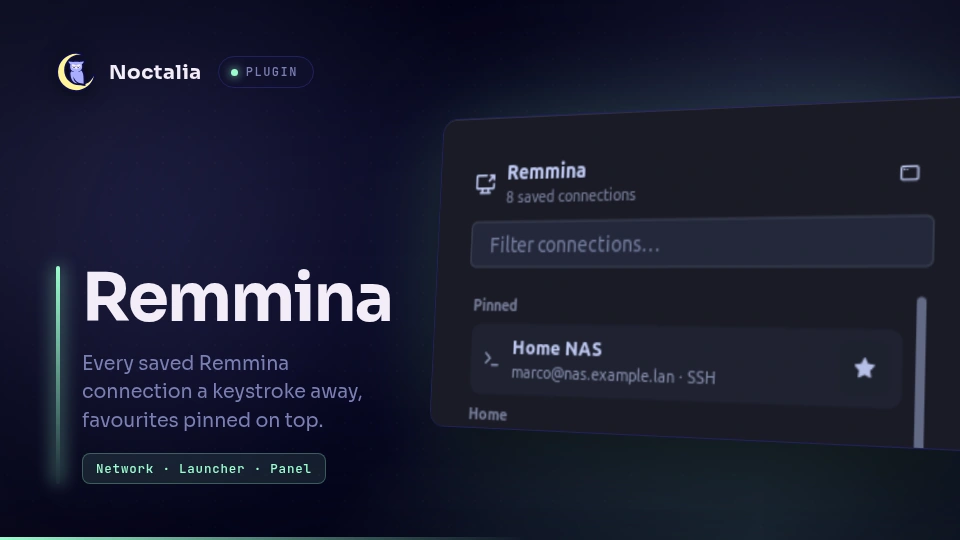
The panel lists every connection under its Remmina group, with a filter box on top. Clicking a row opens that connection and closes the panel; the button in the header opens Remmina's own window instead.
The star at the right of a row pins that connection. Pinned connections move to
a Pinned group at the top of the panel — and to the top of the launcher,
marked with a star — so the handful you actually use every day are always the
first thing you see. Clicking the filled star unpins. The list lives in
pinned.json under the plugin's data directory, so it survives a restart and a
plugin update.
Type /rmn in the launcher to list every profile, sorted by group and then by
name. Keep typing to filter — the filter matches the connection name, its
group, the server address and the protocol, so /rmn rdp narrows to RDP
connections and /rmn office to a group.
Each result shows the connection name, and under it the group, the
user@server target and the protocol. Activating one runs:
remmina -c ~/.local/share/remmina/<profile>.remmina
Remmina then handles the session exactly as if you had launched it from its own window, including the stored password.
Settings
| Setting | Type | Default | Description |
|---|---|---|---|
profiles_path |
file |
~/.local/share/remmina |
Folder holding the .remmina profiles. Change it if your profiles live elsewhere, for example in a synced folder. |
show_group |
bool |
true |
Show the profile's Remmina group at the start of the subtitle. Turn it off if you do not use groups. |
max_results |
int |
30 |
Maximum number of connections listed at once. |
Notes
- No network access, no writes. The plugin reads the profile files and
spawns
remmina -c <profile>. Nothing else. - Passwords are never touched. They are stored encrypted inside the profile
and only Remmina resolves them; the plugin reads
name,group,protocol,serverandusernameand ignores every other key. - Profiles are cached and re-read only when the profile folder's mtime changes, so typing in the launcher does no disk I/O. A profile added or removed from Remmina therefore shows up on the next query.
- Profiles are read asynchronously (
readFileAsync, four at a time). Each plugin callback has a 25 ms budget, and reading a few dozen profiles in one go overran it on a slow CPU or an encrypted home, so the host disabled the panel. While the first read is running the panel and the launcher show "Reading connections…" and refresh on their own when it lands. - A profile with no
namefalls back to its file name, so it is never invisible. Profiles with no group are listed last, under "Ungrouped". - The launcher filter is fuzzy; the panel filter is a plain substring match on the same four fields.
- Every protocol glyph carries the "share" arrow, because every one of them is
a remote session: a plain monitor would read as a local display. RDP-style
protocols use
device-desktop-share, VNC usesscreen-share.
Versions
| Version | Plugin API | Updated |
|---|---|---|
| v1.0.1 latest | 24 | Oct 15, 2026 |
Older versions stay installable on a Noctalia release whose plugin API is below the latest version's.