 Noctalia
About
Reaction
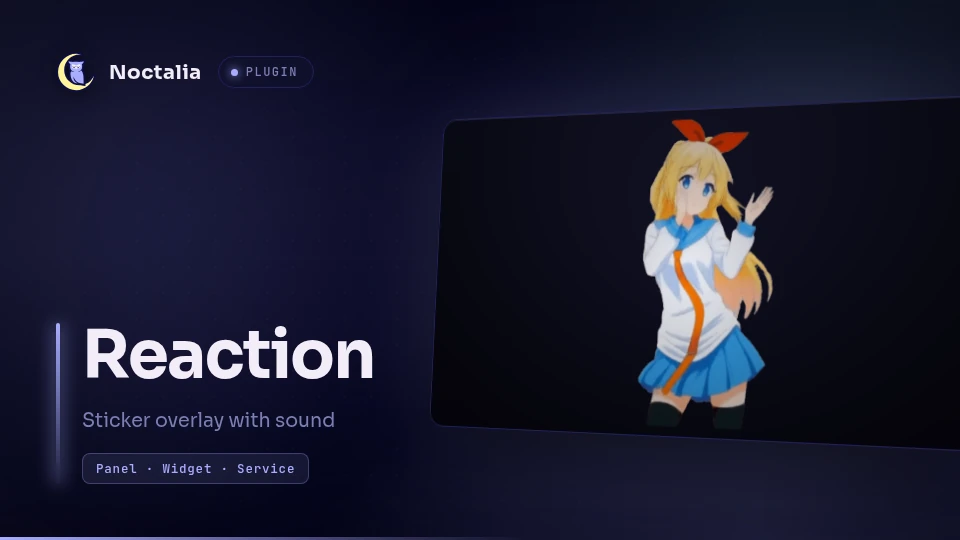
Shows a sticker image or animated GIF with a sound on top of everything, as a heads-up overlay, and closes itself when it is done. It is the "cheer for me" button: one keypress, a Chitoge jumps on screen and a sound plays, then the screen is yours again.
Plugin
| Field | Value |
|---|---|
| ID | miixz/reaction |
| Entries | Panel: sticker; Bar widget: tile; Service: service |
Requirements
- For the transparent overlay:
python3with GTK 3 bindings (python-gobject) andgtk-layer-shell. Without them the trigger falls back to the panel entry, which always paints the theme's card behind the sticker. ffmpegfor animated GIFs (magickfrom ImageMagick works as a fallback; static images need neither).- A sticker file of your own. The plugin ships none.
Usage
The plugin never grabs a key on its own: Noctalia plugins cannot register global shortcuts, so the trigger key is a keybind in your compositor that runs the IPC command below. Pick whatever combination you like and set it there:
noctalia msg plugin miixz/reaction:service all trigger
Keybind examples
Hyprland (Lua config):
hl.bind(
    "SUPER + SHIFT + R",
    hl.dsp.exec_cmd("noctalia msg plugin miixz/reaction:service all trigger")
)
Niri (config.kdl):
binds {
    Mod+Shift+R { spawn "noctalia" "msg" "plugin" "miixz/reaction:service" "all" "trigger"; }
}
Sway / Scroll:
bindsym $mod+Shift+r exec noctalia msg plugin miixz/reaction:service all trigger
Any other compositor works the same way as long as it can run a command on a key.
Triggering again while the sticker is on screen restarts it instead of closing it. To dismiss it early:
noctalia msg plugin miixz/reaction:service all hide
The bar tile does the same thing: left click shows the sticker (and restarts it
while it is on screen), right click dismisses it. Add it from
Settings → Bar, it renders a mood-smile glyph that tints with the primary
colour while the sticker is up.
The fallback panel can also be driven directly, which is the plain open/close toggle:
noctalia msg panel-toggle miixz/reaction:sticker
How long it stays
An animated GIF stays on screen for its own duration plus extra_ms. A static
image stays for hold_ms. Either way the sticker fades out in the last 250 ms.
Settings
| Setting | Type | Default | Description |
|---|---|---|---|
sticker_path |
file |
(empty) | PNG, JPEG, WebP, SVG or animated GIF to show. |
sticker_dir |
folder |
(empty) | Folder with supported images. When set, the plugin picks one on each trigger instead of using sticker_path. sticker_path still works as a fallback. |
sticker_selection |
select |
random |
How the next sticker is chosen from sticker_dir: random or sequential. |
sticker_position |
select |
center |
Where the sticker lands: the nine screen positions plus auto. For the overlay, auto behaves like center. |
sound_path |
file |
(empty) | Sound played when the sticker appears. |
size_px |
int |
420 |
Sticker box in logical pixels; the image is scaled to fit inside it. In panel fallback, up to 420 fills the 448 px card. |
opacity |
double |
1.0 |
Maximum sticker opacity, before the fade-out. |
hold_ms |
int |
2500 |
How long a static sticker stays on screen. |
extra_ms |
int |
250 |
Extra time on screen after an animated GIF has finished. |
The trigger key is deliberately not a plugin setting: Noctalia does not expose global shortcuts to plugins, so it lives in your compositor's keybind config (see Usage). What the key runs is the IPC command below.
IPC
| Command | Effect |
|---|---|
noctalia msg plugin miixz/reaction:service all trigger |
Show the sticker, or restart it when it is already on screen. |
noctalia msg plugin miixz/reaction:service all hide |
Dismiss it. |
noctalia msg plugin miixz/reaction:service all status |
Notification with the configured sticker and its state. |
Notes
- The sticker is normally drawn by a companion process
(
bin/reaction-overlay.py): a transparent layer-shell surface on the overlay layer, above every window, with no background card at all. It ignores input completely (clicks pass through to the application below) and closes itself when its time is over. One instance runs at a time: a second trigger stops the running one and starts over from the first frame. - The overlay reads
ui_scalefrom the Noctalia accessibility settings, so a scaled desktop shows a proportionally sized sticker instead of a small one. - Without the python stack, the trigger falls back to the
stickerpanel entry. Noctalia panels always paint the theme's rounded card behind their content, so the fallback sticker sits inside a themed card - the overlay exists to avoid exactly that. The panel declareskeyboard_focus = "none"anddismiss_on_outside_click = false, so it never takes the keyboard away from the application in use and clicks pass through to it. - Animated GIFs are unpacked into frames by the trigger service, once, into the
plugin data directory (
.../plugins/data/miixz/reaction/gif-cache). The cache is keyed by file, size and modification time. The overlay plays those extracted PNG frames directly, using the delays recorded in the cache'smetadata.json; driving gdk-pixbuf's own animation instead makes the overlay's memory grow by roughly one frame per tick, so the static-frame path is what keeps it flat. - The trigger service runs for the whole session so that the duration is ready before the first press; a first-time extraction of a large GIF would otherwise be visible as a late sticker.
Versions
| Version | Plugin API | Updated |
|---|---|---|
| v0.4.0 latest | 30 | Nov 11, 2026 |
Older versions stay installable on a Noctalia release whose plugin API is below the latest version's.