 Noctalia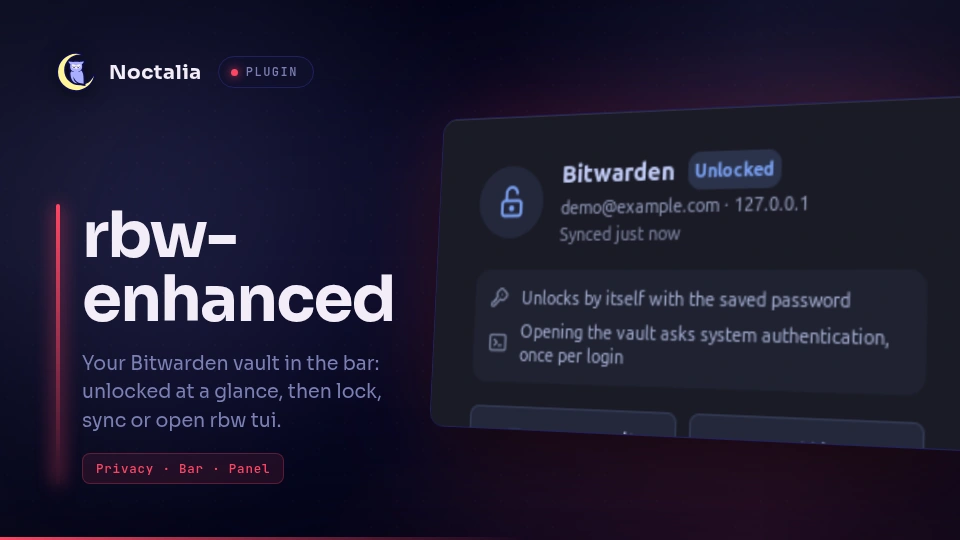
About
rbw-enhanced
Shows in the bar whether your Bitwarden vault is unlocked in
rbw-enhanced, a fork of the rbw command line Bitwarden client, and gives you one
click to unlock, lock, sync or open the vault in rbw tui.
Plugin
| Field | Value |
|---|---|
| ID | rylos/rbw-enhanced |
| Entries | Bar widget: bar; panel: panel; service: poller |
Requirements
Noctalia 5.4.0 or later (plugin API 43).
Install rbw-enhanced (AUR: rbw-enhanced, source: rylos/rbw), which provides the
rbw command, on PATH (or set its path in the plugin settings). The plugin needs rbw status --json and rbw tui:
the upstream rbw doesn't have them, and the panel then says so.
You need to be logged in once (rbw login in a terminal). Unlocking uses whatever rbw is set up for: the pinentry
for the master password, a PIN, or system authentication (face or fingerprint through polkit).
Usage
Add the rbw-enhanced widget to a bar in Settings. Its lock glyph shows the vault state:
- open lock: unlocked;
- closed lock: locked (dimmer when the agent isn't running);
- lock with an exclamation mark: the login expired and the agent can no longer sync;
- crossed lock: not logged in, or rbw-enhanced not found.
Left click opens the panel. Right click opens rbw tui in a terminal (rbw login when the login expired); the tui
unlocks a locked vault itself.
The panel shows the state, the last sync and how the next unlock will go, with these buttons:
- Open vault: opens
rbw tuiin your terminal, to search, copy and type entries (the right click on the bar does the same). - Unlock / Lock: runs
rbw unlockorrbw lock. Unlocking shows rbw's own prompt: the polkit dialog, the PIN or the master password. - Sync: runs
rbw sync. - Settings: opens
rbw tui --settings(session timeout, timeout action, PIN, system authentication). - Log in, when needed: opens
rbw loginin a terminal.
Open the panel from a keybind or script with:
noctalia msg panel-toggle rylos/rbw-enhanced:panel
Settings
| Setting | Type | Default | Description |
|---|---|---|---|
poll_interval |
int |
3 |
Seconds between two rbw status --json checks (1–60). |
rbw_bin |
string |
"" |
Path to the rbw executable when it is not on PATH; empty uses rbw. |
Bar widget: hide_when_unlocked |
bool |
false |
Show the widget only while the vault is locked or needs attention. |
IPC
The service answers the same commands the panel sends:
noctalia msg plugin rylos/rbw-enhanced:poller all unlock
noctalia msg plugin rylos/rbw-enhanced:poller all lock
noctalia msg plugin rylos/rbw-enhanced:poller all sync
noctalia msg plugin rylos/rbw-enhanced:poller all tui
noctalia msg plugin rylos/rbw-enhanced:poller all refresh
settings and login open rbw tui --settings and rbw login in a terminal.
Notes
- The plugin only runs
rbw:rbw status --jsoneverypoll_intervalseconds, andrbw unlock,lock,sync,tui,tui --settingsandloginwhen you ask for them. It makes no network calls and writes no files; rbw itself talks to your Bitwarden server. rbw status --jsonnever starts the agent, never prompts and decrypts nothing, so the widget can't unlock the vault by itself or show anything secret.- Terminal actions use Noctalia's terminal (
$TERMINAL, otherwise one found onPATH).
Versions
| Version | Plugin API | Updated |
|---|---|---|
| v1.1.2 latest | 43 | Oct 26, 2026 |
Older versions stay installable on a Noctalia release whose plugin API is below the latest version's.