
Back to plugins 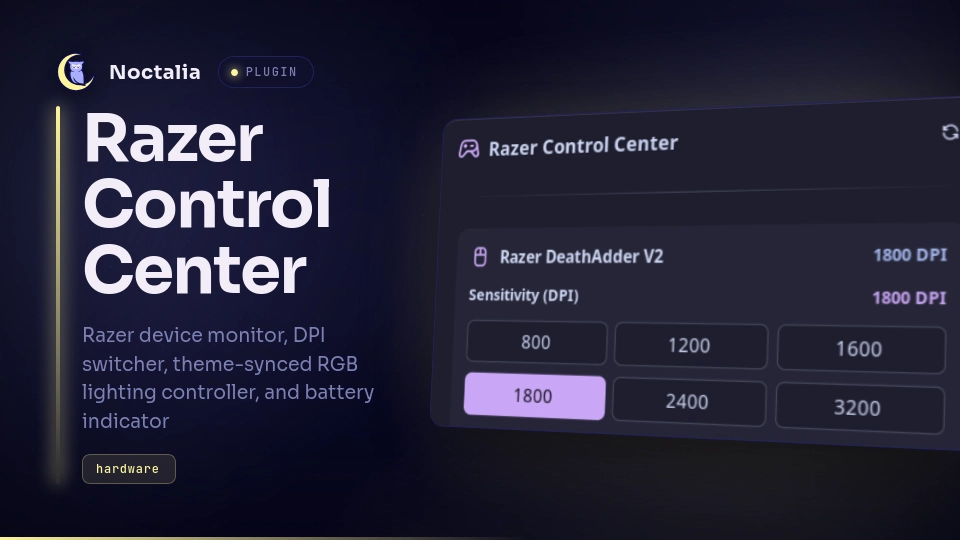
v1.0.0 detluck
About
Razer Devices
Monitor and control Razer peripherals including DPI sensitivity, LED brightness, RGB lighting presets, theme synchronization, and wireless battery levels.
Plugin
| Field | Value |
|---|---|
| ID | detluck/razer |
| Entries | Bar widget: battery; panel: panel; service: monitor |
Requirements
Install openrazer-daemon, busctl, and systemctl on PATH:
openrazer-daemon— runs the OpenRazer background hardware service providing the D-Bus interface (org.razer).- Arch Linux:
sudo pacman -S openrazer-daemon openrazer-driver-dkms python-openrazer - Add your user to the
openrazergroup:sudo gpasswd -a $USER openrazer(orplugdevon Debian/Ubuntu) - Enable and start the user service:
systemctl --user enable --now openrazer-daemon
- Arch Linux:
busctl— sends method calls toopenrazer-daemonover the session D-Bus to query and configure device properties (part ofsystemdordbus-broker).systemctl— invoked by the "Start Daemon" fallback button in the panel to start theopenrazer-daemon.serviceuser unit on systemd hosts.
Usage
Add the bar widget (detluck/razer:battery) in Settings → Bar → Widgets or by editing your bar configuration in settings.toml.
Interactions
- Left-Click Widget: Toggle the Razer Control Center panel.
- Right-Click Widget: Instantly synchronize RGB lighting with the active desktop theme accent color.
- CLI / Keybind: Toggle the floating panel anytime via:
noctalia msg panel-toggle detluck/razer:panel
Settings
| Setting | Type | Default | Description |
|---|---|---|---|
sync_theme_color |
bool |
false |
Automatically synchronize Razer Chroma RGB lighting with the desktop theme accent color on change. |
low_battery_threshold |
int |
20 |
Battery percentage below which a desktop low-battery warning notification is sent. |
show_percentage |
bool |
true |
Display battery percentage number next to the mouse icon on the bar widget for wireless devices. |
IPC
Dispatch events to the background monitor service:
# Force immediate RGB sync with current desktop theme color:
noctalia msg plugin detluck/razer:monitor all sync_theme

# Force immediate device state poll & refresh:
noctalia msg plugin detluck/razer:monitor all refresh
Notes
- Processes and D-Bus IPC: All hardware communication queries and sets device state locally via
busctlcalls toorg.razerover the user session D-Bus. No network requests are made. - Daemon Management: The "Start Daemon" button in the panel executes
systemctl --user start openrazer-daemon. On non-systemd systems, startopenrazer-daemonmanually or via your system's service manager. - Theme Synchronization: Queries active palette configuration via Noctalia's host API (
noctalia.getSetting). When a community palette is selected, resolves the primary accent from the catalog file at~/.local/state/noctalia/community-palettes/.catalog/palettes.json. Defaults to Razer Green (#00FF00) if an accent color is unavailable. - Hardware Support: Any Razer device supported by OpenRazer (120+ models including DeathAdder, Viper, Basilisk, Naga, BlackWidow, Huntsman, Kraken, Firefly).
- Multiple Devices: Displays stacked controls in a scrollable panel (
ui.scroll) when multiple mice, keyboards, or headsets are connected simultaneously. - Hardware DPI Sync: Detects hardware DPI changes (e.g. from physical mouse DPI buttons) in real-time.
Versions
| Version | Plugin API | Updated |
|---|---|---|
| v1.0.0 latest | 9 | Sep 24, 2026 |
Older versions stay installable on a Noctalia release whose plugin API is below the latest version's.