 Noctalia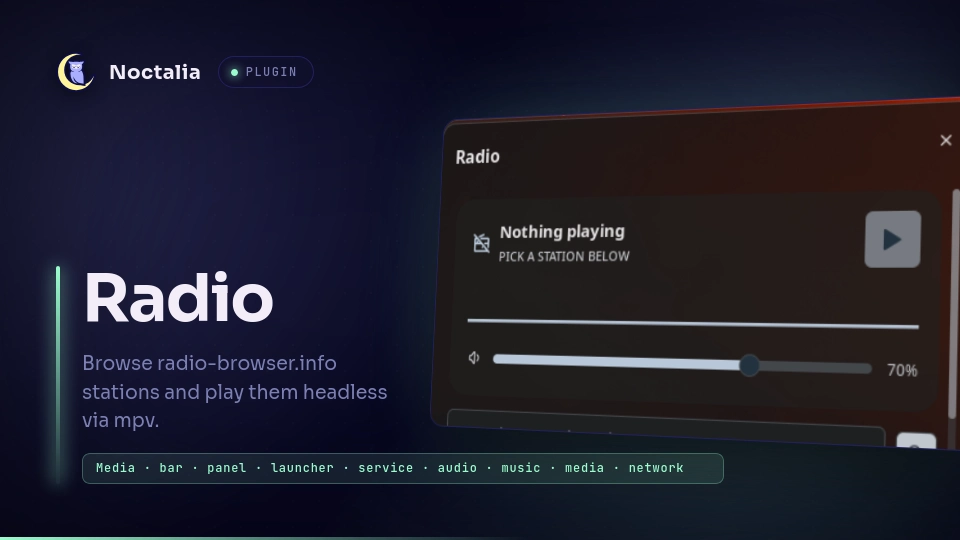
About
Radio
Browse radio-browser.info stations and play them headless via mpv. Bar widget shows what is playing, panel searches and manages favorites, launcher plays from anywhere.
Plugin
| Field | Value |
|---|---|
| ID | fel/radio |
| Entries | Bar widget: radio; panel: browser; service: player; launcher: finder |
| Launcher Prefix | /radio |
Requirements
Install mpv and socat on PATH. mpv does headless playback, socat
talks to its IPC socket for volume/stop. Without socat the plugin still
works but applies volume by relaunching mpv.
Usage
Add the widget from Settings -> Bar with type fel/radio:radio.
Click opens the browser, right-click toggles play/stop, vertical scroll
changes volume.
Open the browser panel:
noctalia msg panel-toggle fel/radio:browser
Search stations, press play on a row, star rows to keep favorites. The volume slider controls the running mpv instance.
Launcher: type /radio lofi and press Enter on a result to play it.
Empty /radio lists favorites.
Control playback over IPC:
noctalia msg plugin fel/radio:player all play '{"name":"Lofi","url":"https://..."}'
noctalia msg plugin fel/radio:player all stop
noctalia msg plugin fel/radio:player all volume 60
Settings
| Setting | Type | Default | Description |
|---|---|---|---|
default_volume |
int |
70 |
mpv volume 0-100, used until changed from widget, panel or launcher. |
search_limit |
int |
20 |
Stations fetched per search or top list, 5-50. |
country |
string |
"" |
Optional country filter, e.g. Germany. Empty means worldwide. |
mpv_bin |
string |
mpv |
mpv executable for headless playback. |
show_name |
bool |
true |
Widget: show the station name next to the glyph. |
max_length |
int |
24 |
Widget: max characters of the station name, 5-60. |
IPC
Player service (always available):
noctalia msg plugin fel/radio:player all play '{"name":"Mangoradio","url":"https://..."}'
noctalia msg plugin fel/radio:player all stop
noctalia msg plugin fel/radio:player all toggle
noctalia msg plugin fel/radio:player all volume 60
noctalia msg plugin fel/radio:player all volume-up
noctalia msg plugin fel/radio:player all volume-down
Bar widget (needs a live widget instance - use focused or the bar name):
noctalia msg plugin fel/radio:radio focused toggle-browser
noctalia msg plugin fel/radio:radio focused toggle
noctalia msg plugin fel/radio:radio focused stop
Browser panel (must be open - toggle it first):
noctalia msg plugin fel/radio:browser all search "lofi"
Notes
Network: de1.api.radio-browser.info for search/top/click-count plus the
stream hosts themselves. Files: favorites at the plugin data dir
favorites.json, mpv IPC socket mpv.sock in the same dir. Processes: one
headless mpv --no-video owned by the player service. Playing a station stops
the running one first and waits for it to exit, so switching stations never
leaves a second stream playing. Killed on plugin disable/uninstall/exit.
Versions
| Version | Plugin API | Updated |
|---|---|---|
| v0.1.2 latest | 43 | Oct 25, 2026 |
| v0.1.1 | 9 | Oct 21, 2026 |
Older versions stay installable on a Noctalia release whose plugin API is below the latest version's.