
About
QR Share
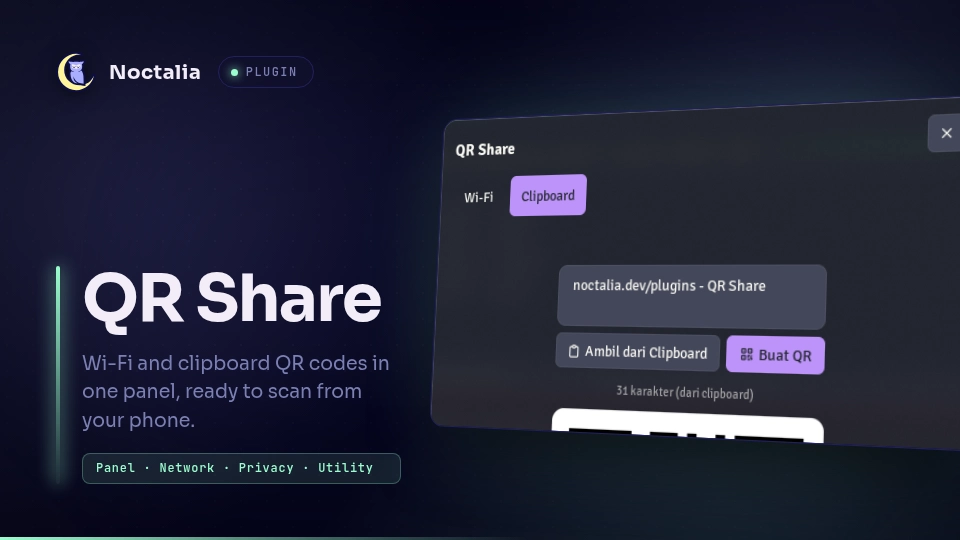
Show a QR code for your current Wi-Fi network or for any text, then scan it from your phone. Two tabs in one panel: no password to type, no sync app to install.
Plugin
| Field | Value |
|---|---|
| ID | abuamar142/qr-share |
| Entries | Panel: panel |
The panel has two tabs:
- Wi-Fi — reads the active connection and its PSK from NetworkManager and
renders a standard
WIFI:QR code, so a phone joins the network by scanning. - Clipboard — encodes the latest clipboard entry, or whatever you type in the input box, as a QR code. Useful for moving a URL or a long line of text to a phone without any transfer app.
Requirements
Install these commands on PATH:
qrencode— renders the PNG for every QR code.nmcli— reads the active Wi-Fi connection and its password. Only the Wi-Fi tab uses it; the Clipboard tab works without it.
The Wi-Fi tab needs NetworkManager as the connection backend, and the PSK must be stored in the connection profile (the usual case for a network you joined once).
Usage
Open the panel from a keybind, for example:
noctalia msg panel-toggle abuamar142/qr-share:panel
On the Wi-Fi tab the QR code appears as soon as the panel opens. On the Clipboard tab, copy the text you want to share, then press Take from Clipboard — or type into the box and press Generate (Ctrl+Enter also submits). Click the QR code, or press Copy QR, to put the image on the clipboard, ready to paste into a chat.
The panel remembers the tab you last used.
IPC
The panel accepts events for scripting and testing:
noctalia msg plugin abuamar142/qr-share:panel all tab wifi
noctalia msg plugin abuamar142/qr-share:panel all tab clipboard
noctalia msg plugin abuamar142/qr-share:panel all take
noctalia msg plugin abuamar142/qr-share:panel all text "https://noctalia.dev"
noctalia msg plugin abuamar142/qr-share:panel all copyqr
noctalia msg plugin abuamar142/qr-share:panel all reload
| Event | Payload | Effect |
|---|---|---|
tab |
wifi or clipboard |
Switches tab; wifi also (re)loads the Wi-Fi QR code. |
take |
— | Encodes the latest clipboard text. |
text |
any text | Encodes the given text as a QR code. |
copyqr |
— | Copies the QR code of the active tab as a PNG image. |
reload |
— | Reloads the Wi-Fi QR code (Wi-Fi tab only). |
Notes
- Privacy: the Wi-Fi QR code contains your network password in plain text.
Generated PNGs are written to
$XDG_RUNTIME_DIR(a0700tmpfs) and are deleted when the panel closes, including when a generation is still in flight. Treat any screenshot of the Wi-Fi tab as a password. - Processes: the plugin runs
qrencodeandnmcli(and nothing else) throughnoctalia.runAsyncwith an argv array, so no shell parses the arguments. - Filesystem: writes one PNG per tab under
$XDG_RUNTIME_DIRand removes it on close. - Network: none. The plugin makes no network requests; it reads local connection data only.
- Compositor: no compositor-specific code; tested on Niri.
- A QR payload longer than 1000 characters is refused with an inline message.
Versions
| Version | Plugin API | Updated |
|---|---|---|
| v1.0.0 latest | 24 | Oct 12, 2026 |
Older versions stay installable on a Noctalia release whose plugin API is below the latest version's.