 Noctalia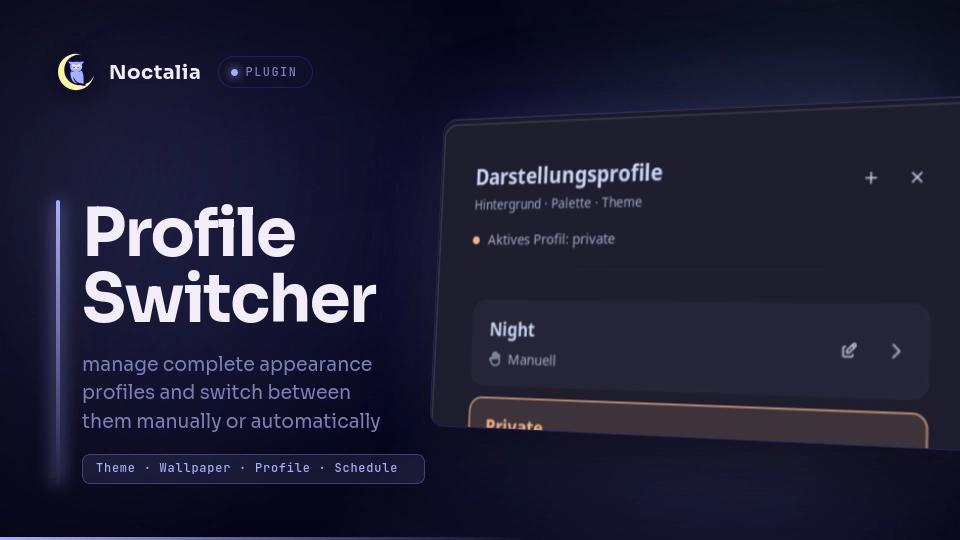
About
Noctalia Profile Switcher
A profile switcher plugin for Noctalia that lets you manage complete appearance profiles and switch between them manually or automatically based on a schedule.
A profile can define:
- Theme mode
- Color palette
- Wallpaper directory
- Default wallpaper
- Per-monitor wallpapers
- Automatic schedule
- Manual-only activation
Profiles are stored as simple TOML files and can be created and edited directly from Noctalia.
Plugin
Plugin ID: m4sc/profile-switcher
Widget
profile
Panels
paneleditor
Shortcut
profiles
Service
service
Features
Appearance Profiles
Each profile can configure:
Theme mode
- Dark
- Light
- Auto
Palette source
- Builtin
- Wallpaper
- Community
- Custom
Wallpapers
- Wallpaper directory
- Default wallpaper
- Per-monitor overrides
- Integrated wallpaper browser
- Wallpaper preview
- Paginated thumbnail gallery
Scheduling
- Automatic profile activation
- Configurable start/end time
- Configurable weekdays
- Manual-only profiles
Manual and Automatic Profiles
Profiles can either participate in automatic scheduling or remain completely manual.
[schedule]
enabled = false
from = "08:00"
until = "17:00"
days = [1, 2, 3, 4, 5]
With:
enabled = false
the profile is ignored by the scheduler but can still be activated manually.
With:
enabled = true
the profile is automatically activated according to its configured schedule.
Existing profiles without an enabled property are treated as automatic for backwards compatibility.
Profile Example
Profiles are stored in:
~/.config/noctalia/profiles/
Example:
name = "Private"
icon = "home"
theme_mode = "dark"

[palette]
source = "community"
name = "Catppuccin Mocha Peach"

[wallpapers]
directory = "/home/user/Pictures/Wallpapers/Private"
default = "/home/user/Pictures/Wallpapers/Private/default.png"

[wallpapers.monitors]
"DP-1" = "/home/user/Pictures/Wallpapers/Private/main.png"
"DP-3" = "/home/user/Pictures/Wallpapers/Private/secondary.png"

[schedule]
enabled = false
from = "16:30"
until = "08:30"
days = [1, 2, 3, 4, 5]
The filename is used as the profile ID:
private.toml
becomes:
private
Profile Editor
The integrated editor allows profiles to be configured without manually editing TOML files.
It supports:
- Creating new profiles
- Editing existing profiles
- Selecting theme mode
- Selecting palette source
- Loading community palettes
- Loading custom palettes
- Configuring wallpaper directories
- Browsing wallpapers
- Wallpaper previews
- Per-monitor wallpaper overrides
- Schedule configuration
- Manual/automatic schedule mode
- Save
- Save & Apply
New profiles default to Manual scheduling.
Wallpaper Browser
The editor contains an integrated wallpaper browser.
Images from the configured wallpaper directory are displayed as thumbnails.
Supported formats include:
png
jpg
jpeg
webp
bmp
gif
The gallery displays up to 12 wallpapers per page to avoid creating a large number of image components at once.
Wallpaper targets can be configured individually:
Default
DP-1
DP-3
...
Monitor overrides are stored under:
[wallpapers.monitors]
Palette Sources
Builtin
Uses one of Noctalia's builtin palettes.
Examples:
Ayu
Catppuccin
Dracula
Eldritch
Gruvbox
Kanagawa
Noctalia
Nord
Rosé Pine
Tokyo-Night
Wallpaper
Generates the palette from the selected wallpaper using one of the supported schemes.
Examples:
m3-tonal-spot
m3-content
m3-fruit-salad
m3-rainbow
m3-monochrome
vibrant
faithful
soft
dysfunctional
muted
Community
Community palettes are loaded dynamically from the Noctalia palette API.
Custom
Custom palettes are loaded from:
~/.config/noctalia/palettes/
Translations
The plugin uses Noctalia's native plugin translation system.
Translation bundles are stored in:
translations/
├── en.json
└── de.json
English is the fallback language. German is included as an additional translation.
Plugin UI strings use noctalia.tr() and automatically follow Noctalia's configured language.
Installation
Clone the plugin into the Noctalia plugin directory:
mkdir -p ~/.local/share/noctalia/plugins

git clone <repository-url> \
  ~/.local/share/noctalia/plugins/profile-switcher
The resulting directory should look similar to:
~/.local/share/noctalia/plugins/profile-switcher/
├── plugin.toml
├── README.md
├── LICENSE
├── thumbnail.webp
├── service.luau
├── scheduler.luau
├── profiles.luau
├── apply.luau
├── panel.luau
├── editor.luau
├── widget.luau
├── shortcut.luau
├── toml.luau
└── translations/
    ├── en.json
    └── de.json
Enable the plugin in Noctalia and restart Noctalia if necessary.
Usage
Open the profile selector through Noctalia or via IPC:
noctalia msg panel-toggle m4sc/profile-switcher:panel
The editor can also be opened directly:
noctalia msg panel-toggle m4sc/profile-switcher:editor
Activate a Profile
Profiles can be activated directly through IPC:
noctalia msg plugin \
  m4sc/profile-switcher:service \
  all activate private
Replace private with the profile ID.
List Profiles
noctalia msg plugin \
  m4sc/profile-switcher:service \
  all list
Show Active Profile
noctalia msg plugin \
  m4sc/profile-switcher:service \
  all status
Re-evaluate the Schedule
noctalia msg plugin \
  m4sc/profile-switcher:service \
  all reconcile
Keybinding Example
The selector can be opened from your compositor.
For example, with Umbriel:
"Mod+P" = "spawn:noctalia msg panel-toggle m4sc/profile-switcher:panel"
Scheduling
The plugin periodically evaluates profile schedules.
Automatic Profile
Example work profile:
[schedule]
enabled = true
from = "08:00"
until = "17:00"
days = [1, 2, 3, 4, 5]
Example private profile:
[schedule]
enabled = true
from = "17:00"
until = "08:00"
days = [1, 2, 3, 4, 5]
Schedules crossing midnight are supported by the scheduler.
Manual Profile
A manual profile can keep its schedule configuration while disabling automatic activation:
[schedule]
enabled = false
from = "17:00"
until = "08:00"
days = [1, 2, 3, 4, 5]
This makes it easy to temporarily disable automation without deleting the configured times.
Manual profiles can always be activated from the profile selector or through IPC.
Project Structure
profile-switcher/
├── plugin.toml
│   Plugin manifest and Noctalia entries
│
├── README.md
│   Plugin documentation
│
├── LICENSE
│   MIT license
│
├── thumbnail.webp
│   Plugin preview image
│
├── service.luau
│   Background service, IPC and schedule handling
│
├── scheduler.luau
│   Schedule evaluation
│
├── profiles.luau
│   Profile loading and TOML serialization
│
├── apply.luau
│   Applies profile settings to Noctalia
│
├── panel.luau
│   Profile selector
│
├── editor.luau
│   Profile editor and wallpaper browser
│
├── widget.luau
│   Noctalia widget integration
│
├── shortcut.luau
│   Noctalia shortcut integration
│
├── toml.luau
│   TOML parsing
│
└── translations/
    ├── en.json
    └── de.json
Notes
The plugin currently identifies monitors by their connector name, for example:
DP-1
DP-3
eDP-1
If the same profile is used across multiple machines, configure the required monitor overrides in the profile.
A missing monitor override does not prevent the profile from using its default wallpaper.
Requirements
- Noctalia with plugin API support
- Noctalia Plugin API 30
- Luau plugin runtime
License
This project is licensed under the MIT License.
Versions
| Version | Plugin API | Updated |
|---|---|---|
| v1.0.1 latest | 43 | Oct 25, 2026 |
| v1.0.0 | 30 | Sep 20, 2026 |
Older versions stay installable on a Noctalia release whose plugin API is below the latest version's.