 Noctalia
Back to plugins 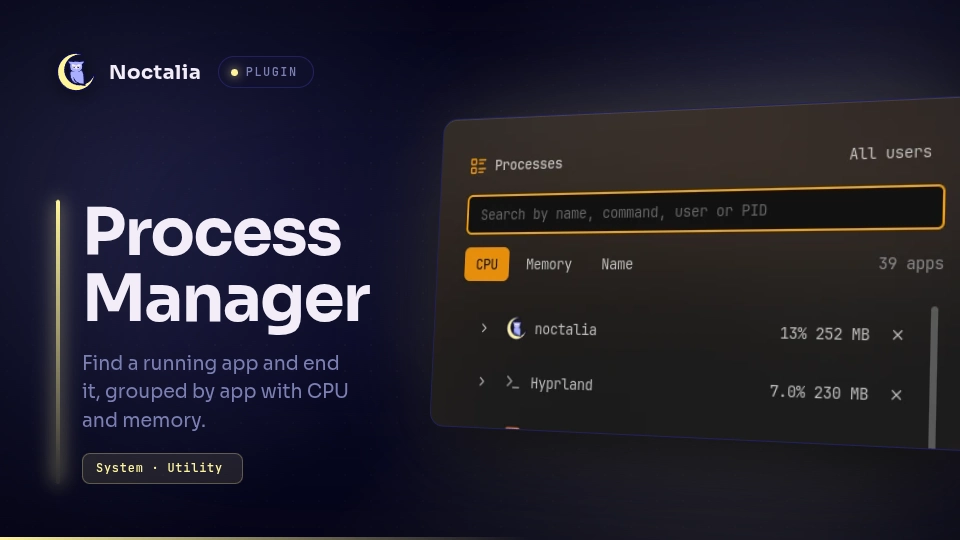
v1.1.5 omerfuyar
About
Process Manager
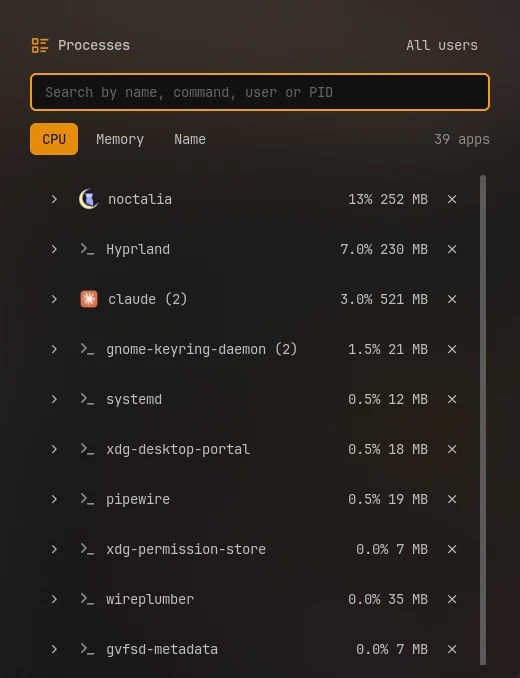
Find a running app and end it, or force it to end when it does not stop. Apps are grouped by name, with the CPU and memory they use right now.
Plugin
| Field | Value |
|---|---|
| ID | omerfuyar/process-manager |
| Entries | Bar widget: widget; panel: panel; service: service |
Requirements
| Command | Needed | What for |
|---|---|---|
ps |
Required | Lists the processes, with their owner and command line. |
kill |
Required | Ends a process. |
sh |
Required | Reads every process in one go, with awk and cat. They come with every Linux system. |
getconf |
Required | Finds the clock rate and page size, to turn the kernel's numbers into CPU and memory. It comes with every Linux system. |
pkexec |
Required | Ends another user's process, after asking for an administrator's password. Without it, those cannot be ended. |
sudo |
Optional | Ends another user's process in a terminal, when End as admin with is set to it. |
Usage
Add the Process Manager widget to the bar and click it.

- Search by name, command line, user or process ID, and sort by CPU, memory or name.
- Each row is an app with how many processes it has. Open it to see each process.
- ✕ asks the app or process to end, so it can save and close. When it is still running 3 seconds later, the skull, Force end, stops it at once, without saving.
- A process that belongs to another user, such as root, shows a shield, End as admin, which asks for a password.
- The list scrolls through every app.
- Only your own processes show, unless All users is on.
- A process waiting on a disk or device, or one that already ended and waits for its parent, says so: neither can be ended until that changes.
noctalia msg panel-toggle omerfuyar/process-manager:panel
Settings
| Setting | Type | Default | Description |
|---|---|---|---|
interval |
int |
2000 |
How often the list updates while the panel is open, in milliseconds, from 250 to 10000. |
admin |
select |
pkexec |
Advanced. How to end another user's process: pkexec, which needs a polkit agent, or sudo in a terminal. |
Notes
- Processes are read only while the panel is open, from
/procandps. - CPU is the use since the last read, where 100% is one core, as
topshows it. - System totals are not shown here: Noctalia's system monitor shows them.
Versions
| Version | Plugin API | Updated |
|---|---|---|
| v1.1.5 latest | 43 | Nov 11, 2026 |
Older versions stay installable on a Noctalia release whose plugin API is below the latest version's.