 Noctalia
About
Pomodoro Heatmap
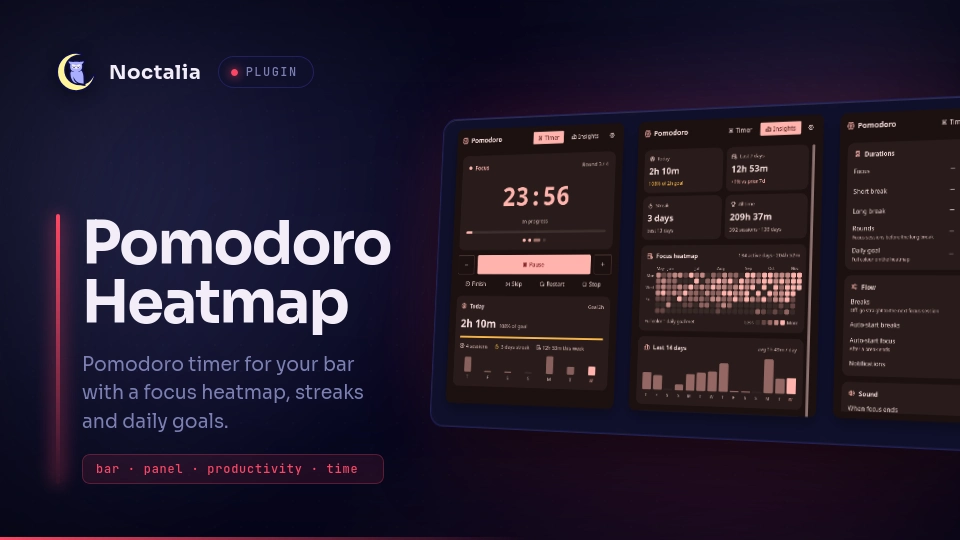
A Pomodoro timer for the Noctalia bar that also keeps track of your focus time. You get a countdown on the bar and a panel with a calendar heatmap, streaks and charts showing when you focus best.

Other Pomodoro plugins only run the timer. This one adds:
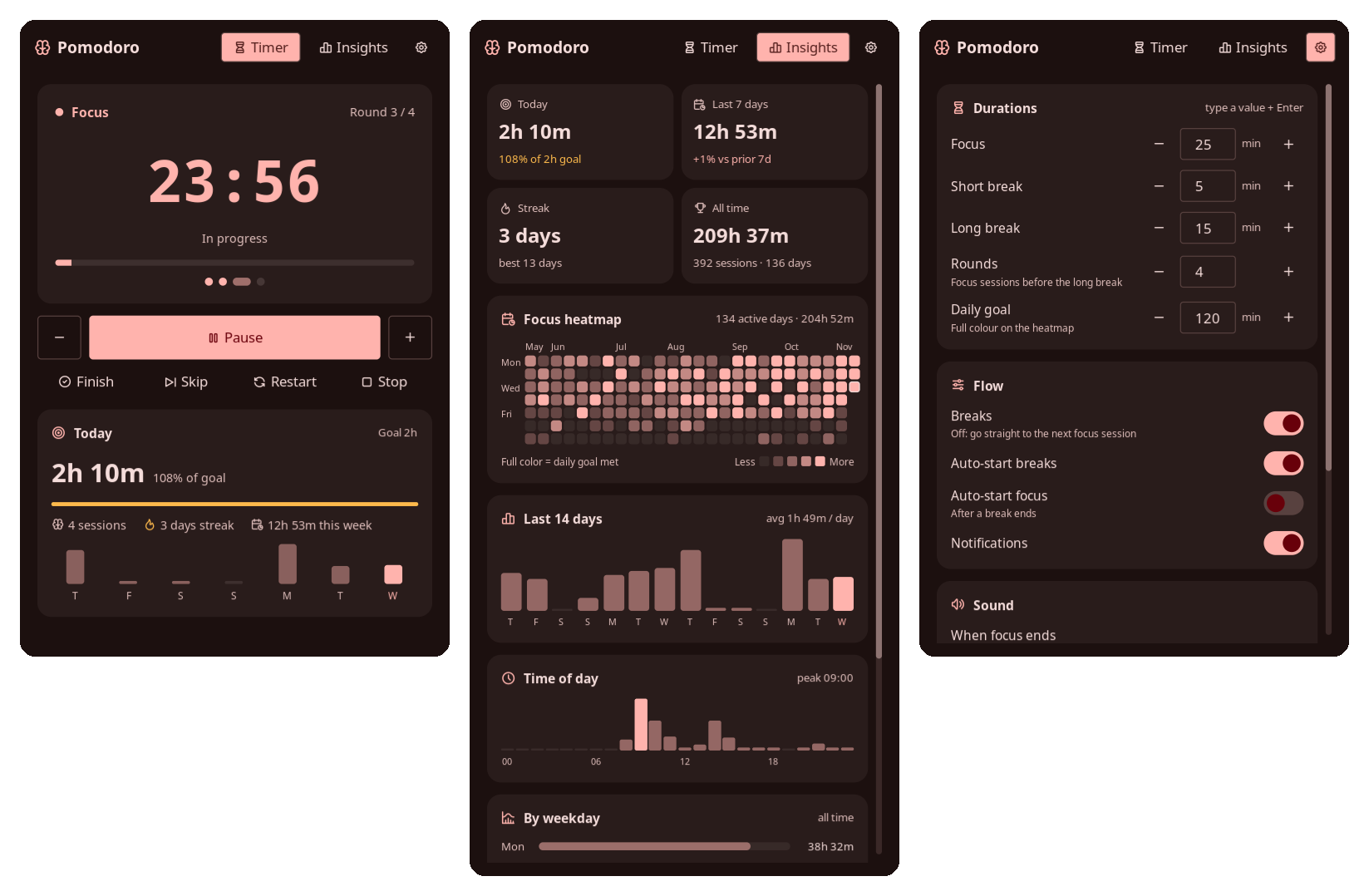
- Focus history: a 26-week heatmap, streaks, trends, and time-of-day and weekday charts.
- Quick edits: change a session's length right from the bar or the panel before you start.
- Full control while running: finish a session early, skip a break, add or remove time, or stop.
- Gentle sounds: three soft built-in sounds, separate sounds for the end of focus and the end of a break, and a volume setting.
Features
- Bar widget: stage icon, live countdown and a thin progress line. When idle it shows today's finished sessions.
- Timer:
- Before starting, set the length with − / +, preset chips (15 · 25 · 45 · 60 · 90), by clicking the clock and typing minutes, or by scrolling on the bar. Keep it for this session only, or save it as your default.
- While running: pause or resume, ±1 minute, Finish (end now and count the time as a completed session), Skip, Restart and Stop.
- During a break: Skip break or Focus now. Breaks can also be turned off.
- Insights:
- four summary tiles: today, last 7 days, streak and all-time totals
- a heatmap with a tooltip for each day
- a 14-day trend
- time-of-day and weekday charts
- your best day and completion rate
- Settings tab: durations, rounds and daily goal (step with − / + or type a value and press Enter), break options, sounds with preview, and volume, all without leaving the panel.
- Reliable timer: deadlines follow the real clock, so the timer stays correct through suspend and lag. A running session resumes after the shell restarts.
Plugin
| Field | Value |
|---|---|
| ID | adam-gassem/pomodoro-heatmap |
| Entries | Service: engine; bar widget: widget; panel: panel |
Requirements
pw-play, which comes with PipeWire, plays the end sounds. Nothing else is needed.
Installation
git clone https://github.com/Adam-Gassem/pomodoro-heatmap.git ~/.local/share/noctalia/plugins/pomodoro-heatmap
noctalia msg plugins enable adam-gassem/pomodoro-heatmap
Then add the widget in Settings → Bar → Add widget → Pomodoro Heatmap, or
add it in config.toml:
[widget.pomodoro-heatmap]
type = "adam-gassem/pomodoro-heatmap:widget"

["bar"."default"]
"end" = [ "tray", "pomodoro-heatmap", "network", "volume", "clock" ]
Usage
| On the bar widget | Effect |
|---|---|
| Left click | Open or close the panel |
| Right click | Start / pause |
| Middle click | Skip to the next stage |
| Scroll | Idle: change the length in 5-minute steps. Running: ±1 minute |
The panel has three tabs:
- Timer: run and adjust sessions.
- Insights: your statistics.
- ⚙: quick settings.
Hover any heatmap cell or bar to see its exact values.
A cycle is a series of focus sessions with short breaks in between, ending with a long break. The dots under the clock show where you are in the cycle.
noctalia msg panel-toggle adam-gassem/pomodoro-heatmap:panel             # Timer
noctalia msg panel-toggle adam-gassem/pomodoro-heatmap:panel insights    # Insights
noctalia msg panel-toggle adam-gassem/pomodoro-heatmap:panel settings    # Settings
Settings
All of these can be changed in Noctalia's settings (Plugins → Pomodoro Heatmap) or in the panel's ⚙ tab. If both are used, the most recent change wins.
| Setting | Type | Default | Description |
|---|---|---|---|
work-minutes |
int |
25 |
Default length of a focus session, in minutes. |
short-break-minutes |
int |
5 |
Length of a short break, in minutes. |
long-break-minutes |
int |
15 |
Length of the long break at the end of a cycle, in minutes. |
rounds |
int |
4 |
Focus sessions per cycle before the long break. |
breaks-enabled |
bool |
true |
Turn off to go straight from one focus session to the next. |
auto-start-breaks |
bool |
true |
Start the break as soon as a focus session ends. |
auto-start-work |
bool |
false |
Start the next focus session as soon as a break ends. |
daily-goal-minutes |
int |
120 |
Daily focus target. Full colour on the heatmap means the goal was met. 0 disables the goal, and the heatmap then scales against your busiest day. |
log-partial |
bool |
true |
Also record focus sessions you skip or stop, if they lasted at least one minute. |
notify |
bool |
true |
Show a notification when a stage ends. |
focus-end-sound |
select |
soft-chime |
Sound when a focus session ends: soft-chime, gentle-bell, wood, system-bell, system-message, system-complete, custom or none. |
break-end-sound |
select |
wood |
Sound when a break ends. Same options. |
sound-volume |
int |
60 |
Volume of the end sounds, from 0 to 100. |
custom-sound-file |
string |
"" |
Audio file used when a sound is set to custom. |
Widget settings, set per widget instance:
| Setting | Type | Default | Description |
|---|---|---|---|
show-idle-count |
bool |
true |
Show today's finished sessions next to the icon while idle. |
show-progress |
bool |
true |
Show the progress line under the countdown. |
IPC
noctalia msg plugin adam-gassem/pomodoro-heatmap:engine all <event> [payload]
| Event | Payload | Description |
|---|---|---|
toggle |
Start if idle or paused, pause if running. | |
start / pause |
Start or resume / pause the current stage. | |
finish |
End now. A focus session counts as completed with the time spent; a break simply ends. | |
skip |
Move to the next stage without counting the session as completed. | |
skip-break |
Skip the current break. Does nothing during focus. | |
focus |
Jump straight into a focus session. | |
reset |
Restart the current stage from its full length. | |
stop |
Stop and go back to the first focus session of a cycle. | |
plus / minus |
Add or remove one minute on the current stage. | |
length |
minutes | Set the length of the next stage before it starts, e.g. length 50. |
set |
key=value |
Change a setting, e.g. set work-minutes=50 or set breaks-enabled=false. |
Example Hyprland binds:
bind = SUPER, P, exec, noctalia msg panel-toggle adam-gassem/pomodoro-heatmap:panel
bind = SUPER ALT, P, exec, noctalia msg plugin adam-gassem/pomodoro-heatmap:engine all toggle
Notes
Noctalia plays its own sound for every notification, on top of this plugin's sound. To hear only the plugin's sound, either turn off
notify, or silence these notifications with a filter:[notification.filter.pomodoro] match = "noctalia" match_content = "Pomodoro" play_sound = falseHistory is stored locally in
~/.local/state/noctalia/plugins/data/adam-gassem/pomodoro-heatmap/history.json. It is never sent anywhere. Each focus session is one record:sstart,eend (Unix seconds),dseconds focused,pplanned length,ccompleted. Only focus time is recorded; breaks are not.Days follow your local time zone. A session counts towards the day it started.
Changes made from the panel are saved to
prefs.jsonin the same folder, because plugins can't write Noctalia's own settings. The timer state is saved tostate.jsonthere too.The bundled sounds are generated by
tools/make_sounds.pyand use the same MIT license as the code.
License
Versions
| Version | Plugin API | Updated |
|---|---|---|
| v0.3.0 latest | 43 | Nov 11, 2026 |
Older versions stay installable on a Noctalia release whose plugin API is below the latest version's.