 Noctalia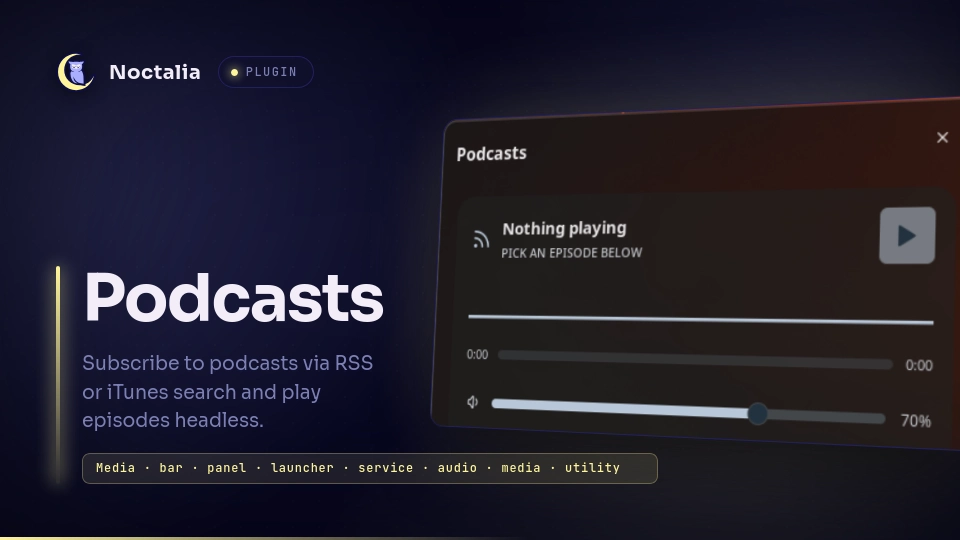
About
Podcasts
Subscribe to podcasts via RSS feed URLs or iTunes search, browse episodes, and play them headless via mpv. Bar widget shows the current episode, panel manages subscriptions and playback, launcher plays from anywhere.
Plugin
| Field | Value |
|---|---|
| ID | fel/podcasts |
| Entries | Bar widget: bar; panel: browser; service: player; launcher: finder |
| Launcher Prefix | /podcast |
Requirements
Install mpv and socat on PATH. mpv does headless playback, socat
talks to its IPC socket for volume/stop. Without socat the plugin still
works but applies volume by relaunching mpv. Install mpv-mpris
(Arch: sudo pacman -S mpv-mpris) to also expose playback on MPRIS, so the
Noctalia media widget, control-center media tab, and media keys control it.
Usage
Add the widget from Settings -> Bar with type fel/podcasts:bar.
Click opens the browser, right-click toggles play/stop, vertical scroll
changes volume.
Open the browser panel:
noctalia msg panel-toggle fel/podcasts:browser
Search iTunes or paste a feed URL to subscribe, pick a subscription to list
its episodes, press play on an episode. Starred feeds persist in the plugin
data dir; extra RSS URLs can also come from the podcast_feeds setting.
Set podindex_key + podindex_secret (free at podcastindex.org) to search
Podcast Index alongside iTunes; with both empty only iTunes is used.
Playback position is remembered per episode in positions.json: replaying
resumes where you stopped ("Resumed from 12:34"), and the timeline slider
in the browser seeks. Episodes played to the finish clear their position
so replays start over.
Launcher: type /podcast 99 and press Enter on a podcast to browse its
episodes without leaving the launcher, Enter on an episode plays it.
Subscribing from launcher results is supported too.
Control playback over IPC:
noctalia msg plugin fel/podcasts:player all play '{"podcast":"99% Invisible","episode":"Doves Type","url":"https://...mp3"}'
noctalia msg plugin fel/podcasts:player all stop
noctalia msg plugin fel/podcasts:player all volume 60
Settings
| Setting | Type | Default | Description |
|---|---|---|---|
default_volume |
int |
70 |
mpv volume 0-100, used until changed from widget, panel or launcher. |
search_limit |
int |
10 |
Episodes shown per podcast and directory results fetched, 3-30. |
mpv_bin |
string |
mpv |
mpv executable for headless playback. |
podcast_feeds |
string_list |
[] |
Extra RSS URLs, always subscribed alongside panel-added ones. |
podindex_key |
string |
"" |
Podcast Index API key (podcastindex.org). Enables Podcast Index search next to iTunes. Empty disables it. |
podindex_secret |
string |
"" |
Podcast Index API secret. Needed together with the key. |
mpris |
bool |
true |
Expose playback on MPRIS via mpv-mpris when its script is found. |
mpris_path |
string |
"" |
Custom path to mpris.so. Empty means auto-detect. |
show_name |
bool |
true |
Widget: show the episode name next to the glyph. |
max_length |
int |
24 |
Widget: max characters of the episode name, 5-60. |
IPC
Player service (always available):
noctalia msg plugin fel/podcasts:player all play '{"podcast":"99% Invisible","episode":"Doves Type","url":"https://...mp3"}'
noctalia msg plugin fel/podcasts:player all stop
noctalia msg plugin fel/podcasts:player all toggle
noctalia msg plugin fel/podcasts:player all pause
noctalia msg plugin fel/podcasts:player all resume
noctalia msg plugin fel/podcasts:player all volume 60
noctalia msg plugin fel/podcasts:player all volume-up
noctalia msg plugin fel/podcasts:player all volume-down
noctalia msg plugin fel/podcasts:player all seek 600
Bar widget (needs a live widget instance - use focused or the bar name):
noctalia msg plugin fel/podcasts:bar focused toggle-browser
noctalia msg plugin fel/podcasts:bar focused toggle
noctalia msg plugin fel/podcasts:bar focused stop
Browser panel (must be open - toggle it first):
noctalia msg plugin fel/podcasts:browser all search "99 invisible"
Notes
Network: itunes.apple.com for discovery plus each feed host and MP3 CDN.
Files: subscriptions at the plugin data dir subscriptions.json, artwork
under art/, mpv IPC socket mpv.sock in the same dir. Processes: one
headless mpv --no-video owned by the player service. Starting an episode
stops the running one first and waits for it to exit, so switching never
leaves a second stream playing. Killed on plugin disable/uninstall/exit.
Versions
| Version | Plugin API | Updated |
|---|---|---|
| v0.1.3 latest | 43 | Oct 25, 2026 |
| v0.1.2 | 22 | Oct 24, 2026 |
Older versions stay installable on a Noctalia release whose plugin API is below the latest version's.