 Noctalia
About
Plugin Hub
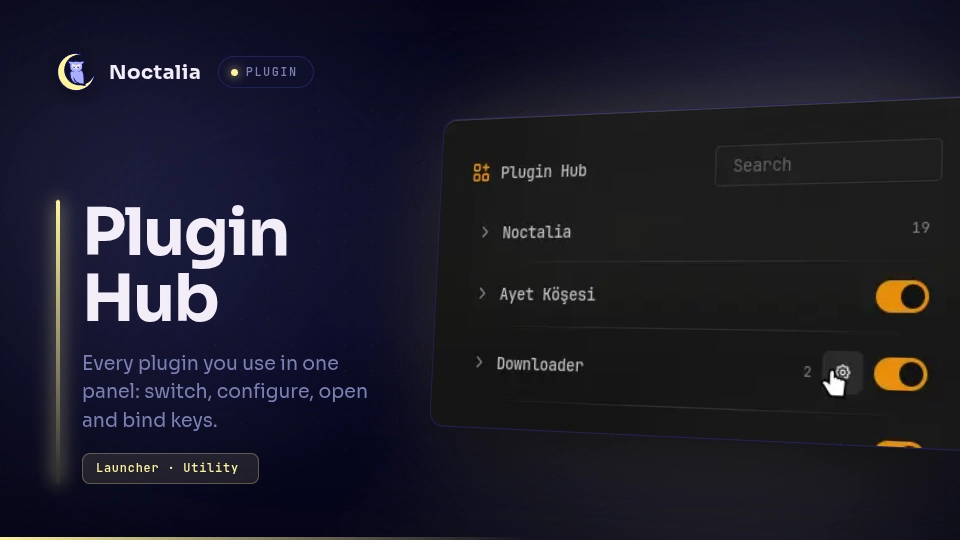
Every plugin you use in one panel. Switch a plugin on or off, change its settings, open its panels, run its commands and give any of them a key, without keeping its widget in the bar. Noctalia's own panels and commands of your own are in the same list, and in the launcher.
Plugin
| Field | Value |
|---|---|
| ID | omerfuyar/plugin-hub |
| Entries | Bar widget: widget; panel: panel; service: service; launcher provider: hub |
| Launcher prefix | /hub |
Requirements
| Command | Needed | What for |
|---|---|---|
hyprctl |
Required on Hyprland | Adds the keys you give actions. Without it, actions still run from the panel and launcher. |
sh, awk |
Required | Read each plugin's manifest and README. They come with every Linux system. |
git |
Required | Reads a plugin that is off from its source. Noctalia itself needs it for plugins. |
Usage
Add the Plugin Hub widget to your bar and click it to open the hub. You can also open it
from Noctalia's launcher, where you type /hub and pick Open Plugin Hub, or by IPC or a
key:
noctalia msg panel-toggle omerfuyar/plugin-hub:panel

Open one plugin's settings page directly, such as from a key:
noctalia msg panel-toggle omerfuyar/plugin-hub:panel omerfuyar/keyboard
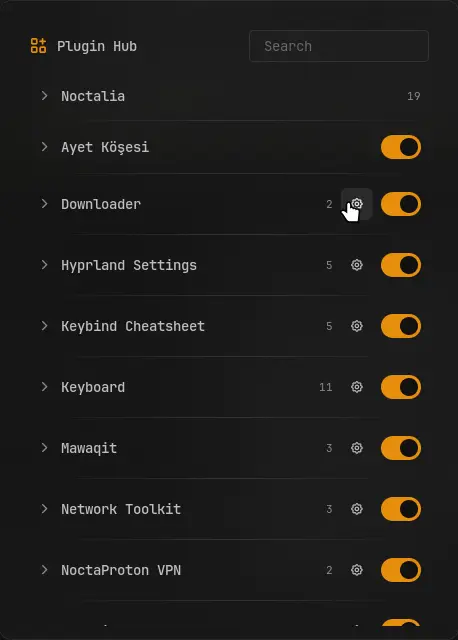
The panel lists Noctalia, each plugin you use, and your own commands. Search filters them all.
Plugins. Each enabled plugin is listed, and each one the hub saw enabled before, so a plugin you switch off here can be switched on again. The switch turns a plugin on or off, and the gear opens its settings.
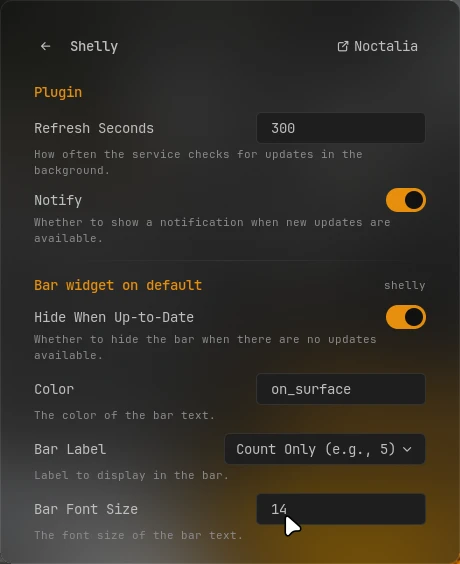
Settings. A plugin's settings page holds all of them, wherever Noctalia keeps them: the plugin's own, and those of each of its widgets on a bar, the desktop or the lock screen. A switch or a choice is saved at once, and a text or number when you press Enter. Lists, maps and passwords open in Noctalia's settings, as does the Noctalia button for the whole page. Advanced settings show with the switch at the bottom.
Actions. A plugin's actions are its panels, from its manifest, and the
noctalia msgcommands its README shows, named by the comment after them when there is one. Noctalia's are its launcher, control center tabs, wallpapers, clipboard, session menu, settings and do not disturb.▶ runs an action. The key button gives it a key: type one such as
SUPER + Kand press Enter, or empty it to take the key away. A letter or digit needs a modifier. Keys are added to Hyprland while Noctalia runs; your Hyprland config is not changed. A key that something else already binds shows Taken and is left alone.Your commands. Add any
noctalia msgcommand, such aspanel-toggle wallpaperorplugin noctalia/screen_recorder:service all toggle, to run it and give it a key.
In the launcher, type /hub and part of a name to run any action. Results show their key.
Commands run without a shell: only letters, digits, spaces and - _ . / : + are taken, so a
README cannot make the hub run more than noctalia msg.
IPC
Read the plugins again, such as after installing one:
noctalia msg plugin omerfuyar/plugin-hub:service all refresh
Notes
- Keys, your commands and the plugins seen are in
~/.local/state/noctalia/plugins/data/omerfuyar/plugin-hub/hub.json. - The list is read again every 30 seconds and when the panel opens.
- Settings are saved with
noctalia msg config-set, which checks each value against the plugin's manifest, into Noctalia'ssettings.toml, as Noctalia's own settings do.
Versions
| Version | Plugin API | Updated |
|---|---|---|
| v1.2.3 latest | 43 | Nov 11, 2026 |
Older versions stay installable on a Noctalia release whose plugin API is below the latest version's.